TL;DR
- A spot interruption happens on the provider's schedule, not yours. When the machine goes, everything the job was holding in GPU memory goes with it, and no command run afterwards brings it back.
- The usual protections do not close the gap. The warning is best effort and is sometimes missed entirely, and checkpointing on a fixed schedule still throws away everything since the last save.
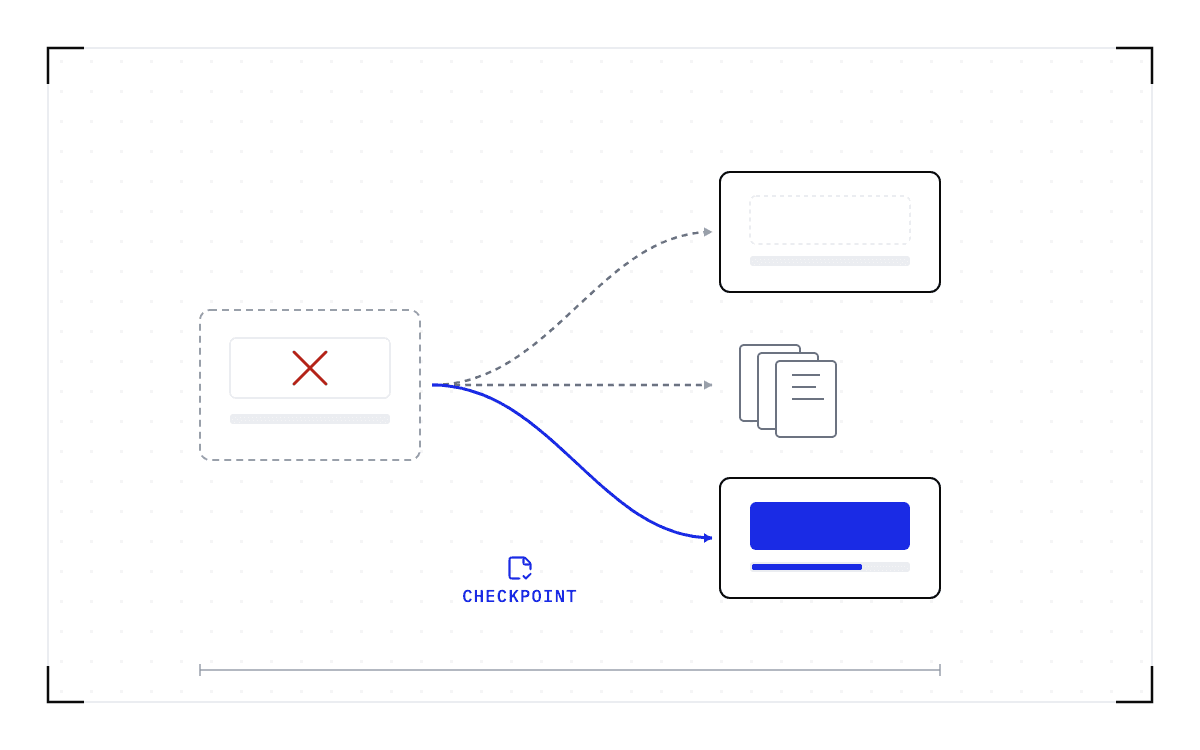
- What changes the outcome is saving the running workload itself, below the application and with no change to the application code, on an interval you set. A recent copy then exists whether or not the notice arrives.
- In this piece we walk through what each platform promises before it takes the machine back, what a reclaim takes with it, why the warning window does not save the work, and what the recovery tools bring back today. Then we cover the three costs a resume leaves you with, the arithmetic for spot against on-demand, and what has to be true for the job to come back.
How much notice does each platform give before taking the machine back?
AWS calls it a spot interruption, Google Cloud preempts the VM, Azure evicts it, and on a marketplace the instance loses its bid. The warning, where there is one, is an interruption notice or a termination notice, and on AWS it is the 2-minute warning.
| Platform | What it promises before the machine goes |
|---|---|
| AWS EC2 Spot | A 2-minute interruption notice before it stops or terminates the instance. The notices are emitted on a best effort basis. |
| Google Cloud, on GKE | A default 30-second graceful termination period after the preemption notice, during which the node shuts down. That period is best effort as well, and Spot GPU VMs are preempted by default during maintenance events and cannot be automatically restarted. |
| RunPod Spot | No window at all. RunPod's own page says "Spot instances can be interrupted without notice, while on-demand instances are non-interruptible." |
Neither of the two largest providers promises the notice will arrive, so whatever protects the job has to be in place before it does.
Sometimes the notice is not there at all. The engineer who raised it on r/aws does not see the termination notice that is supposed to arrive 2 minutes before termination: "I just lose the instance." An engineer running Azure spot VMs reports the same shape of problem, where the platform does not stop his service gracefully and instead eliminates the VM while all the services are still running.
What does a reclaim take with it?
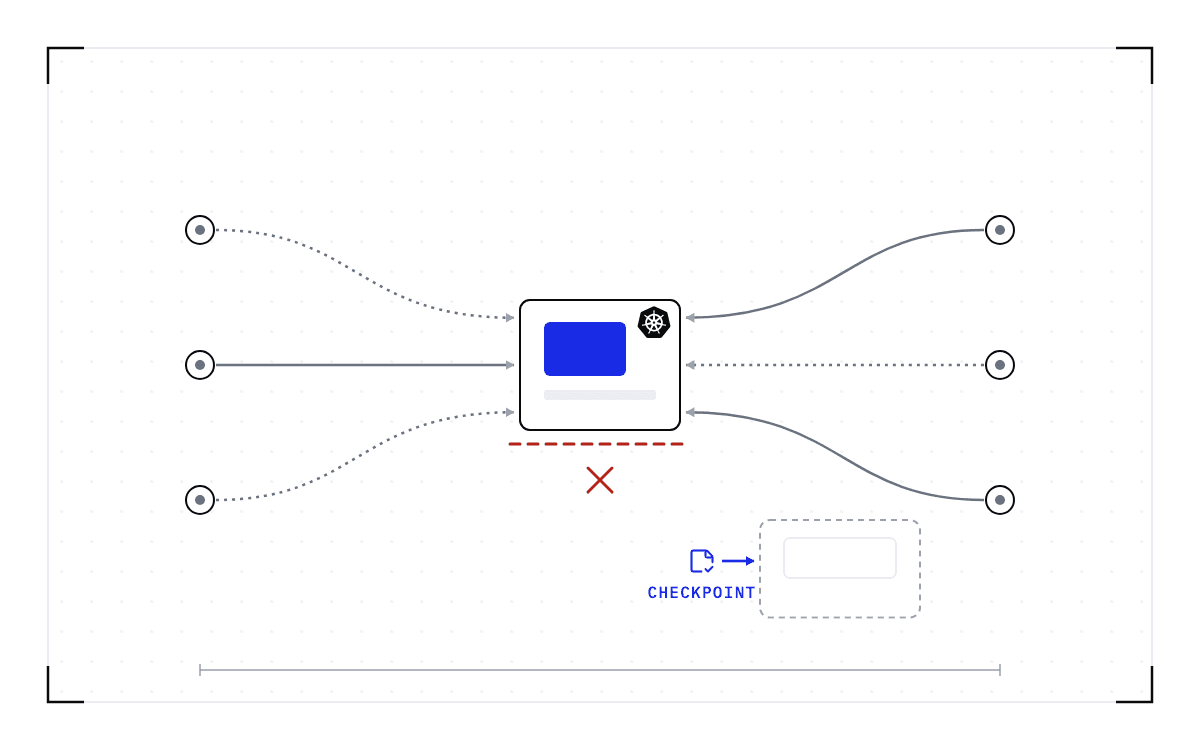
A reclaim takes everything the job was holding in GPU memory. A training run holds its progress there, and an inference worker holds the model weights and the key-value (KV) cache, which is the working state of every request in flight. All of it goes when the instance does.
AWS is direct about the work it sells spot for, naming "stateless, fault-tolerant, or flexible applications". A stateful job is not the first of those, and it is fault-tolerant only if something saves its state before the reclaim. What survives is whatever your application wrote to disk or to object storage beforehand.
Why does a job still lose a checkpoint interval of work even with warning?
The work at risk is set by the gap between one save and the next, and the warning does not shorten that gap. AWS's checkpoint-storage guidance describes the trade-off: frequent saves consume compute and I/O resources, while longer gaps leave more progress at risk.
The Ray project has a name for what that gap costs you. An open request for comment calls it the "checkpoint every 1000 steps, died at step 999" problem, where a full checkpoint interval of progress is thrown away on every preemption even though the system had tens of seconds of advance notice.
The notice does not close that gap, and engineers on r/aws say the plain reason why: most jobs run for longer than 2 minutes, so a notification about termination does not really help.
A run line with saves at equal intervals: the 2-minute warning arrives near the end, and the whole span since the last save is thrown away when the machine goes.
The checkpoint interval against the notice
The work at risk is set by the gap between one save and the next, and the warning does not shorten that gap.
"checkpoint every 1000 steps, died at step 999"
Is there a reliable hook to run in the warning window?
There is none, because a hook can only run if the notice arrives, and the notice is best effort. Two engineers went looking for one anyway. One wanted to use the 2-minute time window to transfer files generated in his pod back to S3. The other found that the preStop hook is not respected when there is a spot termination.
What do the tools do about a reclaim today?
They bring back capacity, and they bring back a file if your application wrote one.
| Tool | What it does when the instance is taken back | What the job gets back |
|---|---|---|
| Amazon SageMaker managed spot training | Manages the spot interruptions on your behalf, which the same page defines as copying checkpoint data from a local path to Amazon S3, then copying it back into the local path when the job is restarted. | Whatever your script wrote as a checkpoint, and nothing if it wrote none. |
| Karpenter | Watches for the 2-minute warning, then begins draining the node while in parallel provisioning a new node. | A replacement node quickly. The pods on it start from nothing. |
| AWS Node Termination Handler | Cordons and drains the node, removing any existing work. | The same replacement capacity, with no state carried across. |
| Vast.ai interruptible instances | Stops the instance when it loses its bid, which kills the running processes. Its rental types page tells the renter to save work frequently. | Whatever the renter saved. |
Karpenter's own annotation documentation names the workload this hurts: a long batch job, such as one you might have with machine learning, that would need to start over if it were interrupted. The replacement capacity arrives quickly in every row of that table, and in none of them does the work arrive with it.
What SkyPilot, Ray Train, SageMaker and MemVerge bring back after a spot reclaim compares what each of the managed recovery tools restores. What happens to a GPU pod when Kubernetes ends it goes through the other ways Kubernetes itself, not just the cloud, can end a pod before a replacement is even ready.
A reclaim costs three things instead of the job
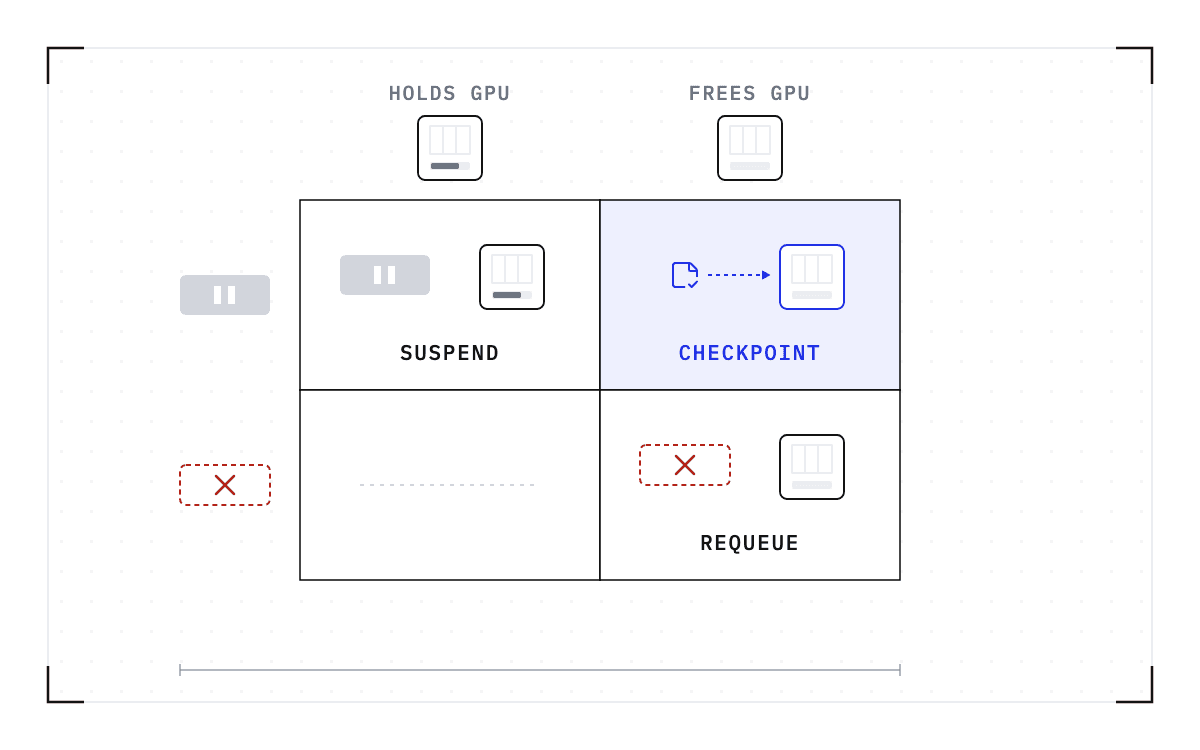
None of those tools saves the running workload itself. Saving that, rather than the file the application wrote, is what stops a reclaim from taking the job, and it is the part we work on at Cedana. Cedana is automated GPU checkpointing and migration infrastructure that increases the useful work your GPUs deliver. We take the checkpoint below the application, while the job runs and with no change to its code, so it covers a training script that was never written to save itself and a serving worker that has no way to write a checkpoint at all.
Cedana preserves the entire workload state (CUDA context, KV cache, file system, network, scheduler), so workloads automatically resume on a new instance as of the last checkpoint. Take the checkpoint on an interval you set, and a recent one exists when the reclaim comes, whether or not the notice arrives.
What the reclaim costs you then is three things rather than the job:
- The work done since the last checkpoint. How much that is depends on the gap between checkpoints, which is a policy setting rather than a property of the system.
- The restore, meaning the time to put the saved workload back on a new instance.
- The wait for capacity, meaning the time until a compatible instance appears, on spot or on-demand.
Whether a final checkpoint completes inside the notice window depends on the checkpoint's size, so plan with the interval rather than with the notice.
The restore is the cost we can put a number on. In Cedana's published benchmark, measured on inference workers on one node of 8x B200 GPUs, frontier models restored in 57 to 70 seconds. Kimi K2.6, a trillion-parameter model with a 670 GiB checkpoint, resumed in 63 seconds against a 20.3-minute native start on the same node. Those are serving workers, and a training job's restore time follows the size of its own checkpoint.
The wait for capacity depends on what the provider has free rather than on any software. It lengthens the time to finish rather than the bill, because AWS bills instance usage only while an instance is running.
Those first two costs are what you weigh against the discount. Write the discount as d, the job's own length as H hours, the number of reclaims as r, and the billed lost time per reclaim as L hours, meaning the work repeated since the last checkpoint plus the restore. The wait for capacity sits outside the sum, because nothing is billed while you wait.
On demand, the job costs H hours at the on-demand rate. On spot it runs for H + rL hours at (1 - d) of that rate, so spot stops being cheaper when rL/H reaches d/(1 - d). In plain terms, the deeper the discount, the more lost time it takes to erase it, and the multiple rises steeply.
| Discount | Lost time that erases it, as a multiple of the job's length |
|---|---|
| 60% | 1.5 |
| 70% | 2.3 |
| 80% | 4 |
| 90% | 9 |
Take a 24-hour job at a 70% discount, reclaimed 3 times, with each reclaim costing 10 minutes of checkpoint gap and restore together. That 10 minutes is an assumption standing in for the first two costs above. It is not a measurement, and your own figure goes in its place. The job costs (24 + 0.5) x 0.3 = 7.35 on-demand hours against 24, a saving of 69%, so the reclaims cost about one point of the 70.
Two bars in on-demand hours: a 24-hour job costs 24 on demand and 7.35 on spot at a 70 percent discount with three reclaims.
A 24-hour job at a 70% discount, reclaimed 3 times
A 24-hour job at a 70 percent discount reclaimed three times costs 7.35 on-demand hours against 24.
Without a resume, the same job has no break-even to compute. Each reclaim discards the progress so far, and the job finishes only if one gap between reclaims happens to run longer than 24 hours.
Is there a way to know how long a spot instance will stay up?
Of the three numbers in that arithmetic, the reclaim count is the one you have to get from the provider, and AWS is the only one that publishes a spot interruption rate. Its Spot Instance Advisor says the average frequency of interruption across all regions and instance types has historically been under 5%, and it gives a band for each instance pool over the trailing month. Google Cloud publishes no rate at all.
Is spot worth using at all for training?
Some teams price the reclaims and leave. A Karpenter issue measured over 5% of nodes launched interrupted within 3 minutes of launch, barely enough time for a node to become ready under EKS. On Hacker News, one team upgraded to non-preemptible nodes so it could get work done, at a 15% per-tenant cost increase, and another gave up and moved all its task nodes to on-demand. A Stack Overflow question asks outright whether multi-node spot GPU training is an anti-pattern.
Without a resume, the arithmetic above gives a long job on spot no break-even, and giving up is the right call. With one, spot pays when the lost time per reclaim, multiplied by the number of reclaims, stays under the table's multiple of the job's length. The one piece of advice the threads agree on is to try spot training only once checkpointing is in place.
What has to be true for the job to come back
The instance the job comes back on has to be compatible. A checkpoint records the GPU, driver, engine and model versions it was taken against. If any of them changes, the checkpoint is invalid and the workload cold-starts instead.
A reclaimed 8x H100 job resumes on another 8x H100 pool, never on a B200.
A checkpoint also has to exist before the machine goes. Cedana needs either the notice, with enough of the window left to finish the write, or a checkpoint taken recently enough on its own schedule, and it does not make any cloud's notice arrive earlier than that cloud sends it. On RunPod Spot, where no notice is sent, only the recent checkpoint applies.
The number of nodes the job spans decides whether it is covered today. The single-GPU and multi-GPU-on-a-single-node tiers ship in production today. Multi-node, where a single workload spans hundreds or thousands of GPUs across many nodes, is in design partnership with leading enterprises and neoclouds. A job on the 8 GPUs of one node can be saved there and restored on the 8 GPUs of another node, which is a move between machines rather than a job that spans them.
One customer already runs on spot the long, stateful work the providers' own guidance points away from it. Cedana's use-case page for spot reports that Caltech's CompBio group cut its cost and got results faster, running end-to-end training, inference, and GROMACS molecular dynamics evaluation loops on spot capacity. That is a customer result, not a benchmark.
To do the arithmetic above for your own job, you need the discount on a pool you can get, the number of reclaims you expect over the job's length, and what each one costs you.
Related:
- What happens to a GPU pod when Kubernetes ends it
- What SkyPilot, Ray Train, SageMaker and MemVerge bring back after a spot reclaim
- How to fill idle GPUs without killing the job that fills them
- Slurm has no suspend option for GPU jobs. What preemption without killing the job looks like
Common questions
My spot or preemptible instance can be reclaimed at any moment, and when it happens I lose all the progress on my job since the last checkpoint. How do I stop that work from being thrown away?
If nothing saved the job's state before the machine went away, the work is gone and no command run afterward brings it back. Saving the running workload below the application, with no change to the application code, lets it resume automatically on the next instance from the last completed checkpoint. The interval between checkpoints, which you set, is what bounds the work that has to be repeated, and the restore has to land on a compatible instance, meaning the same GPU model, driver, engine and model versions.
Can I actually count on a spot or preemptible interruption notice, AWS's 2-minute warning, GCP's 30-second warning, a Karpenter rebalance recommendation, or Slurm's GraceTime signal, to arrive early enough, with enough follow-through, to save my work before the machine disappears?
No, you cannot count on it. AWS's interruption notices are emitted on a best effort basis, Google Cloud's shutdown period is best effort as well, and RunPod Spot gives no window at all. Whatever protects the job has to be in place before the notice arrives, not triggered by it.
Even with 30 to 120 seconds of advance spot-reclaim warning, my job still throws away almost a full checkpoint interval, sometimes everything since the run began, because checkpointing runs on its own fixed schedule instead of reacting to the warning. How do I stop losing that work?
Checkpointing on a fixed schedule throws away a full interval of progress on every preemption even when the system had tens of seconds of advance notice, the "checkpoint every 1000 steps, died at step 999" problem the Ray project describes. The notice does not close that gap on its own. Saving the workload on a short interval, so a recent checkpoint always exists, is what narrows it.
I want a hook that runs my own save or file-transfer logic during the spot interruption warning window, like a preStop hook, but the platform either does not provide one or does not honor it for spot-triggered terminations specifically. How do I get a reliable hook?
There is no reliable one. On EC2 the interruption notice is best effort, and reports from Kubernetes on AWS show a preStop hook skipped on a spot termination and an engineer unable to run a file transfer inside the 2-minute window. Saving the workload's state on a schedule, below the application, does not depend on that hook arriving or being honored.
Is there a way to know or predict how long a spot or preemptible instance will likely stay up, an uptime distribution or eviction rate by region, so I can estimate whether my job will finish before it gets reclaimed?
AWS is the only provider that publishes one: its Spot Instance Advisor reports an average interruption frequency across all regions and instance types that has historically been under 5%, with a band for each instance pool over the trailing month. Google Cloud publishes no rate at all.