TL;DR
- Your spot instance was reclaimed, the tool that was meant to handle it brought back a new machine, and your job started again at step zero. Recovering the capacity and recovering the work are two different things.
- SkyPilot, Ray Train, SageMaker, Karpenter and NVIDIA Run:ai all return the capacity and leave the saving and loading of your progress to your own code. So the run continues only if that code wrote a checkpoint and reads it back on startup.
- That code is where the reports pile up. A handler fires in the middle of a step and stores a corrupted checkpoint, a job never requeues, or a resume skips an epoch or replays data the model has already seen.
- Two of the options save the running job below the application instead. What comes back is the process itself with its GPU memory, and there is no file for your code to write.
- In this piece we walk through what each option restarts from, what each one needs from your code, and the limits each one publishes. We also cover where the recovery logic itself gets stuck, and what changes when the worker is saved rather than rebuilt.
What each option brings back after a spot reclaim
After a spot instance is reclaimed, what comes back can be the machine, the files you saved, or the job itself as it was running. Most of the options below bring back the machine and expect your own code to have already saved and reloaded the checkpoint. Every one of them, including Cedana's saved-worker approach, is sold as spot recovery, and the phrase covers all three: the machine, the files, or the job.
| Option | What it restarts from | What it needs from your code | The notice it needs | The limits it publishes |
|---|---|---|---|---|
| SkyPilot managed jobs | A new cluster in another region | Checkpoint saving and loading | None named | "a job will be restarted from scratch after each recovery" |
| Ray Train | A new set of workers | Saving and loading in the training function | None named | "the training will just start from scratch" |
| SageMaker managed spot | The last checkpoint your script wrote, from S3 | A script that writes checkpoints | None named | Checkpoints added to S3 after the job starts are not copied in |
| Karpenter or the AWS Node Termination Handler | A new pod, from nothing | Whatever your pods finish in the grace period | The 2 minute EC2 interruption warning | Pods are deleted once the grace period ends |
| NVIDIA Run:ai | The startup script, from the top | A startup script that loads a checkpoint and code that writes one | 30 seconds by default, up to 5 minutes | A checkpoint on local disk risks data loss |
| MemVerge SpotSurfer | The last complete snapshot | Nothing | The cloud's reclaim signal | About 64 GB in the reclaim window; periodic snapshots at 60 minutes, EBS only; incremental mode AWS only |
| Cedana, a saved worker | The last checkpoint of the running process | Nothing | A notice window, or a recent heartbeat | Same GPU model, driver, engine and model versions. Single node today |
A saved worker means the running worker process is checkpointed where it stands, so what returns is that process rather than a new one rebuilt from your files. The product quotations come from the products' own pages, read in September 2026.
SkyPilot rebuilds the cluster and starts the job again
SkyPilot managed jobs answer a preemption by rebuilding the cluster somewhere else. The recovery SkyPilot's documentation describes is "Tear down the old temporary cluster and provision a new one in another region, then restart the job." Restart is the word that matters, and the note under it states the default: "By default, a job will be restarted from scratch after each recovery (whether from preemption or hardware failure)." So you get capacity back in a region that still has it, and your training begins at step zero unless your own code wrote a checkpoint and loads it when the new cluster comes up.
Ray Train restarts every worker
Ray Train treats a preemption as a dead machine: "When a failure is detected, all the workers are shut down, new nodes are added if necessary, and a new set of workers is started." The workers that come back are new processes, so nothing they were holding in memory comes back with them.
What survives is what your training function wrote to disk, because Ray Train puts the condition on your code: "In order to retain progress upon recovery, your training function should implement logic for both saving and loading checkpoints. Otherwise, the training will just start from scratch."
SageMaker copies your checkpoint files through S3
SageMaker managed spot training is the one option here that moves your checkpoint files for you. Amazon's page states the promise: "SageMaker AI manages the Spot interruptions on your behalf". The management is a file copy. "SageMaker AI copies checkpoint data from a local path to Amazon S3", and on a restart it copies the data back, so "The training job can then resume from the last checkpoint instead of restarting." Your script still has to write those checkpoints, because SageMaker moves the files rather than creating them.
An engineer running a custom script under managed spot reported the opposite result. On every interruption, "the training starts from the scratch".
Karpenter and the Node Termination Handler drain the node
On Kubernetes a spot interruption reaches your job as an eviction. Karpenter's documentation records both the notice and the response: "Spot interruptions have a 2 minute notice before Amazon EC2 reclaims the instance", and "Once Karpenter has received this warning it will begin draining the node while in parallel provisioning a new node." The AWS Node Termination Handler does the same work on its own, "removing any existing work". Your pods get whatever they can finish inside the grace period before they are deleted.
Karpenter's documentation names the workload this costs the most, describing a pod you would protect from disruption as "a long batch job (such as you might have with machine learning) that would need to start over if it were interrupted".
Run:ai resumes by running your startup script again
NVIDIA Run:ai uses the words pause and resume for the work its scheduler moves aside, so it can pause a running workload and reassign its GPUs to higher priority work. A resume, in its own definition, is a fresh run of your script: "At NVIDIA Run:ai a workload that is resumed will run the same startup script as on the first run." The workload therefore begins at the top of that script, and it picks up earlier progress only if the script looks for a saved checkpoint and loads it. The window for writing one is 30 seconds by default, up to 5 minutes.
MemVerge SpotSurfer snapshots memory on the reclaim signal
MemVerge is the one product above that saves the running job below the application, as the saved worker does. Its user guide puts the claim in one sentence: "SpotSurfer is a feature that allows stateful applications to always run to completion by 'surfing' to a new VM instance if the underlying Spot Instance is reclaimed by the CSP", meaning the cloud service provider. The snapshot fires on that provider's reclaim signal and holds "in-memory state and relevant files", so your own application writes nothing. Their spot FAQ says checkpoint and restore works on GPU instances, "as long as the GPU-enabled instances are supported by MMCloud."
How much that snapshot can carry is bounded by the reclaim window it has to fit inside: "the short time available to save the snapshot prevents SpotSurfer from working with applications that use a lot of memory, for example, larger than 64 GB." Past that size the fallback is a periodic snapshot, at a recommended checkpoint interval of at least 60 minutes, with data volumes on EBS, and the job "resumes in its state when the last (complete) snapshot was saved." The incremental mode runs on AWS only, and no page read for this comparison covers multi-node distributed training.
When the recovery logic itself gets stuck
Every tool above recovers a job by rebuilding it, so when the rebuilding is the thing that fails, there is nothing underneath it to catch the job. One Ray issue describes an autoscaler that gives up after a preemption: "An exception is logged multiple times and eventually all workers are down and the autoscaler stops rescheduling them". Another reports remote Ray tasks that "do not restart even though we set max_failures to -1". A SkyPilot managed job "seems to fail to recover from worker node failure and the head node VM keeps running".
None of the threads records a fix. A saved worker does not have that failure mode, because nothing is rebuilt: given a compatible node to land on, it comes back as the process it was. It does not find that node, so the scheduler or the autoscaler still has to provide one.
The checkpoint you write is the part that keeps breaking
Every tool above except MemVerge and the saved worker leaves the saving to your code, and that code is where the reports pile up. On a Slurm cluster, one engineer found that the handler "could run in the middle of a backward pass and store a corrupted checkpoint". Another PyTorch Lightning issue describes the opposite failure, a checkpoint that saves correctly while the resume silently skips an epoch.
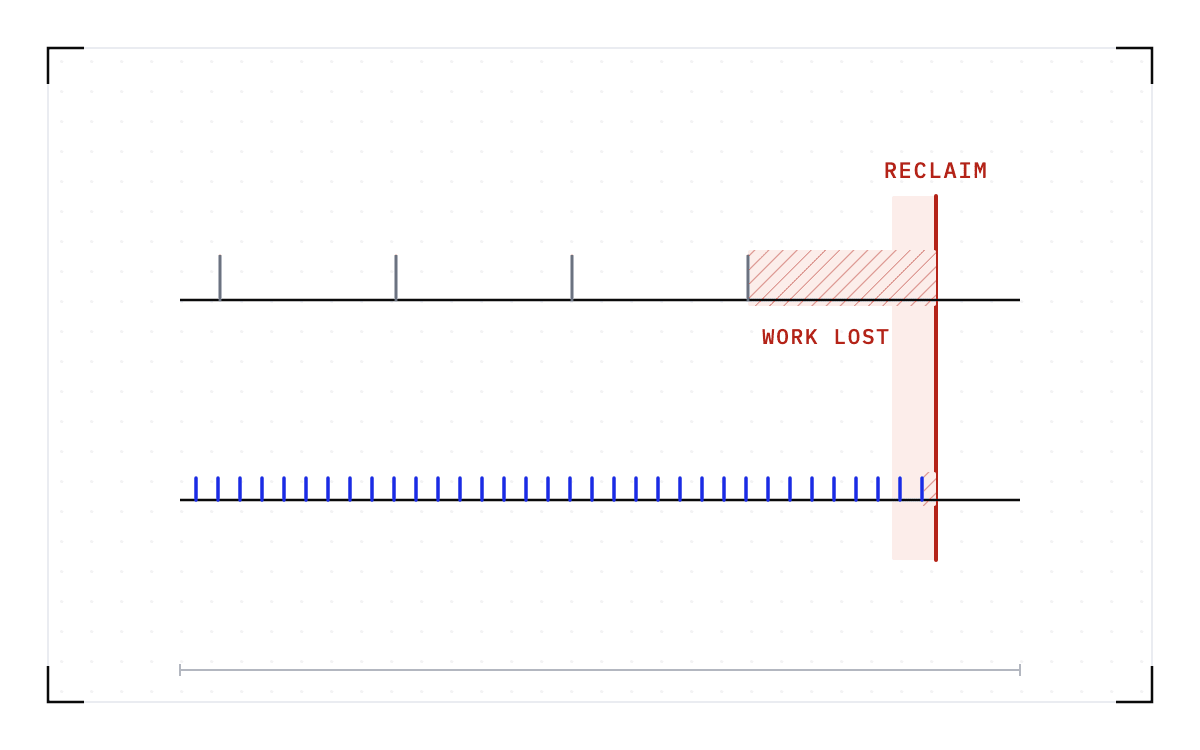
Saving more often and saving less often each cost you something. AWS's checkpoint-storage guidance sets out both sides: frequent saves consume compute and I/O resources, while longer gaps leave more progress at risk.
The Slurm requeue that is meant to bring the job back misfires too, in the scheduler's own configuration and in the workflow engines above it. One asker on Stack Overflow has jobs that error out on preemption and wants them requeued automatically, and the answer is PreemptMode set to REQUEUE plus the requeue flag on the job. On a Slurm mailing list, preempted jobs were killed and not requeued after a version upgrade, and setting GraceTime to zero did not fix it. Nextflow on Slurm "does not recognize job preemptions", so "the whole pipeline breaks all the time due to many job preemptions".
A PyTorch Lightning user found that "the model never requeues and doesn't even save a checkpoint". Every one of these reports turns on the same dependency: the signal has to reach the job's own code in time and that code has to act on it, and when either half fails, nothing else in the stack saves the work.
A checkpoint that loads cleanly can still resume in the wrong place in your data. A post on the PyTorch forum asks about exactly that and nobody answers it: with a distributed sampler and "the default seed value are we going to repeat the initial dataset sequence when the training job is going to restart from the last available checkpoint?" The data loader's position and its random state are things the training code has to save and restore itself, so a resume that forgets them replays data the model has already seen.
A saved worker restores the process with that state in its memory, so the loader continues where it stopped.
Four reported failures in the checkpoint you write: a corrupted checkpoint stored mid backward pass, a resume that skips an epoch, a model that never requeues, and a resume that replays data already seen.
Where the checkpoint you write breaks
the handler could run in the middle of a backward pass and store a corrupted checkpoint
a checkpoint that saves correctly while the resume silently skips an epoch
the model never requeues and doesn't even save a checkpoint
a resume that forgets the data loader's position and its random state replays data the model has already seen
A saved worker comes back where it stopped
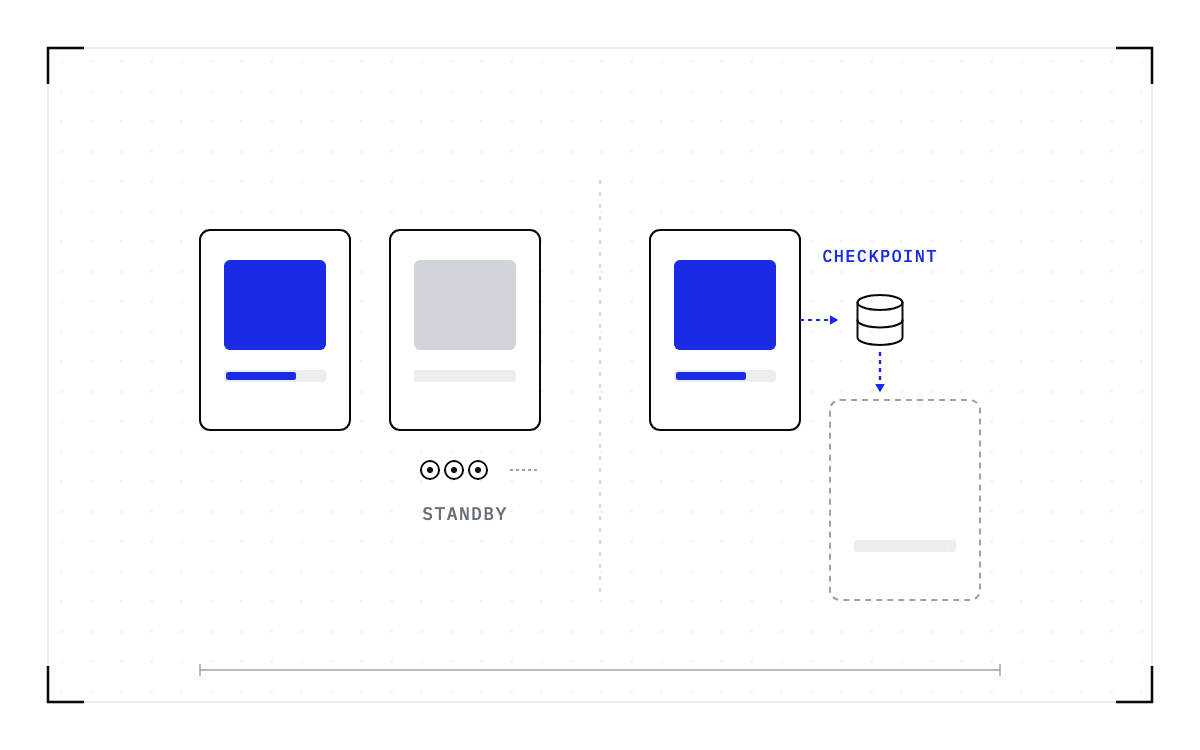
The worker is checkpointed while it runs, below the application, so what comes back after the reclaim is the process itself with its GPU memory. There is no file for your code to write, no signal for it to catch, and no resume path for you to test.
The restore has to land on compatible hardware, which means the same GPU model. A checkpoint records the GPU, driver, engine and model versions it was taken against. If any of them changes, the checkpoint is invalid and the workload cold-starts instead. Cedana needs a notice window or a recent heartbeat checkpoint, and it does not make a cloud's notice arrive any earlier.
The single-GPU and multi-GPU-on-a-single-node tiers ship in production today. Multi-node, where a single workload spans hundreds or thousands of GPUs across many nodes, is in design partnership with leading enterprises and neoclouds. If your jobs span nodes and this is the case you need solved, talk to Cedana about a design partnership.
What separates the options on this page is what each one hands back to you: a machine, your files, or the job as it was running. Cedana is automated GPU checkpointing and migration infrastructure that increases the useful work your GPUs deliver. On a reclaimed spot instance, that means the worker resumes on a compatible instance from its last checkpoint, without the application knowing. So the question to take back to your own stack is which of the three your recovery returns today, and how much of the run you lose when it does.
Three bins for what each option hands back after a reclaim: a machine from SkyPilot managed jobs, Ray Train, Karpenter or the AWS Node Termination Handler, and NVIDIA Run:ai, your files from SageMaker managed spot, and the job as it was running from MemVerge SpotSurfer and a Cedana saved worker.
A machine, your files, or the job
a machine
- SkyPilot managed jobs
- Ray Train
- Karpenter or the AWS Node Termination Handler
- NVIDIA Run:ai
expect your own code to have already saved and reloaded the checkpoint
your files
- SageMaker managed spot
the one option here that moves your checkpoint files for you
the job as it was running
- MemVerge SpotSurfer
- Cedana, a saved worker
what comes back is the process itself with its GPU memory
Related:
- What happens to a training job when a spot instance is reclaimed
- What happens to a GPU pod when Kubernetes ends it
- Hot standby versus checkpoint recovery on the same hardware
- System-level vs application-level GPU checkpointing: the category and the bar
Common questions
My platform's managed spot recovery, SageMaker Managed Spot Training, Nextflow's maxSpotAttempts on Google Batch, SkyPilot managed jobs, or Karpenter's spot-to-on-demand fallback, is supposed to handle interruptions for me, but when it relaunches, my job's actual progress is not preserved: it restarts from scratch, mislabels a successful retry as failed, or even relaunches in the same region that just preempted me. Why does managed recovery bring capacity back but not my work?
Managed recovery replaces the capacity, a new machine, a new cluster, or a new set of workers, and leaves the saving and loading of your progress to your own code. SkyPilot's documentation says a job is restarted from scratch after each recovery by default, and Ray Train says the same, that without your own saving and loading logic the training just starts from scratch. A saved worker is different, because it is checkpointed while it runs, below the application, so what comes back is the process itself with its GPU memory and there is no file for your code to write. The restore has to land on a compatible node, meaning the same GPU model, driver, engine and model versions.
Every part of my application's checkpoint-and-resume flow for SLURM preemption keeps breaking, the wrong signal is caught or none is, a corrupted or incomplete save if preemption lands mid-write, duplicate or stale checkpoint files, cold-start errors, or my experiment tracker starting a fresh run. How do I make resuming after preemption actually reliable?
Making that flow reliable means getting the signal, the save and the requeue right on every preemption, and the reports show how often one of the three goes wrong. On a Slurm cluster one engineer found the handler could run in the middle of a backward pass and store a corrupted checkpoint, and a PyTorch Lightning user found that the model never requeues and does not even save a checkpoint. A saved worker removes the flow rather than repairing it, since the worker is checkpointed below the application and no signal handler or save script of yours is left to fail, provided the restore lands on a node with the same GPU model, driver, engine and model versions.