TL;DR
- A notebook, a Ray actor or an instance nobody remembers launching can hold a GPU for days while nothing runs on it. You pay for every hour of that.
- Every autostop or idle-timeout tool that takes an idle GPU back today does it by ending the session. So the dataset you loaded, the model you were training and everything in the kernel goes with it.
- That is why people leave a session running rather than lose an afternoon's work, and why the held notebook looks like a busy node on the utilization dashboard.
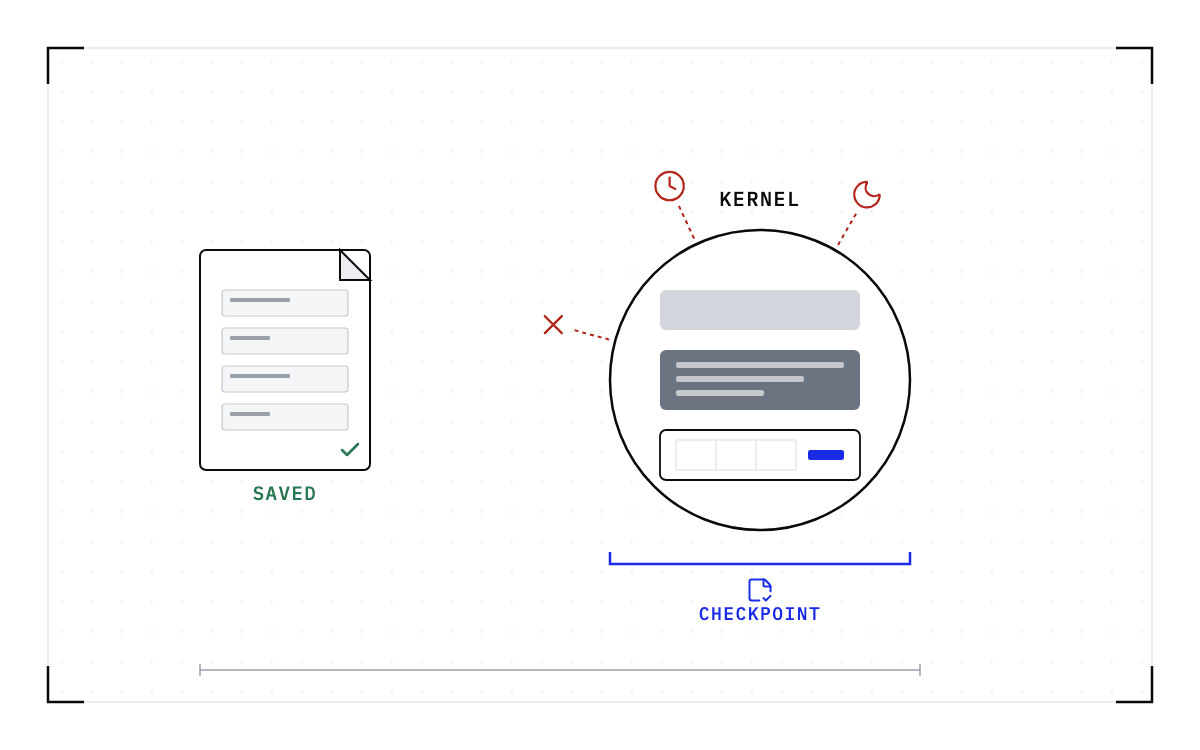
- A checkpoint taken below the notebook changes the trade, because the session is saved before it stops. An autostop timer can take the GPU back, and the work comes back later on a compatible node.
- In this piece we walk through what people ask when a GPU sits idle, what every tool that frees an idle GPU does to the session, and what a session holds that nothing writes down. Then we cover why holding the node is the rational answer, what changes when the session is checkpointed first, and what it costs to bring one back.
What people ask when a GPU sits idle
People ask about the bill first, because a GPU that nobody stopped keeps charging. A Jupyter notebook whose owner went home still holds its GPU, and so does a Ray actor that finished its last task, or an instance somebody launched on a Tuesday and forgot. One asker on the SkyPilot tracker wrote, "Guess who forgot to run it a month ago and just got hit by a multi-hundred dollar bill from EC2?" Another asked for the same protection by default, on the grounds that a cluster should always autostop, because one you forget about can end in a large bill.
The next complaint is a GPU held by a process that has already finished its work. On Ray's tracker a user describes the end of a job, where there is always an actor or two that is alive but idle.
People leave those sessions running because stopping one costs them the work inside it, and a SkyPilot feature request says so directly. Issue 8403 asks for a hook that runs before autostop fires, so that a user can commit code or save checkpoints before the cluster goes away. That person is not asking for a faster shutdown. They want their work saved before it happens.
Administrators see the same sessions from the other side. A research computing administrator on r/HPC, asked how to handle growing demand for interactive GPU work, expects to spend much of the time killing idle sessions, which is what the group has already seen on its Jupyter notebook servers.
Every tool that frees the GPU ends the session
SkyPilot ships autostop, and its documentation describes the autostop, or autodown, feature as automatically stopping, or tearing down, a cluster once the cluster becomes idle. With autostop set, you can submit a job and leave your laptop without unnecessary spending. You set it as a count of idle minutes, written in the configuration as "autostop: 10m # Stop after this many idle minutes", and the default is 5 idle minutes.
AWS SageMaker's idle shutdown settings apply only when the application becomes idle with no jobs running, so what the setting looks at is whether a job is running.
On a shared cluster the mechanism is often a person rather than a timer. One administrator on the Slurm users list describes the practice as emailing or cancelling a user's job when the session has been idle for some number of hours.
Ray gives a GPU back in two separate places, at the node and inside a running job. Its autoscaler removes an idle worker node once idle_timeout_minutes have passed, a setting with a default value of 5 and a minimum of 0. Inside a job, an idle actor still holds the resources assigned to it, and Ray's actor-termination documentation states that terminating the actor process releases them. So you can free just the idle actor without resubmitting the rest of the job: end that one actor, and its resources come back while the rest of the job keeps running.
Ending an actor by hand costs whatever it was doing. Ray's documentation says that on the forced path the actor exits immediately without cleanup, and that any current, pending and future tasks fail with a RayActorError.
The managed platforms run the same timer under other names. Modal's is scaledown_window, the maximum duration in seconds that an individual container can remain idle when scaling down. RunPod's Serverless setting is an idle timeout, how long a worker stays active after completing a request before shutting down, and it defaults to 5 seconds. Lambda offers no such timer on its On-Demand Cloud instances, and says instances are billed for as long as they are running, whether or not they are being used.
A table of four idle timers: SkyPilot's autostop defaults to 5 idle minutes and takes back the cluster, Ray's idle_timeout_minutes defaults to 5 and takes back an idle worker node, RunPod's idle timeout defaults to 5 seconds and takes back the worker, and Lambda has none.
The idle timers
| What it calls the timer | Default | What it takes back |
|---|---|---|
| SkyPilotautostop | 5 idle minutes | the cluster |
| Rayidle_timeout_minutes | 5 | an idle worker node |
| RunPodidle timeout | 5 seconds | the worker |
| Lambda On-Demand Cloudnone | none | nothing |
At the node level, what counts as an idle GPU is a request rather than a measurement. The Cluster Autoscaler FAQ defines GPU utilization for scale-down as pod GPU requests divided by the node's allocatable GPUs, so a pod using 0% of its GPU and a fully loaded pod look the same if they request the same GPUs. A reader on r/kubernetes asks about exactly that, why pods sit parked on a GPU node without doing GPU things.
A node comes out of the pool only when the autoscaler can empty it. The same FAQ calls a node unneeded when it has low utilization and all of its important pods can be moved elsewhere. Karpenter's WhenEmptyOrUnderutilized policy is for operators who are willing to accept the pod disruption that taking an underutilized node back causes.
A separate set of reports is about the opposite problem, an autoscaler that will not remove a node it should remove. A device plugin holding a floor of one core is one cause, and it means an instance "can't scale down forever even no one use this GPU". Those are bugs in the autoscaler's own bookkeeping, and a checkpoint does not fix them.
Every mechanism above ends the process holding the GPU. That is the right answer when the process holds nothing worth keeping, and it is why the notebook is the hard case.
What a session holds that nothing writes down
The notebook file on disk holds the code in each cell and the outputs it last produced, and that is all it holds. That is why a notebook opens on a laptop that has never seen the data.
The variables live in the kernel, which is a separate process from the file. One afternoon's session might hold a dataset that took 20 minutes to read from the parallel file system, a model 2 hours into fine-tuning, and the tensors in GPU memory with the driver state behind them. Nothing on the cluster writes any of that out, so ending the kernel ends all of it.
Two separate containers: the notebook file holds the code and the outputs, while the kernel holds a dataset that took 20 minutes, a model 2 hours into fine-tuning, and the tensors. Nothing crosses between them.
The file and the kernel
The two containers are drawn apart, with nothing passing from the kernel to the notebook file.
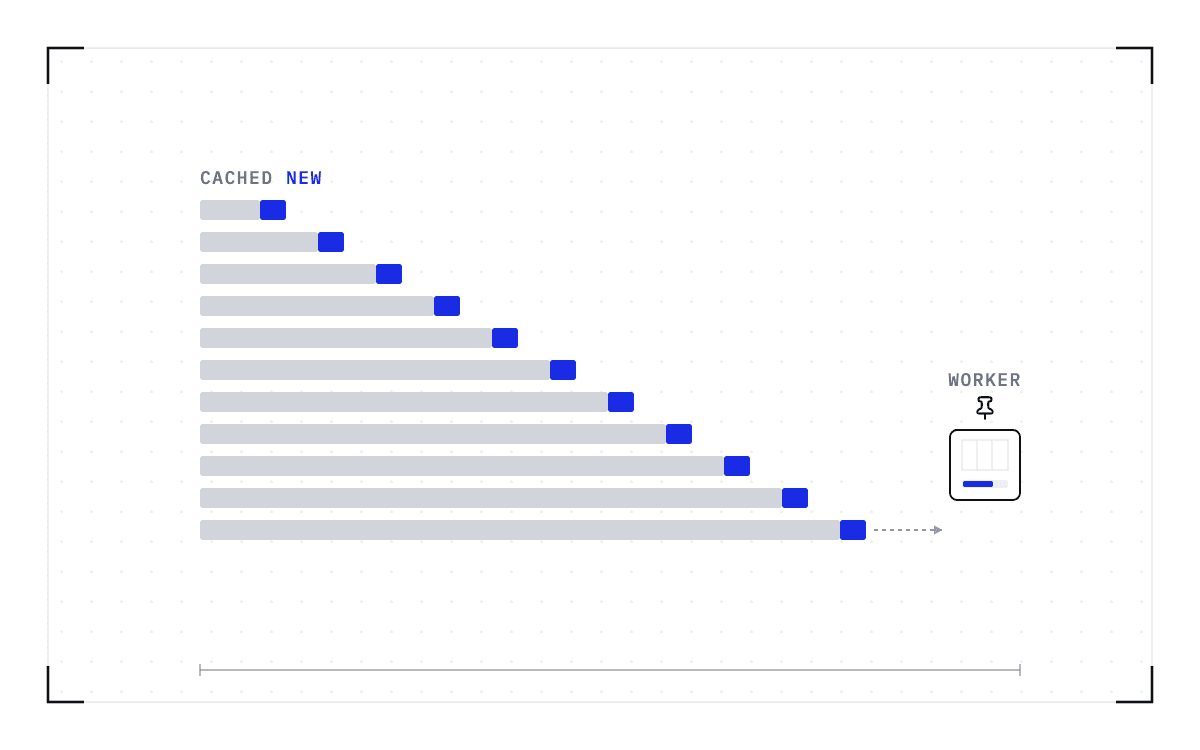
A serving session accumulates the same kind of state in GPU memory. The vLLM project published traces of coding agent sessions in May 2026, and the median session ran 33 turns, with 94.2% of the input tokens across those turns already in the worker's cache. That cache is the attention state of everything said so far, and it sits in the GPU memory of the one worker that built it.
Holding the node is the rational answer to losing the session
The cluster punishes losing state far more than it punishes holding hardware. If you are the researcher, a lost session costs you a day of rerunning, and holding the node costs you nothing. You cannot say when you will next need the session open, so the kernel stays alive and the node stays yours.
The administrator on the other side is short of the GPUs those sessions are holding. Yale's research computing group, writing in December 2025 about idle detection, says idle GPUs do particular damage because there are few of them, demand for them is large, and they cost a lot to operate, and reports that it has now implemented automations. A held notebook shows up on the utilization dashboard as a busy node. The waste never trips an alarm.
What changes when the session is checkpointed before the GPU is freed
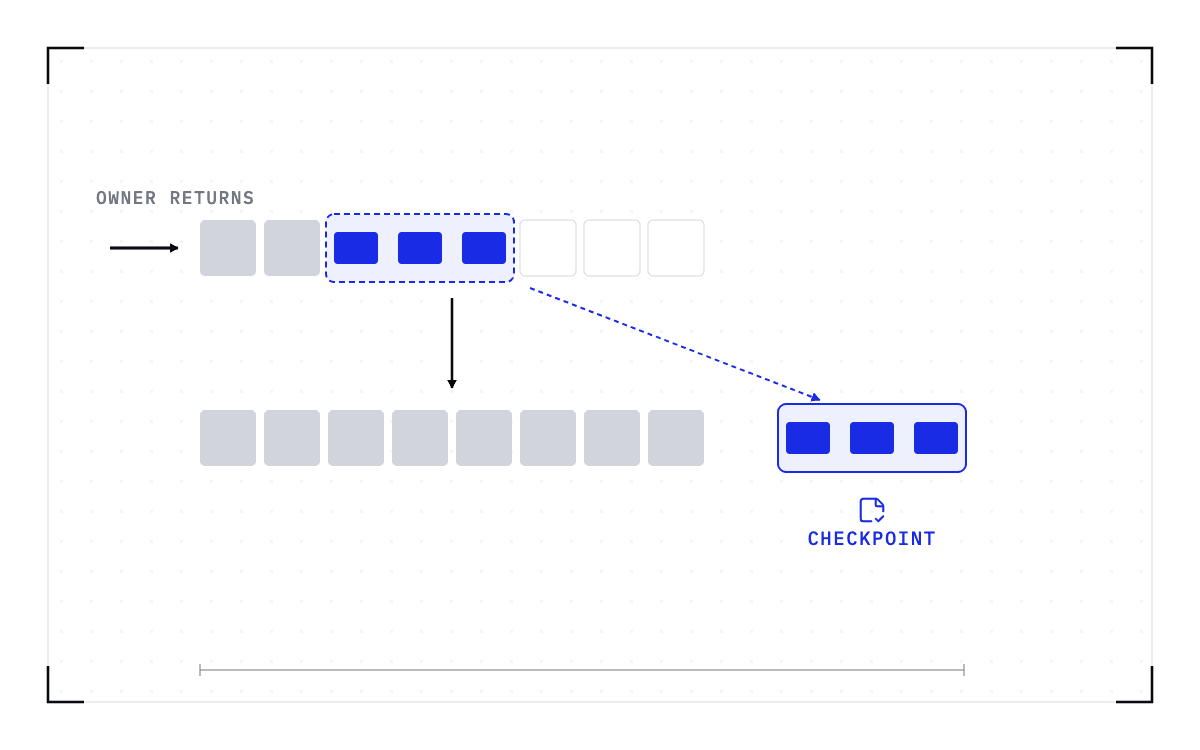
The alternative to ending an idle session is saving it first. The checkpoint is taken at the operating-system level, underneath the kernel process, so the kernel takes no part in it, and what gets saved is the GPU memory, the process and its memory, the network connections, the file system state, and what the scheduler knows about the job. This is what we build at Cedana. On an idle notebook it means the GPU can be taken back without the kernel losing what it holds, and the notebook code you wrote does not change.
Once the session is saved, the GPU can be released. The session comes back from that checkpoint on a compatible node when you return, with the dataset still loaded and the model where it was, and in between the GPU ran somebody else's work. That is what the SkyPilot request for a hook before autostop is asking for.
An idle notebook is saved on a heartbeat policy that takes checkpoints at whatever interval the operator sets, or by hand from the dashboard or the API. On Kubernetes, the operator adds the CEDANA_CHECKPOINT environment variable to the spec of the container to be checkpointed, and nothing else in the pod changes.
What it costs to bring an idle session back
Checkpoint size follows the GPU and host memory in use when the checkpoint is taken. In an illustrative Cedana demo, 20 GB of GPU memory corresponded to roughly a 20 GB checkpoint, which is not a universal size rule, because host memory can add checkpoint content.
Restore time follows the size of the checkpoint, meaning how many bytes have to move, not the parameter count. We have not measured a restore on a notebook session, and the restore times we have published were measured on inference servers. A restored session resumes from its last checkpoint, so coming back costs you the restore plus whatever work was done since that checkpoint.
We do not decide when a session counts as idle. A timer, a webhook, or an autostop hook makes that call, and the policy behind it belongs to whoever runs the cluster. None of the tools named on this page calls us today. An operator or an agent starts the checkpoint, under a policy written once rather than session by session.
We do not decide where the session goes either, and the destination has to be a compatible node. A checkpoint records the GPU, driver, engine and model versions it was taken against. If any of them changes, the checkpoint is invalid and the workload cold-starts instead.
We have tested a single-GPU notebook, but we have not tested a kernel spread across several GPUs. Getting back into a restored session is the other question specific to notebooks, and the answer depends on how your hub manages the pod, which differs from one hub setup to the next.
How many nodes the workload runs on is a separate limit. The single-GPU and multi-GPU-on-a-single-node tiers ship in production today. Multi-node, where a single workload spans hundreds or thousands of GPUs across many nodes, is in design partnership with leading enterprises and neoclouds. If your jobs span nodes and this is the case you need solved, talk to Cedana about a design partnership.
We save a running session below the application, with its GPU memory and the process around it, and bring it back later on compatible hardware. Cedana is automated GPU checkpointing and migration infrastructure that increases the useful work your GPUs deliver. For an idle notebook, that means you can take the GPU back without asking the owner to give up the afternoon that went into it.
Related:
- How much of your GPU utilization was work you kept?
- How to fill idle GPUs without killing the job that fills them
- When the node dies under a Jupyter session
- How long do agentic sessions run, and where does their state live?
- Sharing GPUs without fixed MIG slices
Common questions
My GPU instance or notebook sits idle and I keep paying for it. How do I make it shut down or free itself automatically without losing my work?
Every autostop or idle-timeout tool available today frees the GPU by ending the session, SkyPilot's autostop and Ray's idle timeout included, and cancelling a session by hand does the same. That is why people leave one running rather than lose an afternoon's work. Cedana takes the checkpoint below the notebook first, so the GPU can be released and the session brought back later on a compatible node, with the dataset still loaded and the model where it was.
An idle actor or worker process won't give back its GPU, and the only fix I've found is to kill and resubmit the whole job. How do I free just the idle part without losing the rest?
On Ray, an idle actor that finished its work still holds the resources assigned to it until that actor is ended. Ray's own actor-termination documentation states that terminating the actor process releases those resources, so ending that one actor frees the GPU while the rest of the job keeps running.