TL;DR
- A Jupyter kernel holds the whole session in its memory. When the node fails, the time limit expires, or the hub stops an idle server, the loaded dataset and the half-trained model go with it. Only the code and the last outputs survive in the notebook file.
- Saving the notebook does not save any of that. Nobody can build a save path into a kernel the way GROMACS built one into a simulation, because a kernel holds whatever the researcher put in it that afternoon.
- So researchers keep kernels busy to hold the node. The cluster carries idle GPUs for sessions nobody is using, and the GPU utilization dashboard counts a held notebook as a busy node.
- A checkpoint taken below the kernel, at the operating-system level, saves the GPU memory, the process, and the data still loaded. Pausing a session becomes a deliberate choice instead of a loss.
- In this piece we walk through what a notebook session holds, why a kernel cannot save itself, and the three events that end one. Then we cover why researchers hold the node, what a checkpoint below the kernel saves and what it costs, and where a checkpoint stops working.
The kernel holds the live state; the notebook file holds code and outputs
The kernel is the process that runs the cells, and the variables live inside it. The Jupyter project's architecture documentation says a kernel process can be connected to more than one frontend at the same time, and that those frontends have access to the same variables. A frontend is whatever the researcher types into, so the browser tab is one: close it, open another, and the variables are still there, because they were never in the tab.
The notebook file on disk holds the code in each cell and the outputs those cells last produced, and nothing more. That is why a notebook opens on a laptop that has never seen the underlying data, and it is also why the file is no help once the kernel is gone.
Everything the session built up since it started, the state that would have to be built again, lives in the memory of the kernel process and nowhere else.
| What is in a session | Where it lives | What saves it today |
|---|---|---|
| The code, and the outputs of each cell | The notebook file on disk | The notebook file, on every save |
| Variables, the loaded dataset, the model in progress | The memory of the kernel process | Nothing |
| GPU tensors and the driver state behind them | Device memory the kernel process owns | Nothing |
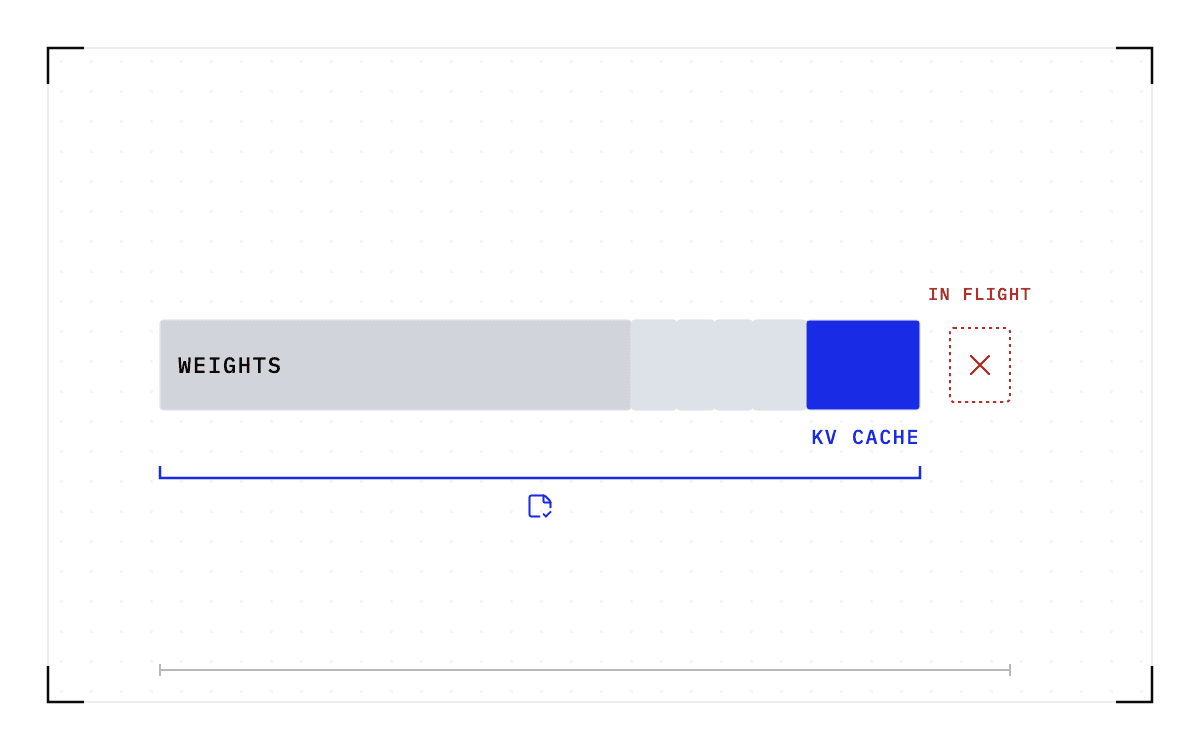
By the middle of an afternoon, one session can hold a dataset that took 20 minutes to read from the parallel file system, a model 2 hours into fine-tuning on the GPU, and a plot that has been through a dozen iterations since lunch. Saving the notebook writes the code and the last rendered plot to disk. The dataset and the half-trained model stay in memory, and nothing on the cluster is going to write them out. If you run the cluster, those sessions hold the most expensive and least protected state you manage.
Two bars on a 0 to 2 hour axis: the 20-minute read against the 2 hours of fine-tuning, the work a recovery has to run again.
The state that would have to be built again
The 20-minute read against the 2 hours of fine-tuning, on one time axis.
A batch job can save itself, but nobody could build the same path into a kernel
A mature simulation program protects itself against the clock. GROMACS takes a -maxh option, and its documentation says the program writes a checkpoint just short of the wall-time limit so the run can be picked up from that point. Getting there meant someone decided which state matters in a GROMACS run, wrote the code that serializes it, and exposed a way to start again from it.
Nobody can do the same for a kernel, because a kernel holds whatever the researcher decided to put in it that afternoon. There is no fixed set of state for anyone to build that path against.
Three ordinary events end a session, and each one loses the same state
The first event is a node failure, which takes the kernel process with it. Every variable, loaded dataset, and GPU tensor held by that kernel disappears at the same moment. The notebook file survives because it holds only the code and the outputs, so recovery means running every cell again, including the 20-minute read and the 2 hours of fine-tuning.
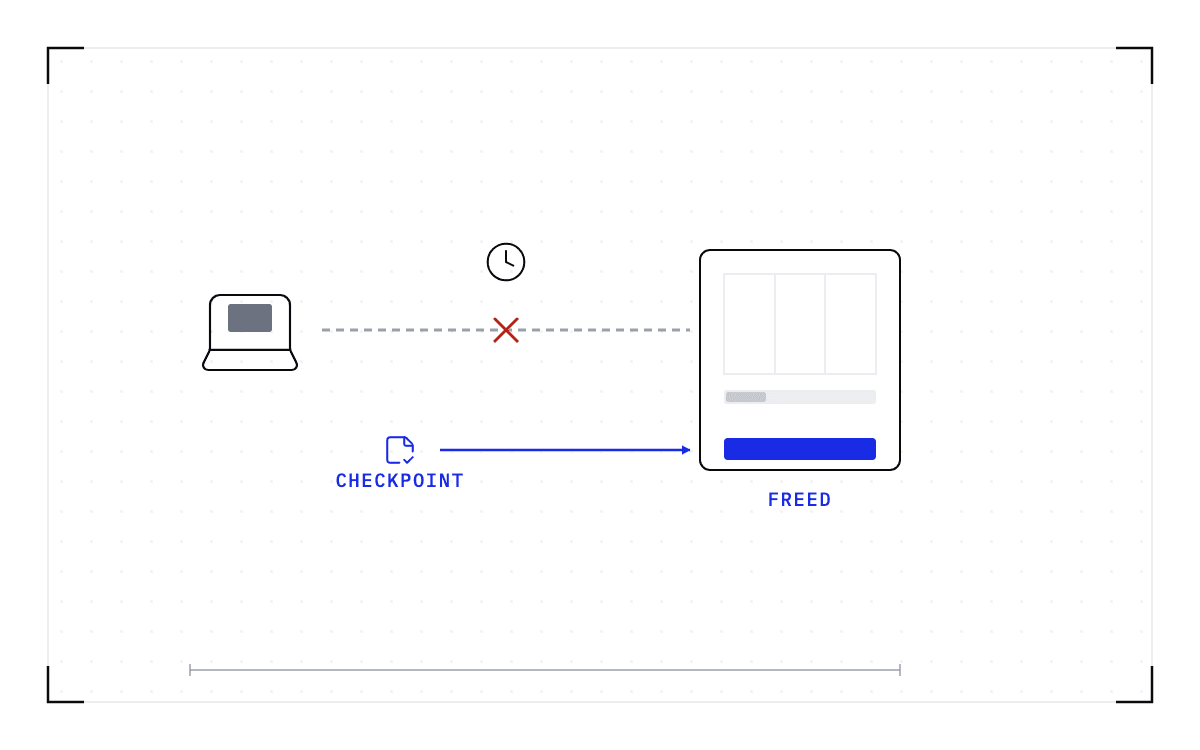
The second is the clock, because on a batch cluster the notebook server is itself a batch job. That is what JupyterHub's batchspawner exists for, and it means the server runs inside an allocation with a time limit like any other job.
One university cluster Cedana has worked with sets its wall-time limits at 7 days for CPU jobs and 4 days for GPU jobs, and users there lose their work when they hit that limit. Exemptions are rare, and some users wait for a maintenance window to finish before submitting rather than risk it.
The third is the hub itself, which stops servers on a policy of its own. JupyterHub ships an idle culler, a service that finds idle or long-running servers and stops them, and stopping the server ends the kernel, so the kernel's memory goes with it. A session that has been quiet for an hour because its owner is in a meeting looks the same to the culler as one nobody needs.
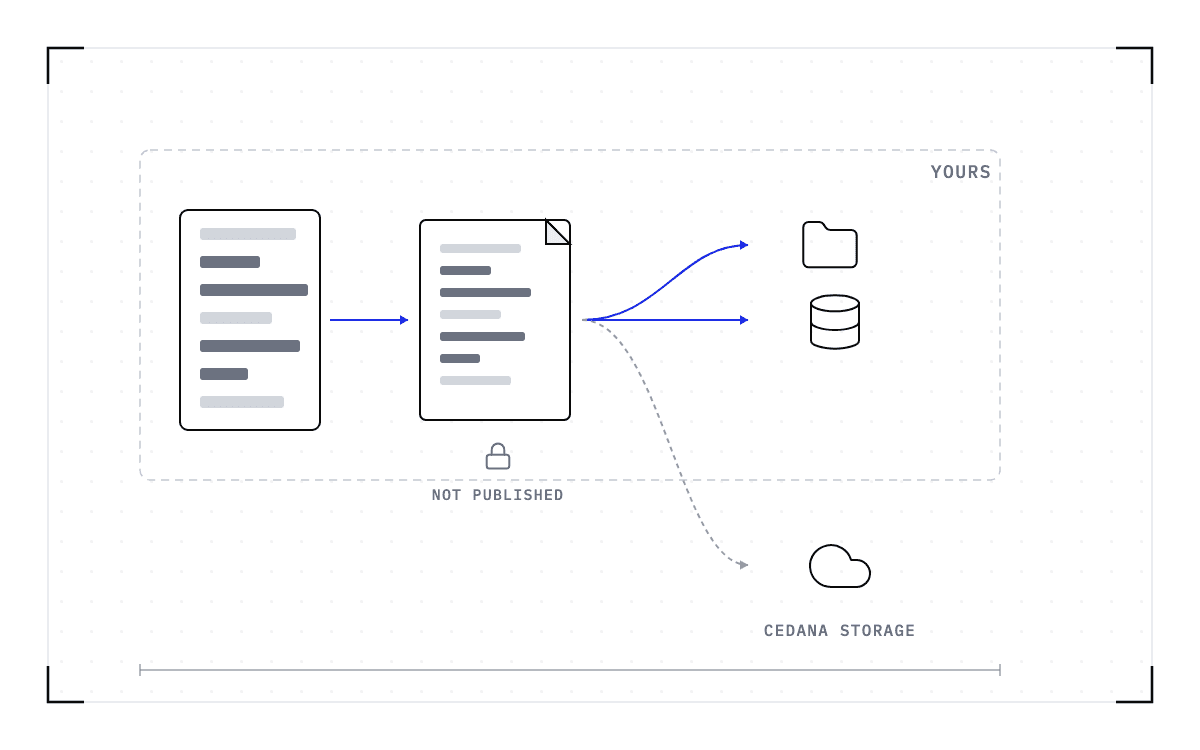
Three events converging on one loss: a node failure takes the kernel process, the clock, because the server runs inside an allocation with a time limit, and the hub, which stops servers on a policy. Every variable, loaded dataset, and GPU tensor disappears at the same moment.
Three ways into the same loss
Every variable, loaded dataset, and GPU tensor disappears at the same moment.
The three events converge on one block: the loss they share.
Why researchers hold the node
Researchers hold the node because losing a session is the expensive failure and holding hardware is the cheap one. A lost session costs a day of rerunning, while holding the node costs the researcher nothing, and nobody can say when they will next need the session open. So researchers on a shared cluster keep the kernel busy, leave sessions running for weeks, and the node stays theirs.
One growth-stage AI company running roughly 100 nodes on Kubernetes counts notebook management as its platform team's number one problem. Users there keep kernels busy so that nothing reclaims the hardware, and their notebooks stay up for as long as their owners leave them. One user asked for 80 CPUs and went on vacation, and the platform team could not kill the notebook without finding the user first.
What those users want is for the contents of memory to be preserved even after 2 weeks of idle time, and today the only way to give them that is to pay to keep the nodes running. Across hundreds of users, that is the company's largest compute cost.
The same problem occurs where the users are scientists. By our count, a Fortune 100 pharma R&D cluster has over 2,000 users across the organization working in Jupyter notebooks, training, and inference. We have heard the same problem from customers in several different fields, and we expect it wherever an organization shares GPUs across many users.
The incentive to hold hardware goes away as soon as the loss is recoverable. Until then, the cluster holds GPUs, CPUs, and memory for sessions nobody is using, and a held notebook shows up on the utilization dashboard as a busy node. The waste never trips an alarm.
The Kubernetes project formed a Checkpoint/Restore Working Group on 21 January 2026, and the first scenario on its list is better utilization for interactive workloads such as Jupyter notebooks and AI chatbots.
A checkpoint taken below the kernel saves what the notebook file cannot
Something has to save the kernel's memory before the session ends and put it back afterwards, and since the kernel cannot do that for itself, the save has to happen underneath it. Capturing the session at the operating-system level means copying the running process from the outside, without the kernel taking part, and that is what we build at Cedana.
The checkpoint holds the GPU memory, the process and its memory, the network connections, the file system state, and what the scheduler knows about the job. All of it comes back together, on the same node or a compatible one, with the data still loaded. The notebook code does not change, and the researcher keeps using sbatch, squeue, kubectl, and the same notebooks.
On Kubernetes, the operator adds the CEDANA_CHECKPOINT environment variable to the spec of the container you want checkpointed, and nothing else in the pod changes. A heartbeat policy then takes checkpoints at whatever interval the operator sets, or the operator can take one by hand from the dashboard or the API. When the node fails or the pod is evicted, a new pod comes up under the same checkpoint ID and restores from the latest checkpoint taken for that ID rather than starting from scratch. Jupyter Notebook is on our tested list of single-node, single-GPU workloads.
On a Slurm cluster, the notebook server is a batch job and is treated like any other job. Our Slurm integration captures the state below the application as the time limit approaches, releases the allocation, requeues the job, and restores it on a compatible node, with no change to the application. Slurm on its own starts a requeued job from the beginning, but with the checkpoint underneath the application, a requeue means continue rather than restart, and the wall-time limit stays where the administrator set it.
We resume a workload through a failure without an operator in the loop, which for a notebook on Kubernetes means a new pod coming up under the same checkpoint ID. We also run an out-of-memory policy, which either waits for the failure or moves the workload to a compatible GPU with enough memory before it happens.
Pausing a session on purpose uses the same operation, triggered by hand: checkpoint the session from the dashboard or the API, release the node, and restore the checkpoint later. A team that wants an idle notebook saved sets a heartbeat policy or checkpoints it by hand.
Pausing a session costs storage and the time to bring it back
We copy the state out of memory rather than asking the application to write it out, so the session itself does no disk work. The copy goes to NFS, S3, Google Cloud Storage, or our own storage, depending on what your security rules allow. Checkpoint size follows the GPU and host memory in use when the checkpoint is taken, and in an illustrative Cedana demo, 20 GB of GPU memory corresponded to roughly a 20 GB checkpoint. That is not a universal size rule, because host memory can add checkpoint content, and a dataset sitting in host memory is in the checkpoint too. You can set an age after which checkpoints are deleted.
Restore time follows the size of the checkpoint, meaning how many bytes have to move, not the parameter count. For a notebook, those bytes are the session's memory, so a small session comes back faster than a large one. We have not measured a restore on a notebook session, and the restore times we have published were measured on inference servers.
A checkpoint does not survive a change of driver
A checkpoint records the GPU, driver, engine and model versions it was taken against. If any of them changes, the checkpoint is invalid and the workload cold-starts instead. That is the limit to plan your patch cycle around.
A driver upgrade therefore invalidates every checkpoint taken before it, and those sessions start again from nothing. A patch that leaves the GPU driver, the engine, and the model alone keeps every checkpoint valid.
Two other limits apply today: we have tested a single-GPU notebook, and a kernel spread across several GPUs is not on that list. How the researcher gets back into a restored session depends on how the hub manages the pod, so the answer differs from one hub setup to the next.
A session that can be paused and brought back is a session nobody has to hold a node for. Cedana is automated GPU checkpointing and migration infrastructure that increases the useful work your GPUs deliver. We save a running workload below the application and bring it back later on healthy hardware, which for a Jupyter session means the kernel, its variables, and the GPU memory behind them. When a notebook's owner is away, you can release the node and hand the session back when the owner returns.
Related:
- How much of your GPU utilization was work you kept?
- How to fill idle GPUs without killing the job that fills them
- Why an idle notebook keeps its GPU until you kill it
- How long do agentic sessions run, and where does their state live?
Common questions
My GPU instance or notebook sits idle, and I keep paying for it. How do I make it shut down or free itself automatically without losing my work?
A shutdown on its own frees the GPU and loses the session, so what you need first is a checkpoint taken below the notebook, which saves the kernel, its variables, and the GPU memory. With that in place, releasing the GPU is a deliberate pause, triggered by hand from the dashboard or the API or by a heartbeat policy, which an idle timer can call. On Kubernetes the operator adds the CEDANA_CHECKPOINT environment variable to the container spec, and on Slurm the same capture happens as the time limit approaches, with no change to the application either way.