TL;DR
- When a GPU job is interrupted, you need to know which part of its state comes back on its own and which part your application has to handle.
- A checkpoint saves what the job was holding on its own machine. An effect that already left the machine, such as a tool call that went out or a database row that was written, is not in it and does not roll back when your process does.
- A Cedana checkpoint holds the GPU state, the process, the container's files, the open network connections, what the scheduler needs and the key-value cache. It comes back on a compatible node as of the moment it was taken. Cedana is automated GPU checkpointing and migration infrastructure that increases the useful work your GPUs deliver. On your cluster that means an interruption costs you the work done since the last checkpoint, plus the restore, instead of the whole run.
- In this piece we walk through what a Cedana checkpoint saves, what it does not save, and what a restore needs from the node it lands on. Then we cover what ships today, and where each boundary is written down in full.
What is saved
Cedana preserves the entire workload state (CUDA context, KV cache, file system, network, scheduler), so workloads automatically resume on a new instance as of the last checkpoint. On a workload we manage, that state comes down to six things: what is on the GPU, what the process holds, the files in its container, its side of its open network connections, what the scheduler needs to resume the job, and the key-value cache of a serving worker.
- The GPU: device memory, the CUDA context with its compiled graphs and streams, and the state of the communication library between the GPUs in one job.
- The process: its memory, threads, and open files. An agent's conversation history comes back too, because it sits in that memory.
- The files in the container's read and write layers, contents and open-file state, as they were at the checkpoint.
- The process's side of its open network connections, because the kernel's socket queues are saved with it. Whether the peer is still waiting is up to the peer.
- What the scheduler needs to resume the job, so a requeued job continues instead of starting its script again. The cluster scheduler's own state is not part of the checkpoint.
- For a serving worker, the key-value cache that holds the attention state of every request in flight, which is the part a restart would otherwise have to rebuild.
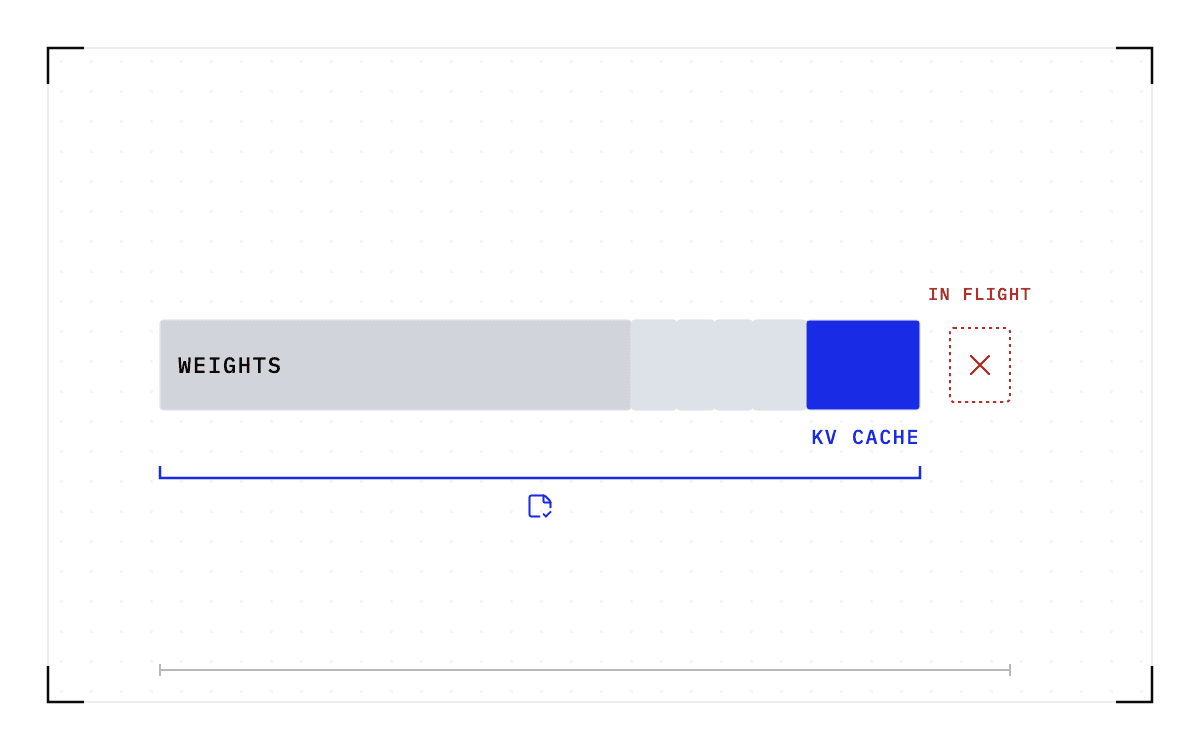
A checkpoint is roughly the size of the memory the workload was using when it was taken, and model weights make up most of it. Restore time follows the size of the checkpoint, meaning how many bytes have to move, not the parameter count.
What is not saved
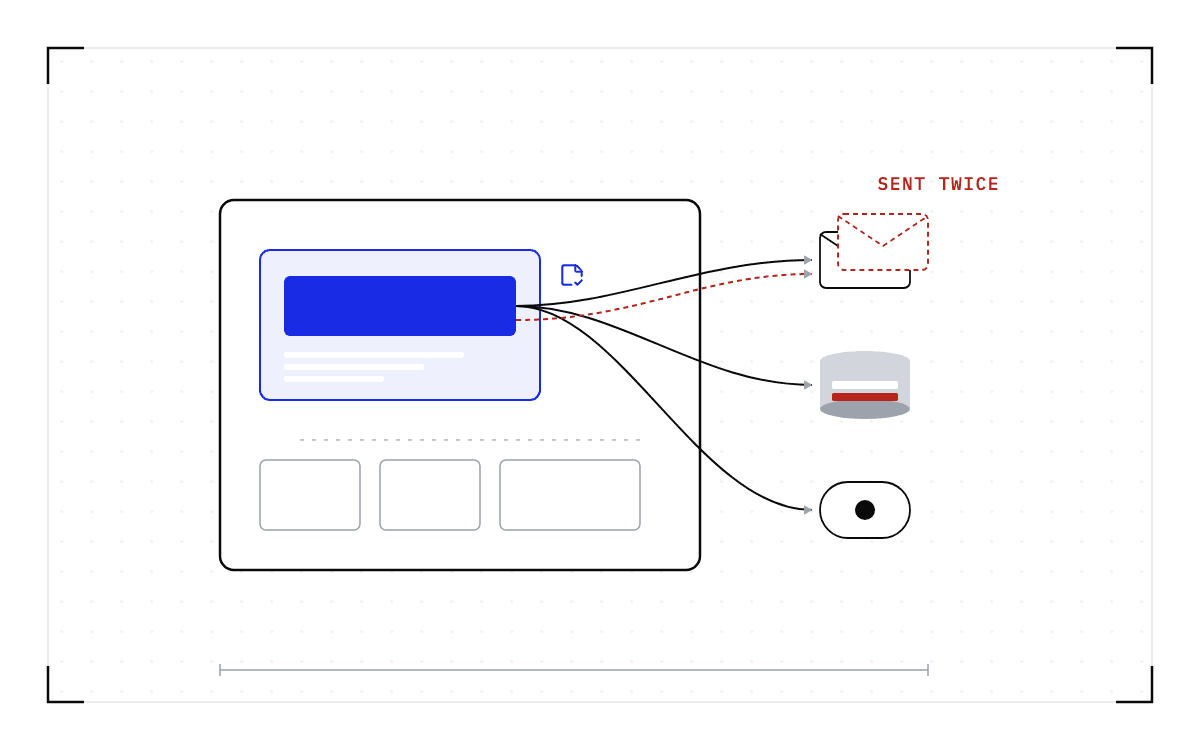
A checkpoint does not save what the job already did somewhere else, such as a tool call that went out, a database row that was written, or an email that was sent. Once an effect reaches another system it lives in that system's memory, and that memory does not roll back when your process does. A restore picks up from the saved moment, so whatever the job did between that moment and the failure happens a second time. A call that is not safe to repeat gets repeated, and your application is the only layer that knows which of its calls those are.
Inside a machine outline sit the GPU state, the process, the container's files, the open network connections, what the scheduler needs and the key-value cache. Two one-way arrows cross the line out of it to a tool call that went out and a database row that was written.
Saved and not saved
The two arrows cross the line outward only; nothing comes back across it.
A restore also returns the job to the saved moment while every clock outside kept running. So a job reading a live feed comes back at a moment the feed has moved past, and a peer's timeout or lease may have run out while the checkpoint sat on storage.
The work the job does after a checkpoint is not saved in that checkpoint either. With Cedana, checkpoints are taken on a heartbeat, an interval the operator sets, and a failure costs the work done since the last one, which the job then repeats.
Three kinds of process are excluded from checkpointing altogether.
- A process holding a raw hardware device other than the GPU, such as a capture card.
- A process under a debugger.
- A process holding a file that belongs to something outside what is being saved, until that file is closed.
What a restore needs
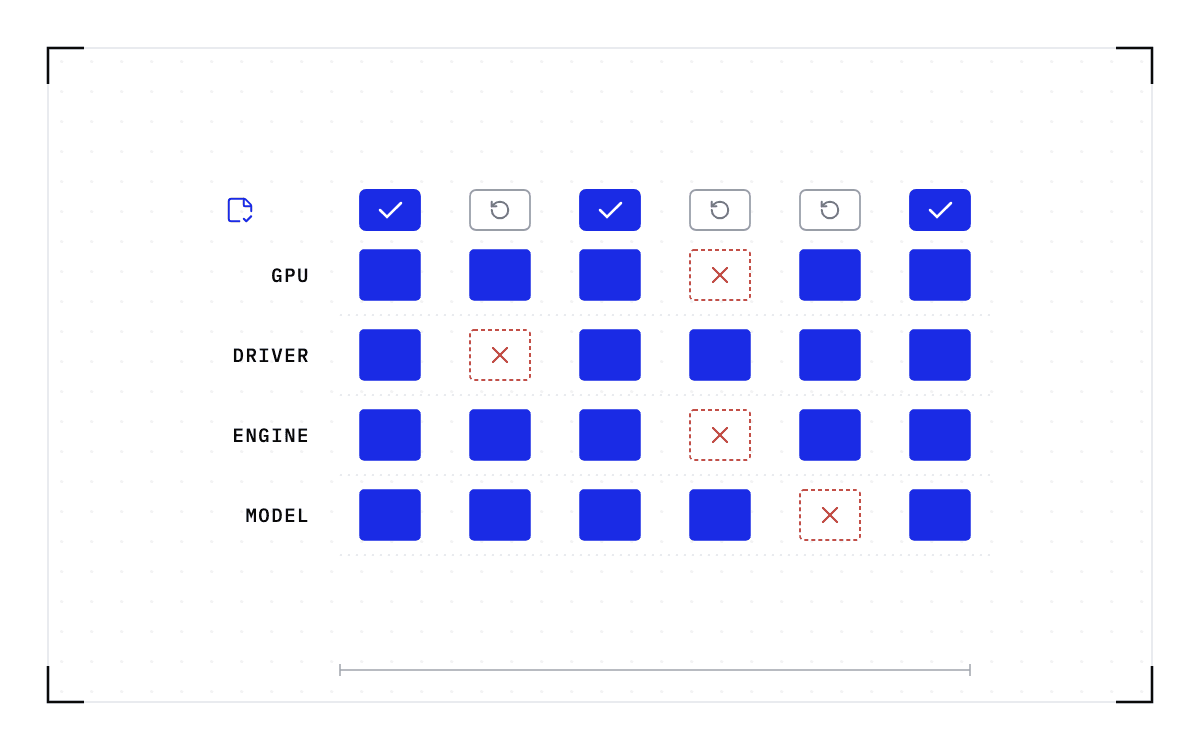
A checkpoint records the GPU, driver, engine and model versions it was taken against. If any of them changes, the checkpoint is invalid and the workload cold-starts instead. So a restore lands on a compatible node, meaning the same GPU model, the same driver, and the same engine and model versions.
Our GPU checkpoint and restore works on NVIDIA GPUs today and on no others. It also works only on the processes and containers we manage, and that requirement is what makes checkpointing opt-in for each workload rather than something applied to everything on a node.
What ships today
The single-GPU and multi-GPU-on-a-single-node tiers ship in production today. Multi-node, where a single workload spans hundreds or thousands of GPUs across many nodes, is in design partnership with leading enterprises and neoclouds. If your jobs span nodes and this is the case you need solved, talk to Cedana about a design partnership.
Cedana does not decide where a job goes. An operator, a policy, or an agent starts a move, and the scheduler places the work.
Where the rest is written down
The outside-world boundary, with the four rules an application should follow, is in What cannot be checkpointed in a GPU workload?. The checkpoint's size, and how hard each part is to recover by other means, is in What is inside a GPU checkpoint?. The driver range and the four-version rule, with its numbers, are in Version mismatch and the compatibility matrix.
What your managed workload held on the machine side of the line comes back after an interruption, as of the last checkpoint. Everything past that line is your application's to handle.
Common questions
Does a checkpoint save the results of API calls my job made?
A result that came back before the checkpoint is saved, because it sits in the process's memory. The call's effect on the other system is not, and a restore repeats whatever the job did after the checkpoint, so a call that is not safe to repeat has to be made safe by your application.
Can a checkpoint restore on a different GPU or driver?
A checkpoint records the GPU, driver, engine and model versions it was taken against. If any of them changes, the checkpoint is invalid and the workload cold-starts instead.
How much work does a failure cost with checkpointing on?
A failure costs the work done since the last checkpoint, which the job repeats. The restore adds its own time, about a minute in the published 8x B200 measurements on a node with 1.7 TB of host memory and CUDA 12.9, using the official SGLang recipes and timing restore to ready-to-serve. The interval between checkpoints is a setting the operator chooses, so it is also the setting that decides how much work a failure can cost.