TL;DR
- Whether a checkpoint can restore on a given node comes down to four recorded versions. A checkpoint records the GPU, driver, engine and model versions it was taken against. If any of them changes, the checkpoint is invalid and the workload cold-starts instead.
- A mismatch is not a slower restore or a partial one. None of the saved state comes back, so the workload builds it again from nothing on the new node.
- Nothing published lists the combinations that have been tested. The driver range for the GPU plugin says which drivers the plugin runs against, not which checkpoint restores onto which driver.
- A version change is something you plan for. Each running workload crosses to the new stack once, by a cold start, and every checkpoint you were holding from before the change is spent. Cedana is automated GPU checkpointing and migration infrastructure that increases the useful work your GPUs deliver. Keeping those four versions the same across a checkpoint and its restore is what gives your saved workloads somewhere to go.
- In this piece we walk through what a version mismatch costs you, what changes each of the four versions on a running fleet, and why the match has to be exact. Then we cover what the published driver range does and does not tell you, and what a driver, engine or model upgrade costs.
A version mismatch means starting over, not a wrong restore
A checkpoint still moves between machines, and a different physical GPU of the same model is the ordinary case a migration is built for. The four versions describe the stack a checkpoint was taken against rather than the individual card, so a fleet full of identical cards has plenty of nodes a checkpoint can land on. When we scope a deployment at Cedana, the first compatibility requirement we name is that the GPU model should be the same.
What a mismatch costs you is everything the checkpoint was holding. It is not a slower or partial restore, because none of the saved state is restored at all. The workload builds its state again from nothing on the new node, which is the work a checkpoint exists to save. On an inference platform that workload is a worker holding live sessions, and on a shared research cluster it is a job holding an allocation.
A mismatch is a compatibility failure rather than a wrong result, so the checkpoint either lands or it does not. Whether what came back is correct is a separate question, and how to verify a restored workload takes it up.
All four versions change on a running fleet
Each of the four moves on its own schedule while the fleet runs, so a checkpoint taken before one of those moves does not restore after it.
| The version | What it is | What changes it on a fleet |
|---|---|---|
| The GPU | The part the workload was running on | A second GPU model in the fleet, or a new generation arriving in a rack |
| The driver | The driver underneath the GPU | A node is patched, or two sites sit on different driver versions |
| The serving engine | The software that was serving the model when the checkpoint was taken | A new release of that engine is rolled out |
| The model | The model version that was loaded | A new release of that model is rolled out. Loading a different model on the node does not touch the first model's checkpoints. They restore on any compatible node |
The engine row is the one that catches people out, because capturing a workload under any engine is not the same as a checkpoint that survives an engine change. We capture a workload the same way whichever engine is running it, so one method covers SGLang, vLLM, and TensorRT-LLM. That does not make the checkpoint itself portable between them, because it records the engine it was taken under and the release of that engine, and a change to either one invalidates it.
Two of the four, the inference engine and driver, receive updates every week or two on a schedule your team does not control. Those releases reach a checkpoint only when your fleet applies them, so your upgrade cadence sets how often this comes up.
The match has to be exact because a restore is a continuation
A restore continues an execution that was already under way, while a start from scratch begins a new one. A continuation works only where the state the workload lands in is the state it left, so a near match is no use to it.
The driver is the clearest case, because we checkpoint and restore driver state, including the CUDA context. That state was written by one driver version, so it comes back expecting the same one, and a patched node is a different node as far as an existing checkpoint is concerned.
Engines that compile kernels for a specific GPU model bind a checkpoint even more tightly to that model, because the compiled code inside the saved state was built for one part. That is our own estimate of where the risk concentrates rather than a published result. Cross-driver restore is still being tested and has no published number.
The published range is a plugin support window, not a tested-restore table
There is no tested-combination table for you to open today. We run automated tests nightly across operating system versions, Slurm versions, Kubernetes versions, CUDA drivers, models, and engines. That is our own account of how we test, and no result from it is published.
What we publish instead is narrower than a table of tested combinations, though the two are easy to confuse. Our documentation gives a support window for our GPU plugin: driver versions from 452 to 570 as of September 2026, with multi-GPU and multi-process support, on amd64 and arm64. Checkpoint and restore with GPUs is currently only supported for NVIDIA GPUs.
That range says which drivers the plugin runs against when it takes and restores a checkpoint. It does not say which checkpoint restores onto which driver. Reading the first as an answer to the second would tell you that any driver inside the range is interchangeable for a checkpoint, when a checkpoint taken on one of those drivers restores only on that one. The range also moves with releases, so read it off the live documentation rather than off a number quoted somewhere else.
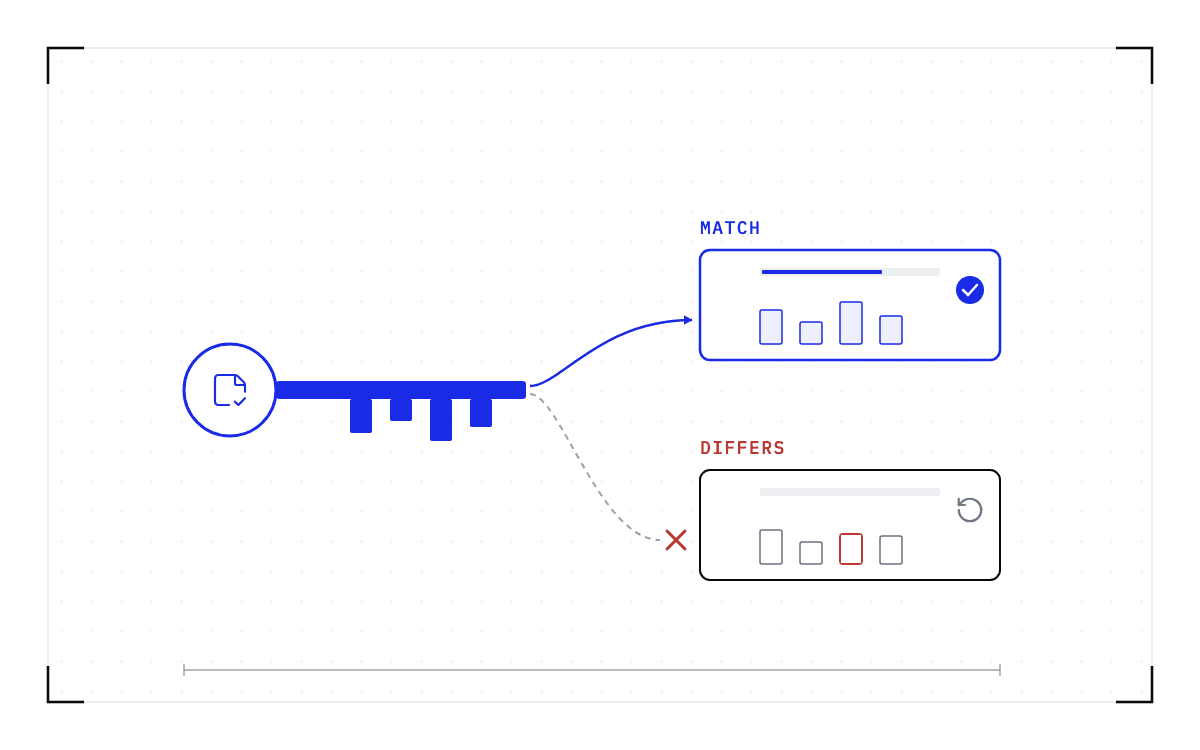
A bar spanning driver 452 to driver 570 for the drivers the plugin runs against, and beneath it on the same axis a blue bar one driver version wide for the single driver a checkpoint restores on.
The plugin support window
The plugin runs against driver versions from 452 to 570, while a checkpoint taken on one of those drivers restores only on that one.
A version change costs each workload one cold start
Running the fleet includes keeping the GPU, the driver, the engine, and the model version the same on the node a checkpoint is taken on and the node it is restored on, because that is what decides whether a saved workload has anywhere to go.
Part-way through an upgrade your fleet has two kinds of node, and checkpoints written against the old versions restore only on the nodes still running those versions. So a CUDA driver upgrade cannot be done underneath a running workload, and the old checkpoints will not bring that workload back on the upgraded node afterwards. Each workload crosses to the new stack once, by a cold start, and we start checkpointing it again from there. Those older checkpoints have no further use once the workload has crossed.
A fleet cut in two by one line. On the old versions the checkpoints are drawn faint and restore only on the nodes still running those versions. One arrow crosses the line, labelled by a cold start, to the new stack, where the workload is checkpointed again.
Crossing to the new stack
your fleet has two kinds of node
The checkpoints taken on the old versions restore only on the nodes still running those versions; the workload crosses by a cold start and is checkpointed again on the new stack.
An engine or model upgrade works the same way, because every checkpoint taken before it records the previous version. The fleet takes fresh ones once each workload is up on the new stack.
A change that touches none of the four leaves the checkpoints you already hold valid. Those four are the list the rule names, so the question to ask about any change on your fleet is whether it touches one of them. The destination also has to have the free GPU memory the checkpoint needs.
We save the full state of a running workload and bring it back on other hardware, and those four versions determine where that saved state can be restored. So when you plan the next driver, engine or model upgrade, look at which running workloads hold checkpoints against the version you are about to change, because each of those workloads cold-starts once on the way across.
Common questions
Which GPUs, drivers and versions can a checkpoint restore on?
A checkpoint records the GPU, driver, engine and model versions it was taken against. If any of them changes, the checkpoint is invalid and the workload cold-starts instead. On the GPU side, Cedana's plugin today supports NVIDIA GPUs, with driver versions from 452 to 570 as of September 2026, multi-GPU and multi-process support, on amd64 and arm64.