TL;DR
- A node running part of your job died. What the job comes back to depends on which tool was managing it and on what your own code had written to disk before the crash.
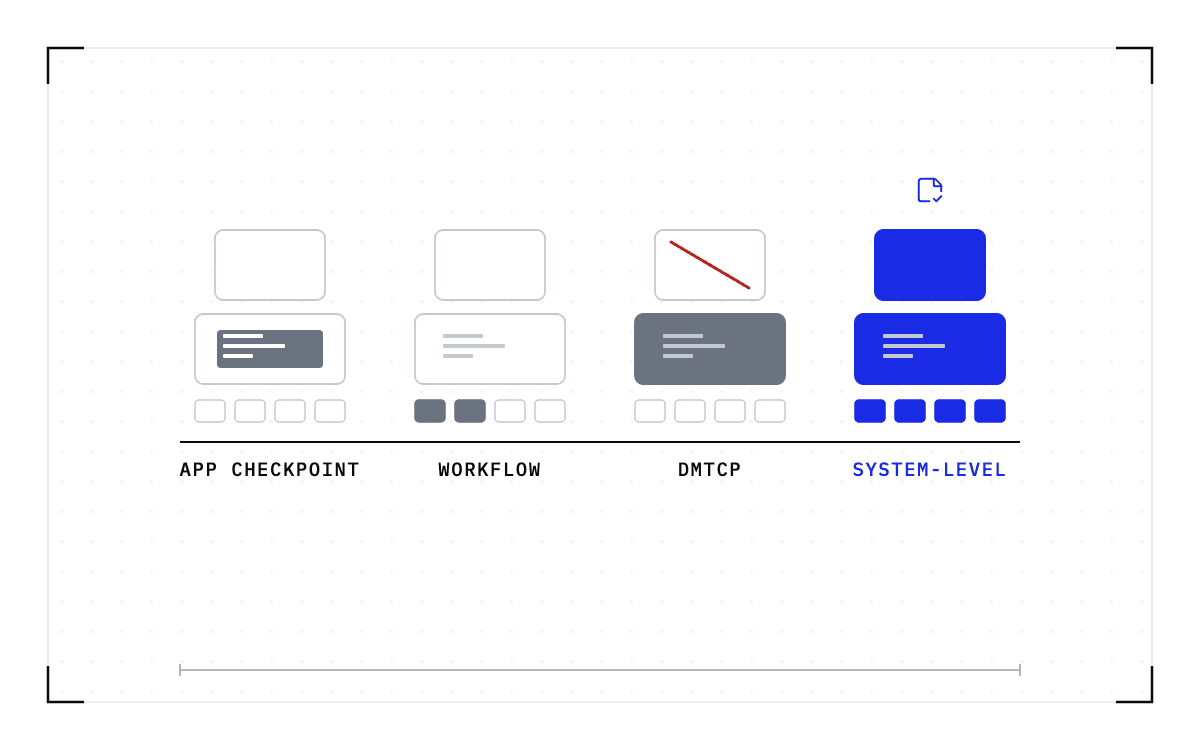
- torchrun and Ray Train kill the surviving workers and start a new group from the last file your training code wrote. So the GPUs that were healthy repeat the work done since that save. Kubeflow Trainer brings back a pod and keeps only the configuration, and NVSentinel and DCGM repair the node without touching the job.
- torchft is the exception, because it keeps the job running from a healthy replica. In return it asks you to run the job as replicas and write the script around torchft's primitives. It does not bring back the state the dead replica held.
- What changes is checkpointing the worker while it runs, below the application. What comes back is the process with its GPU memory, so there is no file for the training script to write. cuda-checkpoint and CRIU are the primitives that do the capture, and the restore has to land on a matching GPU.
- In this piece we walk through what each of these options restarts from, what your code has to write for it, and what the checkpoint interval costs you. Then we cover whether cuda-checkpoint works in your environment, and what a saved worker brings back.
What each option restarts from
After a node fails, torchrun and Ray Train restart from checkpoints your code wrote, while torchft recovers from a healthy replica. So what separates them is where the new workers start from, what your code had to write beforehand, and what happens to the state the dead worker was holding.
| Option | What it restarts from | What it needs from your code | What happens to the dead worker's state | What it publishes about limits |
|---|---|---|---|---|
| torchrun and TorchElastic | Every worker, from your last saved snapshot | Checkpoint saving and loading | Killed with the group | "you will lose progress up to the most recent checkpoint" |
| torchft | A healthy replica of the same job, live | A replicated job and a script written around torchft | Not recovered | Live recovery comes "from a healthy peer" |
| Ray Train | New workers, from the checkpoint your code wrote | Saving and loading in the training function | Lost with the node | "the training will just start from scratch" |
| Kubeflow Trainer | New pods, from nothing the platform saved | Whatever your container writes | Terminated with the pod | Suspend terminates the pods and keeps the configuration |
| NVSentinel with DCGM | The node, after a reset or a reboot | Nothing | Evicted by the drain | Neither page uses the words checkpoint, resume or migrate |
| Cedana, a saved worker | The last checkpoint of the running process | Nothing | Restored with the process | Same GPU model, driver, engine and model versions. Single node today |
torchrun restarts every worker from the last snapshot your code saved
torchrun is PyTorch's elastic launcher, and when one worker dies the rest go with it. PyTorch's documentation warns that "On failures or membership changes ALL surviving workers are killed immediately. Make sure to checkpoint your progress." So the ranks that were still healthy stop too, and the new worker group starts from whatever your training code last wrote to disk.
The cost of that restart is the work done since the file was written, and PyTorch's train script page says so in one sentence: "When any number of workers fail we restart all the workers with the same program arguments so you will lose progress up to the most recent checkpoint".
torchrun does not replace the machine that died. The decision to replace that node or fail the job belongs to the job manager, and torchrun manages the worker-group restart, so recovering from a complete node failure takes both.
torchft keeps the job running by dropping the replica that died
torchft is the one option here that does not restart the group, because it runs the job as replicas and drops the one that died. Its README describes "Easy Per Step Fault Tolerance for PyTorch", built so you can "keep training if errors occur without interrupting the entire training job", and it ships "Checkpoint transports that can be used to do live recovery from a healthy peer when doing scale up operations".
What torchft asks of you is that the job already runs as replicas. A replacement is rebuilt from a healthy peer rather than from a file, so the script has to be written around torchft's primitives, and the state the dead replica was holding is not brought back.
Ray Train shuts down every worker and starts a new set
Ray Train recovers the way torchrun does, by replacing the whole set of workers: "When a failure is detected, all the workers are shut down, new nodes are added if necessary, and a new set of workers is started." Whether any of your progress survives is left to your training function, which has to save and load checkpoints itself, because "Otherwise, the training will just start from scratch."
The same rule holds one layer down, on a plain Ray actor: "max_restarts automatically restarts the crashed actor, but it doesn't automatically restore application level state in your actor." So Ray brings the process back and leaves what it was holding behind.
Kubeflow Trainer restarts pods and keeps the configuration
On Kubeflow Trainer the unit that comes back is a pod, and the platform has saved nothing to put in it. The legacy PyTorchJob spec sets a restartPolicy per replica role, and the Kubernetes Job underneath carries backoffLimit, "the number of retries before considering a Job as failed", so a failed pod is retried a fixed number of times and each retry starts from whatever your container writes.
Suspend, on a TrainJob, does not mean pause: "When a TrainJob is suspended, its Pods are terminated but the TrainJob resource and its configuration are preserved." So the configuration survives and the work inside the pods does not.
NVSentinel and DCGM repair the node and say nothing about the job
NVSentinel works on the machine rather than on your job. It "detects and remediates GPU faults on Kubernetes nodes", and it will "cordon and drain the affected node before a fault spreads to other jobs". Draining evicts the pods, so your workers end when the node is taken out of service, and the words checkpoint, resume, and migrate appear on neither NVSentinel page.
DCGM is the health layer underneath, and its user guide says a fatal error usually indicates "the need for job termination and GPU health analysis". So the layer that spots the fault expects your job to end.
The checkpoint interval is the tax on every option that restarts from a checkpoint
How often you save decides how much you lose, because the checkpoint interval trades time spent saving against work lost after a failure. PyTorch's checkpointing explanation works through that balance and the ways to cut the time spent saving.
You set the interval in the framework rather than in the cluster. Megatron-LM's training example passes "--save-interval 1000", documented as "Save checkpoint every N iterations".
So the interval you pick is how much work you agree to lose when a node dies. It is the same tax on torchrun, Ray Train and Kubeflow Trainer, because all three restart from whatever your code wrote: those tools change how long recovery takes, and the work lost still depends on the checkpoint interval.
A run timeline with regular saves, each taking a little time, and the span between the last save and the node failure shaded as the work lost.
The checkpoint interval
A timeline of regular checkpoints, with the work done since the last one shaded as what a node failure destroys.
torchft sits outside that arithmetic, because its live recovery takes the surviving replicas' state instead of a file, and the worker that died is not recovered. NVSentinel and DCGM sit outside it too, because they repair the node and leave the job to whichever of those routes it uses.
cuda-checkpoint and CRIU are the primitives underneath
The request for a training job that is saved rather than restarted is already on Kubeflow's tracker. Kubeflow Trainer issue 2777 is titled "Enhance TrainJob fault-tolerance and resiliency with transparent GPU checkpointing", and the discussion under it is about doing that with CRIU. Transparent means captured from outside the program, with no change to the training code.
The capture is split between two projects, cuda-checkpoint for the GPU and CRIU for the rest of the process. NVIDIA's README for cuda-checkpoint says "This utility can be used to transparently checkpoint and restore CUDA state within a running Linux process, and can be combined with CRIU to fully checkpoint CUDA applications." CRIU is the Linux project that freezes a running program and saves it to disk. The utility "checkpoints and restores the CUDA state of a single Linux process", and it "waits for already-submitted CUDA work to finish".
Whether cuda-checkpoint works in your environment is not settled, and the failures people hit are posted on NVIDIA's own developer forum. One thread asks whether the driver API has the same limitations as cuda-checkpoint, such as not supporting UVM, NVIDIA's unified virtual memory. Another reports "operation not supported" on confidential computing. A third demonstrates a use of cuda-checkpoint that fails on H200s but succeeds on H100s. Two of the three are unanswered or open NVIDIA bugs.
Neither project decides when to take a checkpoint, holds every rank of one job at the same point in its computation, or moves the state to another machine.
A saved worker restarts from the state of the process that died
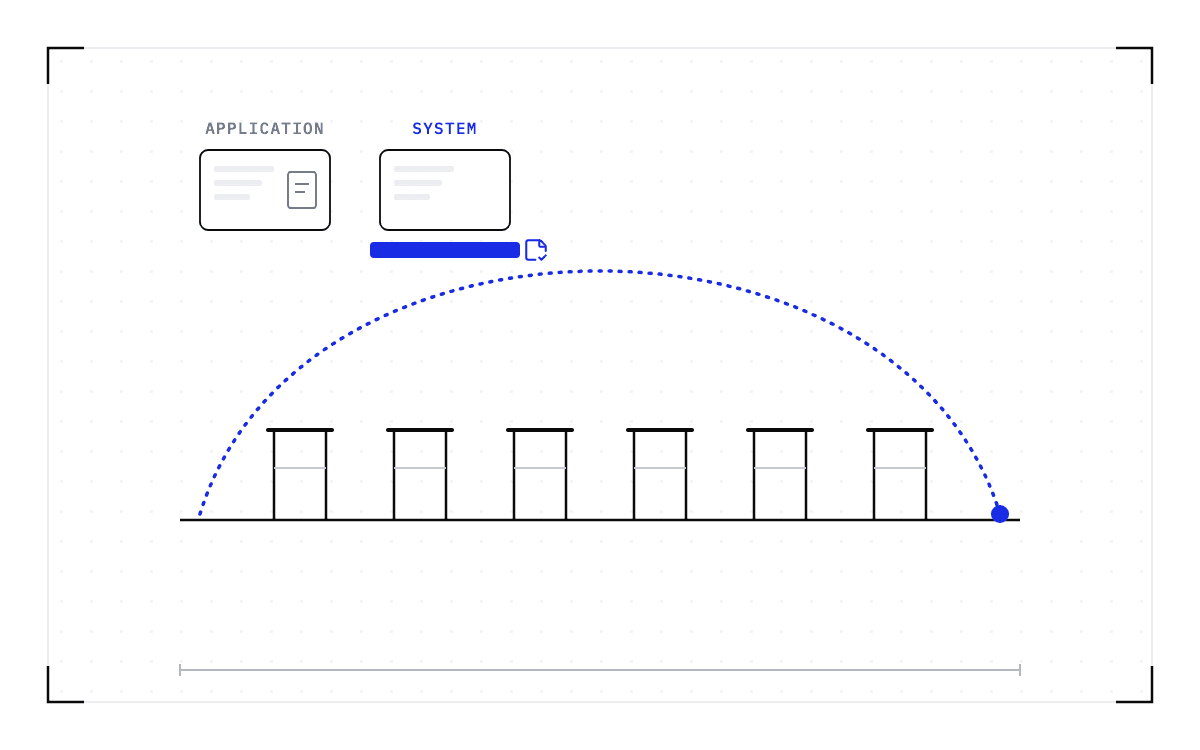
Checkpointing the worker while it runs, below the application, changes what comes back. What returns is the process with its GPU memory, so there is no file for the training script to write. Deciding when to take that checkpoint, and putting the process back afterwards, is the layer we build at Cedana, and the checkpoint interval becomes a policy setting on its control plane rather than a line in your code. Work done since the last heartbeat checkpoint is done again after a restore.
The restore has to land on compatible hardware, meaning the same GPU model. A checkpoint records the GPU, driver, engine and model versions it was taken against. If any of them changes, the checkpoint is invalid and the workload cold-starts instead.
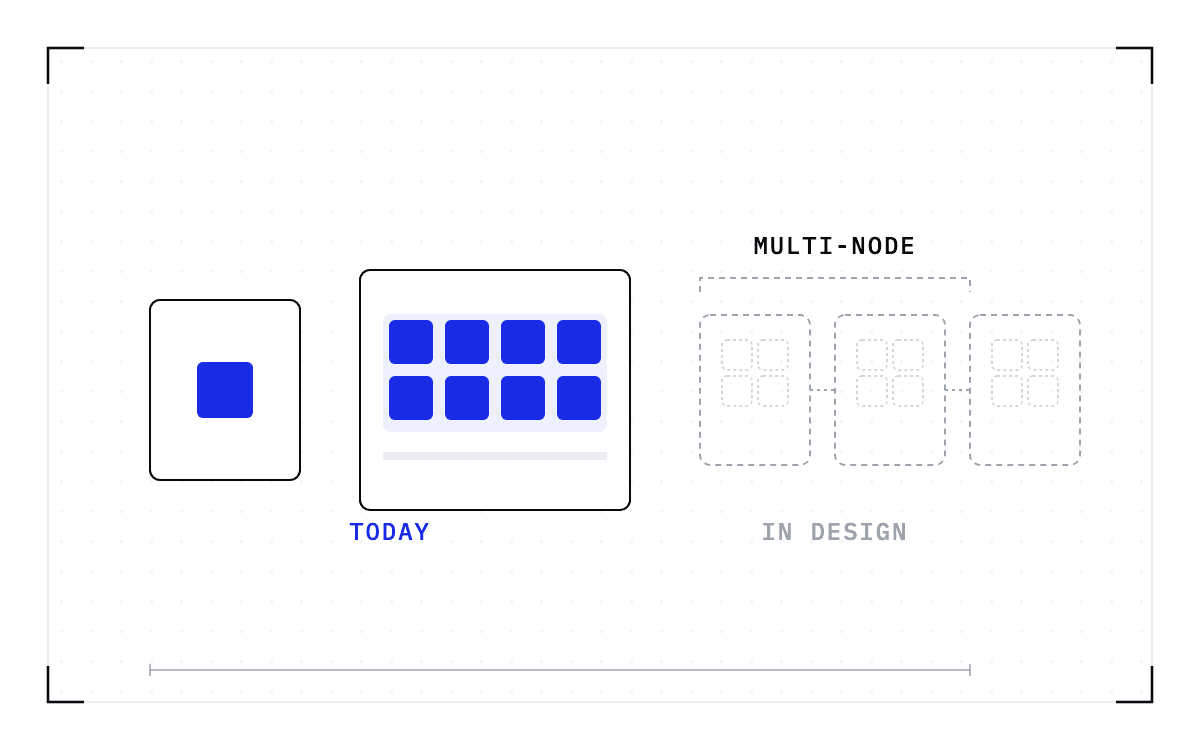
How far a saved worker reaches depends on how many machines your job occupies. The single-GPU and multi-GPU-on-a-single-node tiers ship in production today. Multi-node, where a single workload spans hundreds or thousands of GPUs across many nodes, is in design partnership with leading enterprises and neoclouds. If your jobs span nodes and this is the case you need solved, talk to Cedana about a design partnership.
When a node dies under a saved worker, the work you repeat is the work done after the last checkpoint rather than everything since the last file your code wrote. Cedana is automated GPU checkpointing and migration infrastructure that increases the useful work your GPUs deliver. On this page that means recovery starts from the last checkpoint of the running process, and your training script does not have to write a checkpoint file for any of it.
Every quotation is from a source named above, read in September 2026.
Related:
- What happens to a training job when a GPU fails
- One node failed and the whole training job died
- What to do when vLLM or SGLang stops responding and nothing crashed
- Hot standby versus checkpoint recovery on the same hardware
- What CRIU and cuda-checkpoint do when you wire them together yourself
Common questions
Does NVIDIA's own cuda-checkpoint tool work in my environment?
Sometimes not, and the failures people hit are posted on NVIDIA's own developer forum. One thread asks whether the driver API has the same limitations as cuda-checkpoint, such as not supporting UVM, NVIDIA's unified virtual memory. Another reports "operation not supported" on confidential computing. A third demonstrates a use of cuda-checkpoint that fails on H200s but succeeds on H100s. Two of those three are unanswered or open NVIDIA bugs.
I saved a checkpoint, but the job restarts from zero, hangs on load, or resumes into a different loss curve. Why?
An application-level checkpoint holds only what the training code chose to write. If the epoch counter, the optimizer state, the data loader position, or the learning-rate schedule never went into the file, the resumed run does not have them, so it repeats the epoch or diverges. A worker saved below the application comes back as the process, with that state already in its memory, so nothing has to be reloaded by your code.
How often should a job be checkpointed?
Whatever interval you set is how much work you agree to lose when a node dies, because the checkpoint interval trades time spent saving against work lost after a failure. For the tools that restart from a file it is a framework configuration setting, and Megatron-LM's training example passes "--save-interval 1000". For a worker saved below the application it is a policy setting on the control plane instead.
How do I checkpoint and restore a process so a failure does not mean starting over?
cuda-checkpoint and CRIU are the primitives underneath: cuda-checkpoint checkpoints and restores the CUDA state of a single Linux process, and CRIU is the Linux project that freezes a running program and saves it to disk. Neither project decides when to take a checkpoint, holds every rank of one job at the same point in its computation, or moves the state to another machine, so a saved worker needs a layer above them that does. That is what Cedana runs: the checkpoint is taken on an interval you set while the job is running, and the process is restored on a compatible node.