

TL;DR
- If you checkpoint a GPU job and bring it back, you can see that it is running again. That does not tell you whether it continued the same computation.
- A restore that gets this wrong can carry on without reporting an error. Nothing outside the GPU's own memory holds a copy of the state you would check the restored one against.
- The written guarantees for GPU checkpointing, ours included, cover the state that comes back and not the numbers a restored model then computes. The test suite we publish exercises our daemon rather than a restored model's output.
- What settles it is a comparison on your own workload: run it straight through, run it again interrupted by a checkpoint and a restore, and compare the two outputs.
- In this piece we walk through what a correct restore is, and how one can be wrong without anything reporting a fault. Then we cover what we guarantee and what we have published about testing, and the comparison to run on the workload you put in production.
A correct restore continues the job's existing run
A restore from a checkpoint continues an established execution, so the job carries on from the instant it was captured. Restarting from scratch is a different thing. It puts the program on a new execution path from its starting point, and whatever the previous run had built up before it stopped is gone.
Nothing outside VRAM, the GPU's own memory, holds a copy of what a serving worker is carrying. Inference now accumulates session-scoped state that lives only in VRAM. That state can be reconstructed only by redoing the work, and any interruption destroys it. So when a worker comes back, you have no reference copy to check the restored state against.
A restore that comes back at the wrong point does not necessarily stop. It can carry on from a position the computation never passed through, and silent corruption is worse than a restart. The bar we hold ourselves to at Cedana is that the restored worker resumes decoding from the exact in-flight token position.
A restore can be wrong without anything reporting a fault
A copy of a large model does not sit on one GPU. It is split across several GPUs in what is called a tensor-parallel group, and the members of that group, called ranks, exchange partial results with each other through collective operations that run over NCCL, the NVIDIA Collective Communications Library. Without those exchanges the group would be several computations rather than one.
So every GPU has to be captured at the same point in the distributed computation, with no collective left half-completed in flight. Get that boundary wrong and the restored state is silently corrupt.
An all-reduce is one of those collective operations: each rank contributes a value, and every rank ends up holding the combined result. Capture one rank after it has sent its contribution and another before it has received anything, and the two saved states disagree about where the operation stands. Restore them together and the job runs on from a position that never existed in the original run. Nothing in that sequence raises an error, so the fault shows up, if it shows up at all, as a wrong answer rather than a crash.
The state at risk belongs to the group, not to any one GPU in it. Capturing that state cleanly requires synchronizing all the GPUs at exactly the same boundary in their distributed computation. The hard part is coordination, not capture.
How that synchronization is done is not on the public record. We state the requirement, but we do not publish what the system waits for before it captures. So if you are evaluating a checkpoint and restore system, ours included, you have to test the result rather than audit the method.
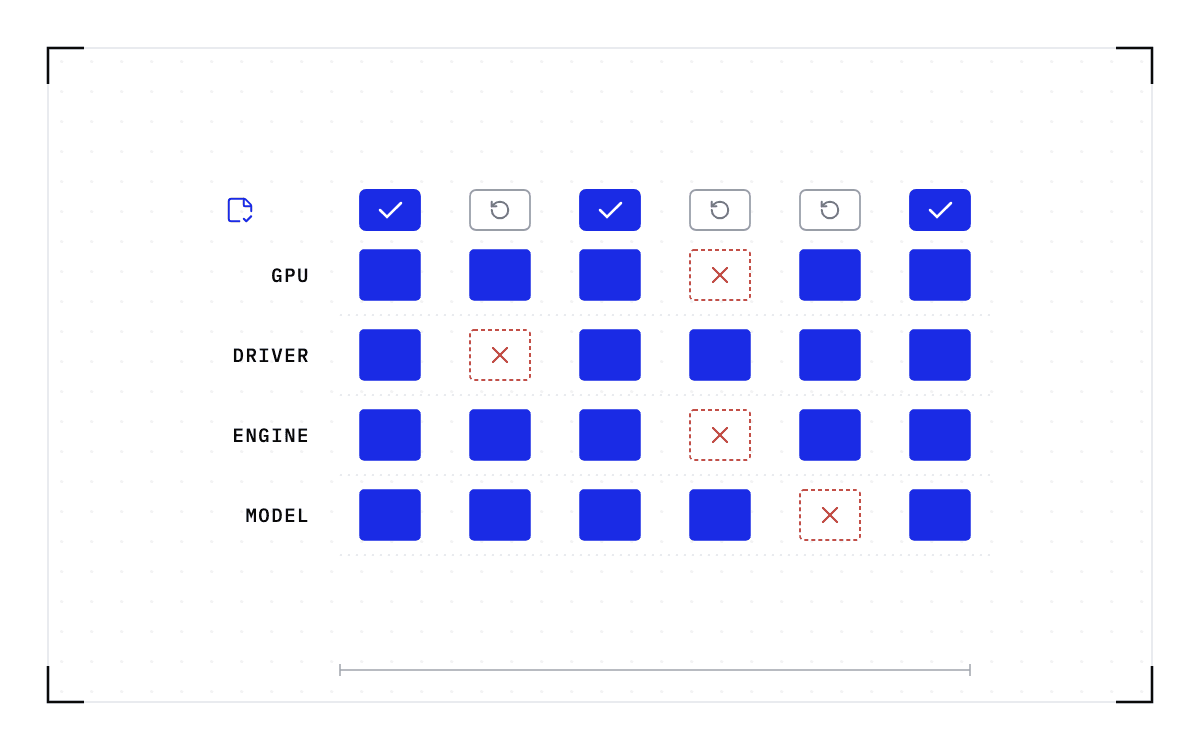
One kind of mismatch stops the restore instead of corrupting it. A checkpoint records the GPU, driver, engine and model versions it was taken against. If any of them changes, the checkpoint is invalid and the workload cold-starts instead.
Our written guarantees cover the state that comes back
We guarantee CUDA semantics, which covers checkpoint and restore of driver state such as cuContext and of intermediate or scratch output in memory. We also guarantee process and filesystem state, so files come back as they are in read and write layers, socket queues are checkpointed, and memory snapshots keep the process going.
Both guarantees are about the state that comes back. Neither says anything about the numbers a restored model then computes, which is the question you started with.
Checkpoint and restore with GPUs is currently only supported for NVIDIA GPUs. The single-GPU and multi-GPU-on-a-single-node tiers ship in production today. Multi-node, where a single workload spans hundreds or thousands of GPUs across many nodes, is in design partnership with leading enterprises and neoclouds. If your jobs span nodes and this is the case you need solved, talk to Cedana about a design partnership.
What we have published about testing is the daemon's own test suite
Our public developer documentation describes the regression suite that runs against the daemon. The tests run inside a Docker container, which removes the setup scripts someone would otherwise have to write, and they are grouped by functionality, with a test file for each plugin. Those files include tests for the GPU, GPU under runc, and GPU streamer plugins, and the GPU tests are skipped by default unless GPU=1 is set.
Each test command runs the whole suite twice, in different modes. The first mode gives every test its own daemon and database. The second keeps one daemon running across all of them, so bugs that depend on the daemon's state being carried between tests get caught.
That suite exercises the daemon. It is not a measurement of what a restored model computes afterwards, and we have published no such measurement.
We have tested successfully across a broad range of inference, training, and HPC (high-performance computing) workloads, with regular testing across a range of model sizes and architectures on the SGLang, vLLM, Transformers, and TensorRT engines. The cases we name are all single-GPU: a PyTorch training script, vLLM serving Llama-3.1 8B, GROMACS, and a Jupyter notebook.
We also run correctness tests, detect when a restore has a problem, and in the worst case fall back to what the workload would do without Cedana. We have not published what those tests assert or how much of the workload set they cover, so the evidence you need has to come from your own cluster.
A comparison on your own workload settles the question
The comparison is short, and you can run it on a copy of the service rather than on live traffic.
- Run the workload straight through and keep the output.
- Run it again, interrupt it with a checkpoint and a restore, and keep that output.
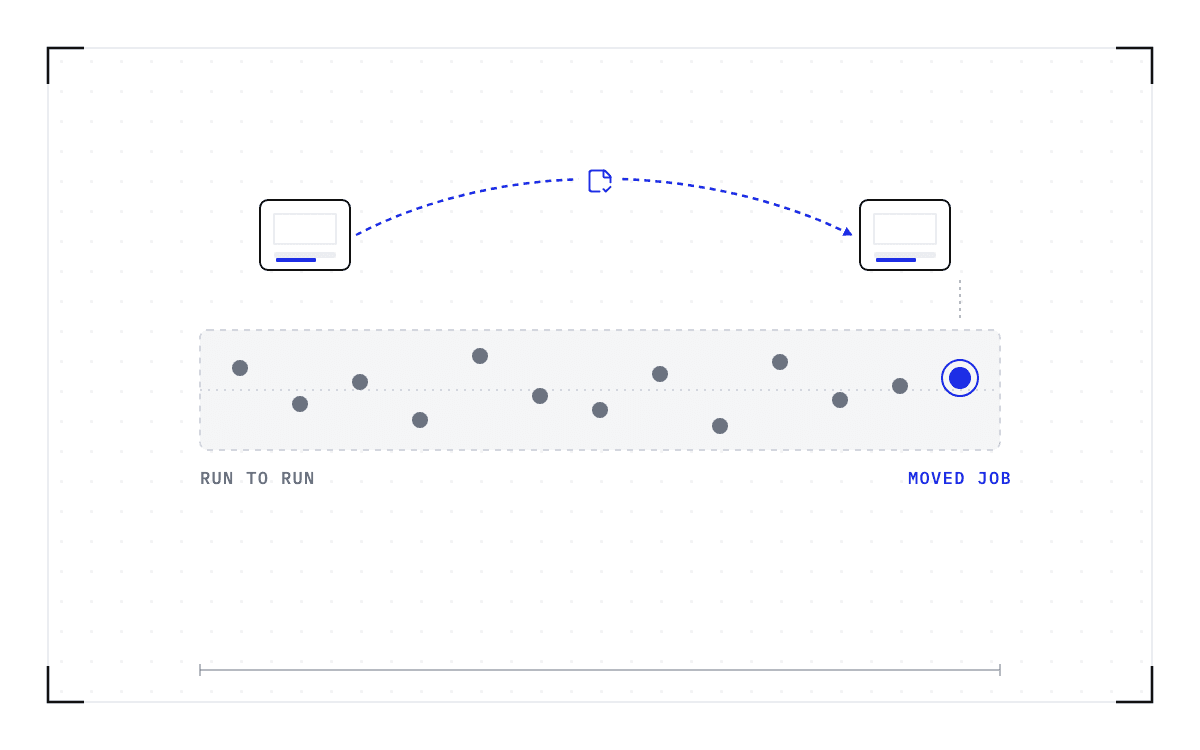
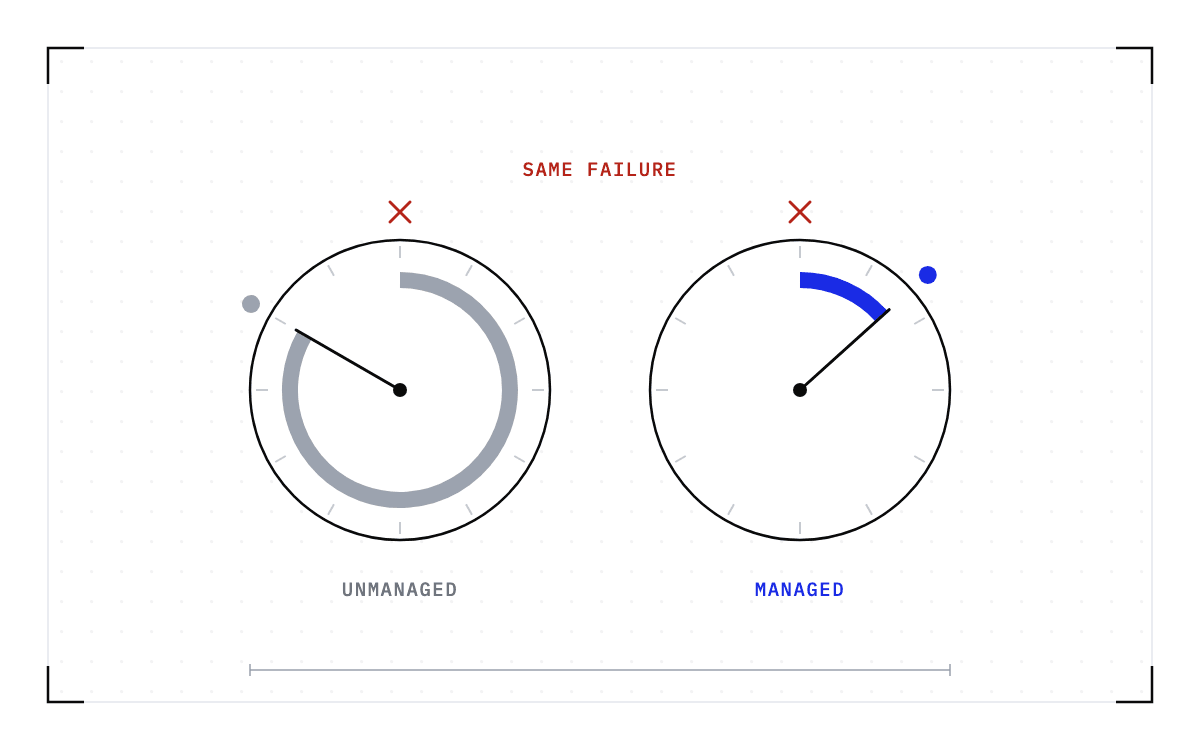
- Compare the two outputs. Use inputs and settings that make the run repeatable, such as a fixed seed, greedy decoding and the same batch, so that a difference points at the restore rather than at normal run-to-run variation. Run the unmanaged pair more than once as well, so you can see what variation it shows on its own.
- Repeat the comparison whenever a driver, engine, or model version changes.
Run it on the workload you put in production. Coverage of a single-GPU training script says nothing about a multi-GPU serving worker holding sessions in flight, because the failure this test looks for only exists where several GPUs have to be caught at the same point.
The same run gives you a recovery time, because the restore is timed while it is being checked. That is the number to show anyone who asks you to prove that recovery works. Keep a record of what was tested, on what hardware, and with which driver, engine, and model versions, because that record is what makes the result worth showing to someone else.
A restore is worth having only when what comes back is the run you already had. Cedana is automated GPU checkpointing and migration infrastructure that increases the useful work your GPUs deliver. That work only counts if it is the work the job was already doing, and that is not a claim you should have to take from us, so run the comparison above and let your own output settle it.
Common questions
Is a restored workload correct, and does moving a job change its results?
A correct restore resumes the worker from the exact point of capture and continues the job's existing run rather than starting a new one. A restore that gets this wrong can carry on without reporting an error, so the fault shows up as a wrong answer rather than a crash. That is why the answer for your own case comes from a comparison: run the workload straight through, run it again through a checkpoint and a restore, and compare the two outputs.