TL;DR
- A driver, CUDA or engine upgrade cannot begin while anything on the node is still using the GPU. So the upgrade calendar ends up following the job calendar, and the fleet runs older versions than anyone on the team wants.
- Draining the node is the standard answer, and it was built for services that keep their state somewhere else. A graceful eviction still destroys what a GPU workload holds in memory. Waiting for the work to finish instead means waiting for the longest job on the node.
- Checkpointing the workloads and resuming them elsewhere empties a node in minutes. A driver upgrade then rolls through the fleet in waves, and the cluster keeps serving while it does.
- The one limit is the version set a checkpoint was taken against. Once the driver, CUDA, engine or model version changes, the checkpoints you are holding no longer restore there. So each workload reaches the new stack with one cold start, and the sweep has to leave enough old-version capacity standing.
- In this piece we walk through why a driver upgrade has to wait for the GPU to be free, what a drain does and does not save, and why the three release trains collide. Then we cover how a rolling upgrade works when the work moves first, and what the version limit means for planning the sweep.
The upgrade cannot start while anything is still using the GPU
A driver or CUDA upgrade has to unload the driver's kernel modules and load them again, so every user of the GPU on that node has to stop before the upgrade can start. That is why the first step of NVIDIA's upgrade sequence for containerized drivers is "Disable all clients to the GPU driver". The requirement is a property of driver kernel modules rather than of any one tool you run above them.
So the work on the node ends before the upgrade begins, and if you run the fleet, you are the one who picks the moment it ends.
Emptying a node was built for services that keep their state somewhere else
On Kubernetes you clear a node with kubectl drain, which safely evicts the pods from a node before maintenance begins, a kernel upgrade included. Safely there means graceful termination and respect for the PodDisruptionBudgets you have set, and that is everything a stateless service needs, because its state was never in the pod.
A GPU workload keeps its working state in VRAM, the memory on the GPU itself. The model weights sit there, and so does the session state that has built up for every request in flight. None of that can be recovered except by redoing the work, and an interruption of any kind destroys it, so the pods terminate gracefully and the sessions are gone anyway.
Slurm gets to the same place by waiting rather than evicting. Draining a node there stops new jobs from starting on it and lets the jobs already running finish, so the upgrade waits for the longest job on the node. Either scheduler leaves you the same choice: kill the work or wait for it.
Three kinds of upgrade land on the same nodes, on different schedules
Serving engines, the CUDA stack and the driver each move on their own release cadence, and inference engine and driver updates land every week or two, so a fleet that skips a few is behind on more than one of them at once.
The three also pull on each other, which is why one deferred upgrade rarely stays one upgrade. NVIDIA runs a CUDA compatibility program for exactly this tension, to reduce how often a driver has to be upgraded at the same time as everything above it, because "driver updates may follow different qualification or maintenance schedules than application and toolkit updates". A new engine release can require newer CUDA, and newer CUDA can require a newer driver, so the deferred upgrades queue up behind the same drain.
Each engine release you skip carries performance improvements and model support that you have already paid for in hardware but do not receive, and when an update carries a security fix, the wait is exposure as well.
A rolling upgrade works if the work moves off the node first
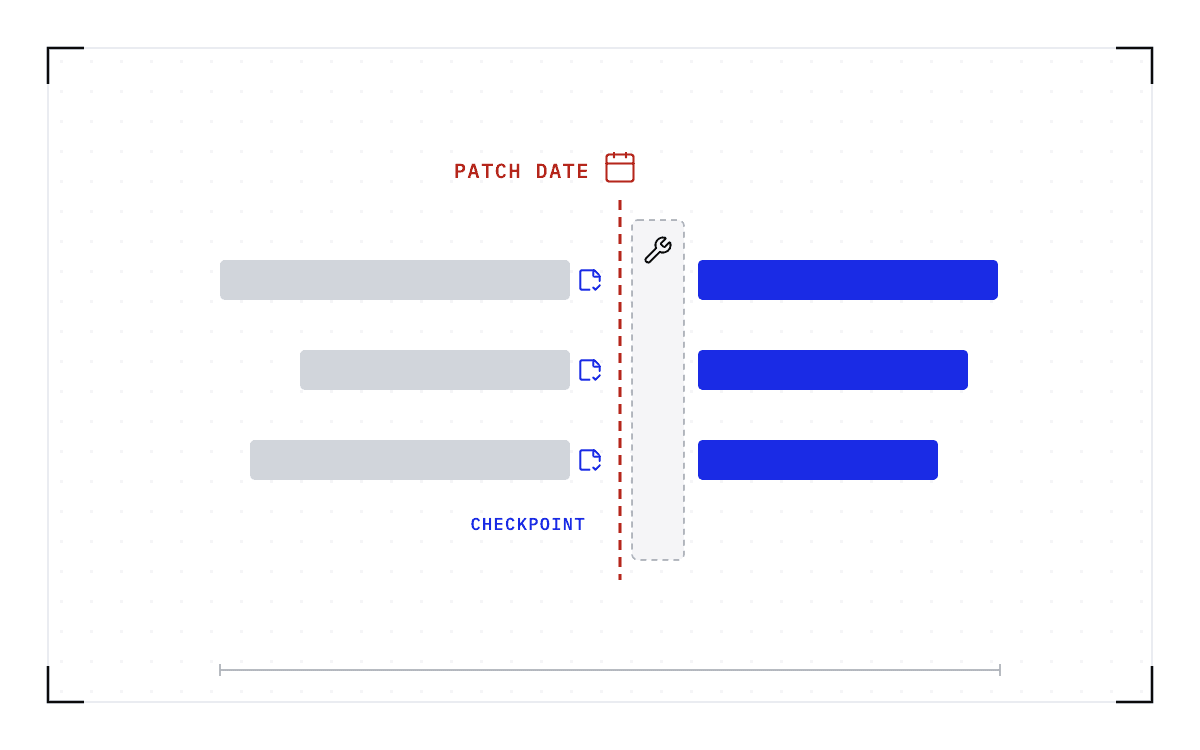
The way to upgrade without killing the work is to move the work first, so each node goes through three steps before it is upgraded.
- Checkpoint the workloads resident on the node.
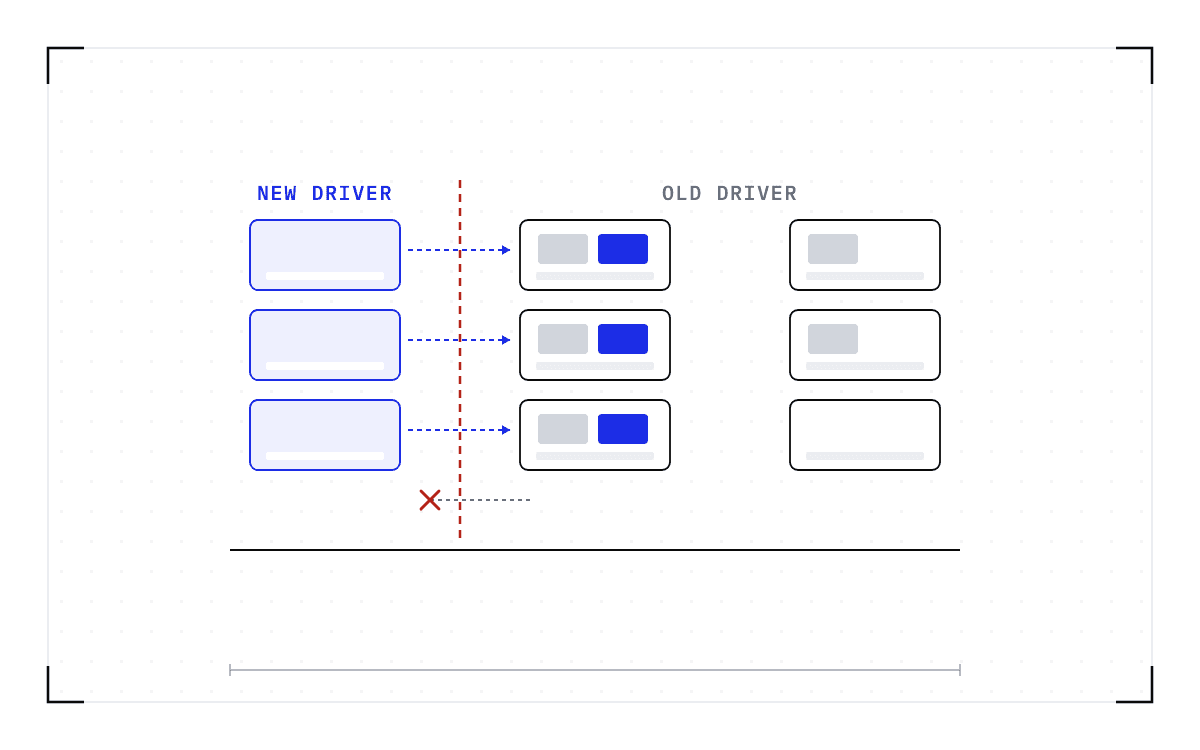
- Resume them on compatible capacity, meaning nodes still running the versions those checkpoints were taken against.
- Upgrade the empty node and return it to the pool, where it takes fresh work.
The sweep repeats wave by wave until the fleet is current, so nodes come out of service one wave at a time and the cluster keeps serving throughout.
Those three steps are the same checkpoint-and-migration sequence used to empty a node for ordinary maintenance, and that sequence is what Cedana automates. It runs without a person in the loop, so the node is empty in minutes rather than at the end of the longest job on it, and emptying a node becomes a scheduling decision instead of something you negotiate with the tenants whose jobs are on it.
Rolling upgrades themselves are ordinary, and NVIDIA's own upgrade controller carries settings for how many nodes upgrade in parallel and how many may be unavailable at once, so driver upgrades already move through a fleet in waves. What changes when the work moves first is that the work survives the wave.
While the sweep runs, new work lands on the upgraded nodes and the running work concentrates on the shrinking set of nodes still on the old versions, so the last long-running workloads cross to the new stack with one cold start each.
The cost you schedule around is the resume. On a node of 8x B200 GPUs, Cedana's published benchmark restored Kimi K2.6, a trillion-parameter model with a 670 GiB checkpoint, in 63 seconds, and starting the same workload natively on the same hardware took 20.3 minutes. Those timings compare a restore against a cold start.
A checkpoint does not carry work across a version change
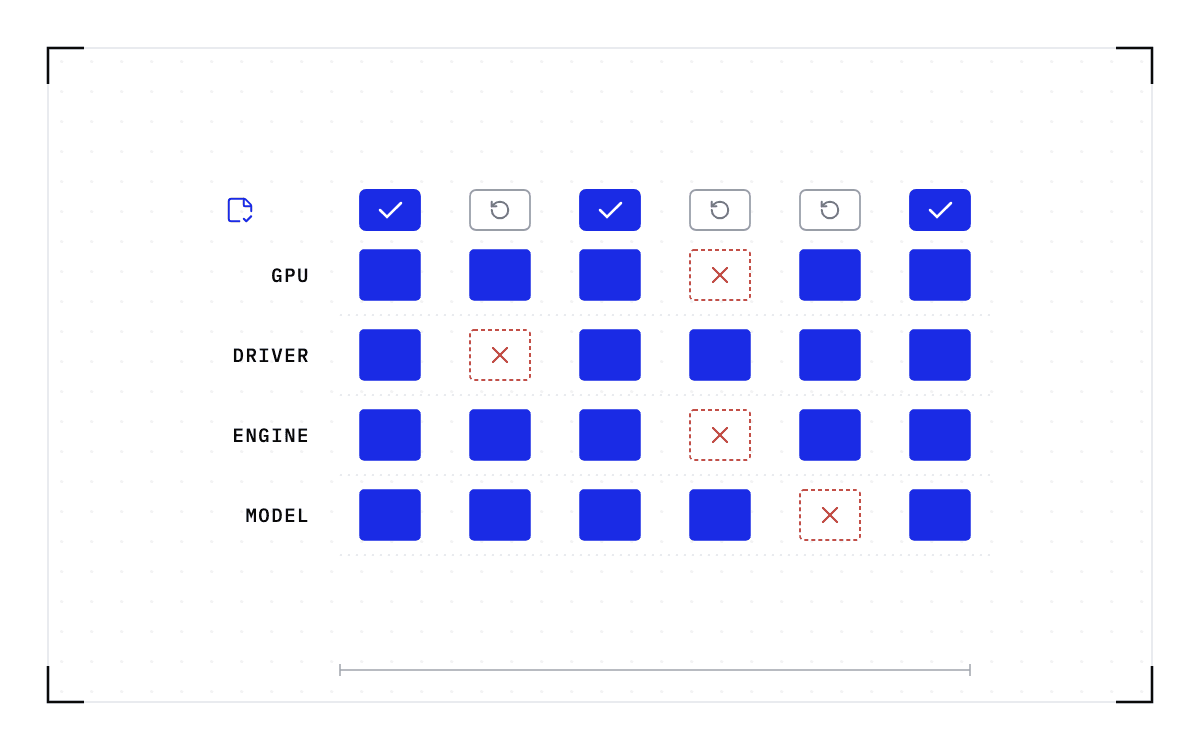
A checkpoint records the GPU, driver, engine and model versions it was taken against. If any of them changes, the checkpoint is invalid and the workload cold-starts instead. Cross-driver restore is still being tested and has no published number.
Which of those recorded versions your upgrade changes is what decides where the workload can come back.
| What the upgrade changes | Checkpoints taken before it | What the workload does |
|---|---|---|
| The GPU driver | Invalid on the upgraded node | Resumes on a node still running the old driver, and reaches the new one by a cold start |
| The CUDA stack | Invalid on the upgraded node | Resumes on a node still running the old CUDA version, and reaches the new one by a cold start |
| The serving engine | Invalid on the upgraded node | Resumes on a node still running the old engine, and reaches the new one by a cold start |
| The served model | Invalid, because the model version is recorded with the rest | Starts on the new version, and checkpointing resumes from there |
| Nothing the checkpoint records | Still valid | Restores as before, on the upgraded node or on another one |
Work checkpointed before the upgrade restores only on nodes still running the versions it was taken with, so a sweep has to leave enough of those nodes standing to hold it. None of the checkpoints you are holding when the upgrade lands are valid against the new versions, so each workload crosses the boundary once, by a cold start on the new stack, and the fleet takes fresh checkpoints once its workloads are running there.
The restore also has to go back onto the same GPU model, and restore across a driver change is not supported today, because engines compile kernels for a specific GPU and those kernels can depend on the driver, so plan the sweep against the table above.
The upgrade calendar stops depending on the job calendar
Fleets run old drivers because upgrading means draining. When workloads checkpoint and resume elsewhere, the upgrade calendar stops depending on the job calendar. The version limit still decides where a workload can resume, and it still costs one cold start per workload on the new stack, but you can plan for both instead of postponing the upgrade.
So the planning question becomes which nodes stay behind. Before a sweep starts, settle how much capacity holds the old versions and for how long, because that capacity is where the running work lives while the rest of the fleet moves forward.
The sweep only works if the work moves off the node instead of ending on it, and if the move happens without a person driving each node. Cedana is automated GPU checkpointing and migration infrastructure that increases the useful work your GPUs deliver. On an upgrade sweep, that means the workloads on a node are checkpointed and resumed on compatible capacity before the node is upgraded, so the work moves aside for the upgrade instead of ending for it. What you schedule then is the sweep and the capacity it leaves standing, rather than the end of the longest job on every node.
Related:
- Draining a GPU node in Kubernetes without losing the work on it
- Rebooting Slurm nodes for a kernel update without losing the running jobs
- Why an NVIDIA GPU Operator upgrade waits for your workloads
- Patch the GPU cluster on the security calendar, not the job calendar
- Version mismatch and the compatibility matrix
Common questions
Does a maintenance drain or reboot destroy the state of a running GPU workload?
Yes, it does. A GPU workload keeps its working state in VRAM, the memory on the GPU itself, where the model weights sit along with the session state built up for every request in flight. None of that can be recovered except by redoing the work, and an interruption of any kind destroys it.
Does Slurm save a job's state through a reboot, or does it just wait for jobs to finish?
Slurm just waits: draining a node stops new jobs from starting on it and lets the jobs already running finish, so the upgrade waits for the longest job on the node. Moving the work off the node first, with the same checkpoint-and-resume sequence used on Kubernetes, lets a job survive the reboot instead of just waiting for it.