TL;DR
- You pay the same for every GPU-hour whether the card served traffic or sat idle, so the first figure is easy. Take the hours you provisioned, times the share your dashboard did not count as busy, times your own cost per GPU-hour.
- That dollar figure is short, because the calculators that produce it price only the idle GPU-hours. A GPU loading a model, or re-running work a failure destroyed, reads the same on a utilization dashboard as one serving traffic and is billed at the same rate.
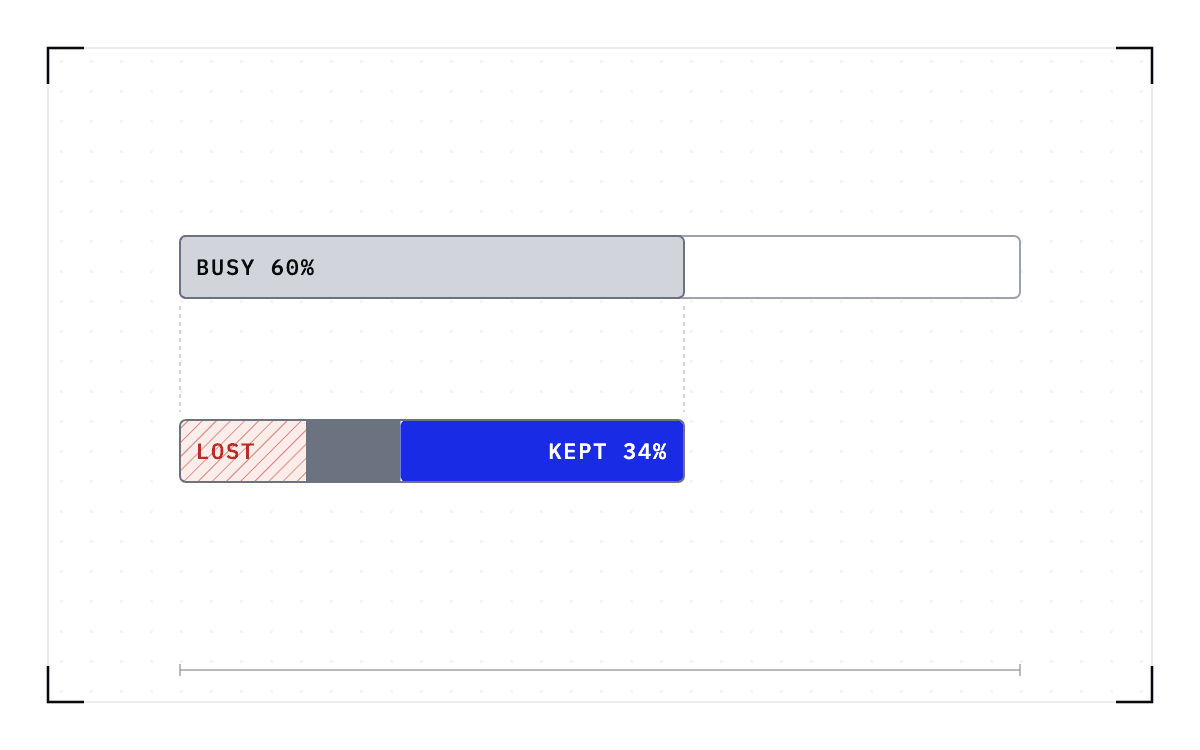
- Three kinds of hour are billed at the full rate and finish no work: cold starts, failures, and immobility. Two of them are counted as busy, and the third is counted as idle with nobody asking why a job could not have used it.
- A checkpoint taken while the job runs changes what some of those hours cost. Recompute after a failure shrinks to the work done since the last checkpoint, a cold start becomes a restore, and a held GPU can be given back without killing the job.
- In this piece we walk through the arithmetic, what the published calculators price and what they leave out, and a 5% fleet average costed at two published rates. We also cover the three kinds of hour that finish no work, the rates you multiply by and what is pushing them up, and which of those hours a checkpoint reaches.
The arithmetic is provisioned hours, your utilization, and your rate
Use your own hourly rate to price both idle GPU-hours and the hours spent loading models or re-running work a failure destroyed. Start with the hours you paid for over a month, which is the number of GPUs multiplied by the hours in the window. Multiply that by the share your dashboard did not count as busy, which is 1 minus your utilization rate, then multiply by what an hour costs you. The answer is what the idle hours cost, and every calculator in the table below does some version of it.
| Source | Its own words | What it puts a price on |
|---|---|---|
| Union.ai, The GPU Idle Tax Calculator | "Idle today = tasks × cold-start ÷ 3600 × price/GPU-hour" | Cold-start seconds, at your own rate |
| Lyceum, idle-waste calculator | "Idle time: 584 hours Monthly Waste: $18,688" | Provisioned hours nothing ran on |
| Parasail, "The idle GPU tax", June 2026 | "a GPU running at 10% utilization costs the same per hour as one running at 100%" | Nothing, it states that the rate does not move |
| Civo, June 2026 | "A GPU running at 30% utilization costs the same as one running at 90%, but it's doing a third of the useful work" | The same point, counted in work delivered |
| Aquanode, July 2026 | "Idle time is 30 to 95 percent of most cloud GPU bills" | A share of a whole cloud bill |
| OpenCost, July 2026 | "At 25% utilization, the actual self-hosting cost is $4.00 per million tokens, not $1.00." | The idle hours inside a per-token price |
Union.ai's calculator is the only one that prices a specific cause, the seconds a cold start burns. The rest price the gap between the hours you bought and the hours something ran, and none of them says which of those hours a job could have used.
Each of these vendors turns a utilization reading and a provider bill or depreciation schedule into a dollar figure, which leaves out the hours your dashboard counted as busy. A GPU loading a model, or re-running lost work, reads the same on that dashboard as one serving traffic and is billed at the same rate, so those hours never enter the figure you just calculated.
A 5% average, priced at two published rates
The lowest fleet average in circulation comes from Cast AI, which reports that "Average GPU utilization across Kubernetes clusters is 5%. About 95% of GPU capacity is paid for and unused." Its page attributes that to its own 2026 State of Kubernetes Optimization report, so the number is the vendor's research and not an independent trace of anybody's cluster.
Put a rate against that share and you get a figure per GPU per month. GMI Cloud's pricing page lists an H100 from $2.00 per GPU-hour and Lambda's lists an H100 SXM 80 GB on-demand at $3.99, both as of September 2026. One GPU held for 720 hours in a month costs $1,440 at the first rate and $2,872.80 at the second, so 95% of each is $1,368 and $2,729.16 per GPU per month.
Those two figures are our arithmetic on Cast AI's published share and two vendors' published rates, not measurements of anyone's fleet.
Two bars on a dollar axis: one GPU held for 720 hours costs $1,440 at GMI Cloud's rate and $2,872.80 at Lambda's, of which $1,368 and $2,729.16 are paid for and unused.
One GPU held for 720 hours, at two published rates
The blue part of each bar is the share paid for and unused: $1,368 of $1,440, and $2,729.16 of $2,872.80, per GPU per month.
The r/mlops thread is arguing about which cost you are counting
The same arithmetic, done in public, turned into an argument about which cost was being counted. A platform engineer worked it out for an H100 cluster and posted it in a thread titled "idle gpus are bleeding money": "We're burning roughly $45k/month on gpus that sit idle 40% of the time." A reply disputed the method rather than the concern: "Idle gpus don't consume 700w. Im also not sure how you arrived at that 1176Usd/month per GPU, that's a factor of 20 off."
What an idle GPU costs you is not what it draws from the wall. It is the rent you are paying on it, or the depreciation running against the purchase, and that continues at the same rate whether the card is busy or idle. A commenter in a Hacker News thread on H100 rental prices makes the same point, that depreciation alone runs significantly higher than the cost of power of running an H100 24x365 at 100% utilization.
Three kinds of hour produce nothing anyone keeps
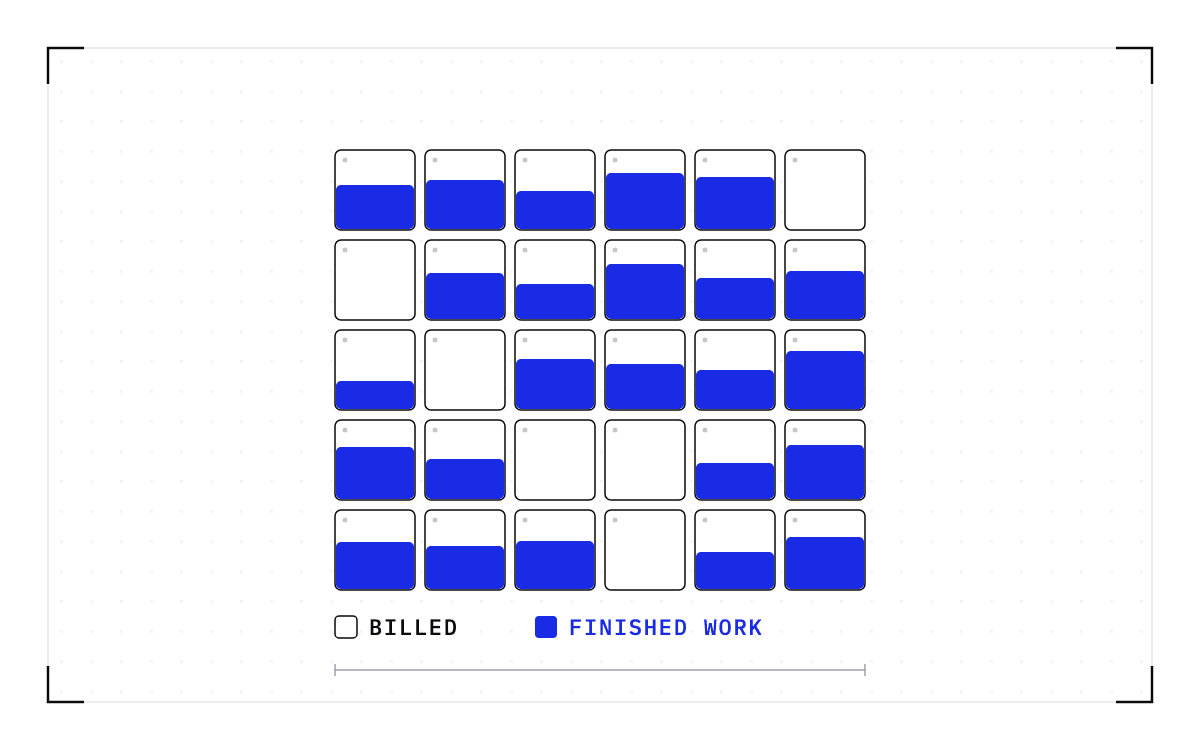
Take the 40% in that post at face value, and the other 60% is still not all output, because a utilization dashboard records whether a kernel was running and not whether anything came of it. Three kinds of hour are billed at the full rate and finish no work: cold starts, failures, and immobility. Two of them, starting and recomputing, are counted as busy, and the third is counted as idle with nobody asking why a job could not have used it.
A cold start is the time between launching a model and serving its first request, and it can run long. Alibaba Cloud's own deployment documentation puts the load of a full-version DeepSeek-R1 at 20 to 30 minutes, and operators hold spare capacity to cover a wait that long. SageServe, published on arXiv in 2025, studied Microsoft Office 365 traffic of over 10 million requests a day, and it reports potential monthly cost savings of up to $2.5 million from scheduling around slow starts rather than making them shorter.
A failure costs you the hours that have to be run again. On Meta's research clusters, hardware failures the authors could attribute touched 19% of GPU runtime while affecting less than 1% of jobs. That figure measures runtime affected by a failure, not how much of it had to be run again.
Immobility is capacity held back or free in the wrong place. Weng and co-authors studied a production cluster of more than 6,200 GPUs for "Beware of Fragmentation" at USENIX ATC 2023, and report that "cluster H is fully packed and cannot accommodate new tasks despite having a total of 500 GPUs unallocated".
Failures also lead operators to hold capacity in reserve, which is immobility bought on purpose. The Delta study at the National Center for Supercomputing Applications puts availability per GPU node at 99.5%, and from that it concludes that overprovisioning of between 5 and 20% would be needed to absorb GPU failures. Its authors price that reserve at over a million dollars a month for the example in their own paper.
The waste never trips an alarm. To separate those hours from the productive ones you need your own accounting records, and How much of your GPU utilization was work you kept? sets out the three steps.
The rate you multiply by and when it was read
If you rent, the rate comes off the provider's published list.
| Provider | Part | What is being bought | Price per GPU-hour |
|---|---|---|---|
| GMI Cloud | H100 | Starting price | from $2.00 |
| GMI Cloud | B200 | Starting price | from $4.00 |
| Lambda | H100 SXM 80 GB | On-demand eight-GPU instance | $3.99 |
| Lambda | B200 SXM6 180 GB | On-demand eight-GPU instance | $6.69 |
Those four rates were on the providers' own pricing pages in September 2026. GMI Cloud's are starting prices, which is why they carry the word from, and neither page establishes a market rate.
If you own the hardware, the rate comes out of the purchase instead. SemiAnalysis puts the all-in cost of a GB200 NVL72 rack at about $3.9 million, and the rack holds 72 GPUs, which is about $54,167 of capital per GPU. Depreciating that over 4 years of running 24 hours a day, 35,040 hours, gives about $1.55 per GPU-hour, and a 3-year schedule, 26,280 hours, gives about $2.06. Both exclude power, cooling, hosting, networking outside the rack, and staff.
Power adds a few cents on top. SemiAnalysis's account of a 100,000-GPU H100 training cluster puts a year of its electricity at $123.9 million, which across those GPUs and the 8,760 hours in a year is about $0.14 per GPU-hour. The SemiAnalysis figures on this page are April 2026 reporting, and the price series behind them is a paid product, so a reader without a subscription cannot refresh them.
Three bars on a dollars-per-GPU-hour axis, in two groups. On about $54,167 of capital per GPU, a 3-year depreciation schedule is about $2.06 and 4 years is about $1.55, and both exclude power, cooling, hosting, networking outside the rack, and staff. Below a rule, on a 100,000-GPU H100 training cluster, power is about $0.14.
Depreciation against power, per GPU-hour
On about $54,167 of capital per GPU, about $2.06 per GPU-hour on a 3-year schedule and about $1.55 over 4 years, both excluding power, cooling, hosting, networking outside the rack, and staff. On a 100,000-GPU H100 training cluster, power is about $0.14 per GPU-hour.
Three forces are raising what an idle hour costs
Each new generation costs more per GPU than the last. SemiAnalysis puts the all-in capital cost per GPU of the GB200 NVL72 rack at about 1.6x to 1.7x the H100's. Counting the purchase price and the cost of running the hardware over its life, the rack has to be at least 1.6x faster than an H100 before it delivers more performance per dollar.
Rental prices sit flat for months and then jump. The H100 one-year rental contract index, published by SemiAnalysis, rose almost 40% between October 2025 and March 2026, from a low of $1.70 per GPU-hour to $2.35. That index tracks one-year contracts for a single GPU type, so it is neither a spot price nor an average across the market. A step like that lands between planning cycles, after the budget is set.
Power is the third force, and the newer parts need more of it: SemiAnalysis puts the GB200 chip at 1,200W against 700W for the H100. Two published field trials cut a cluster's power on a grid signal by pausing work that could wait, one in Phoenix, reported in a 2025 preprint, and one in London, reported by The Register in March 2026. Both left real-time inference and model serving alone, so the load a fleet can offer a grid program is the work whose state survives a pause.
Which of those hours a checkpoint reaches
A checkpoint is a saved copy of the full state of a running job, complete enough to bring the job back later. Taken at the operating-system level, below the application, it captures a job that carries no checkpoint code of its own, and that is the layer we work on at Cedana.
Recompute after a failure shrinks to the work done since the last checkpoint, and the hours before it are kept. A cold start becomes a restore. A held GPU can be given back without killing the job, so hours a job spends sitting inside an allocation become reclaimable.
A restore still takes time. On one node of 8x B200 GPUs, Kimi K2.6, a trillion-parameter model with a 670 GiB checkpoint, resumed in 63 seconds against a 20.3-minute native start, in our published benchmark. The native clock ran from engine launch to ready-to-serve, and the restore clock from a checkpoint of the same fully initialized engine. Those runs held their checkpoints in tmpfs, a file system in the node's own memory, so the times include no fetch from disk or across a network.
Restore time follows the size of the checkpoint, meaning how many bytes have to move, not the parameter count.
What a checkpoint does not change
We do not set your GPU-hour rate or supply the utilization reading. Every rate above is yours, off an invoice or a depreciation schedule, and the utilization reading is your dashboard's. Depreciation runs on the calendar whether or not we are there, and an hour nobody had work for still costs what it costs.
Work comes back only if the job was checkpointed before the interruption, and a job whose state was never saved restarts from the beginning. How often a checkpoint is taken is the operator's policy setting, so the work since the last one repeats on the resume.
We do not decide where a job goes, and an operator's policy or an agent starts the move. The destination also has to match the origin. A checkpoint records the GPU, driver, engine and model versions it was taken against. If any of them changes, the checkpoint is invalid and the workload cold-starts instead.
How big the job is decides whether any of this is available to you today. The single-GPU and multi-GPU-on-a-single-node tiers ship in production today. Multi-node, where a single workload spans hundreds or thousands of GPUs across many nodes, is in design partnership with leading enterprises and neoclouds.
Report the cost in the units your board uses
Your tools report either a watt reading for right now or a bill at the end of the month, and neither one attaches a cost to a job. A developer who built his own per-job cost tracker put it this way: "nvidia-smi gives you instantaneous wattage. Your cloud bill gives you a monthly total. Neither tells you which experiment was the expensive one."
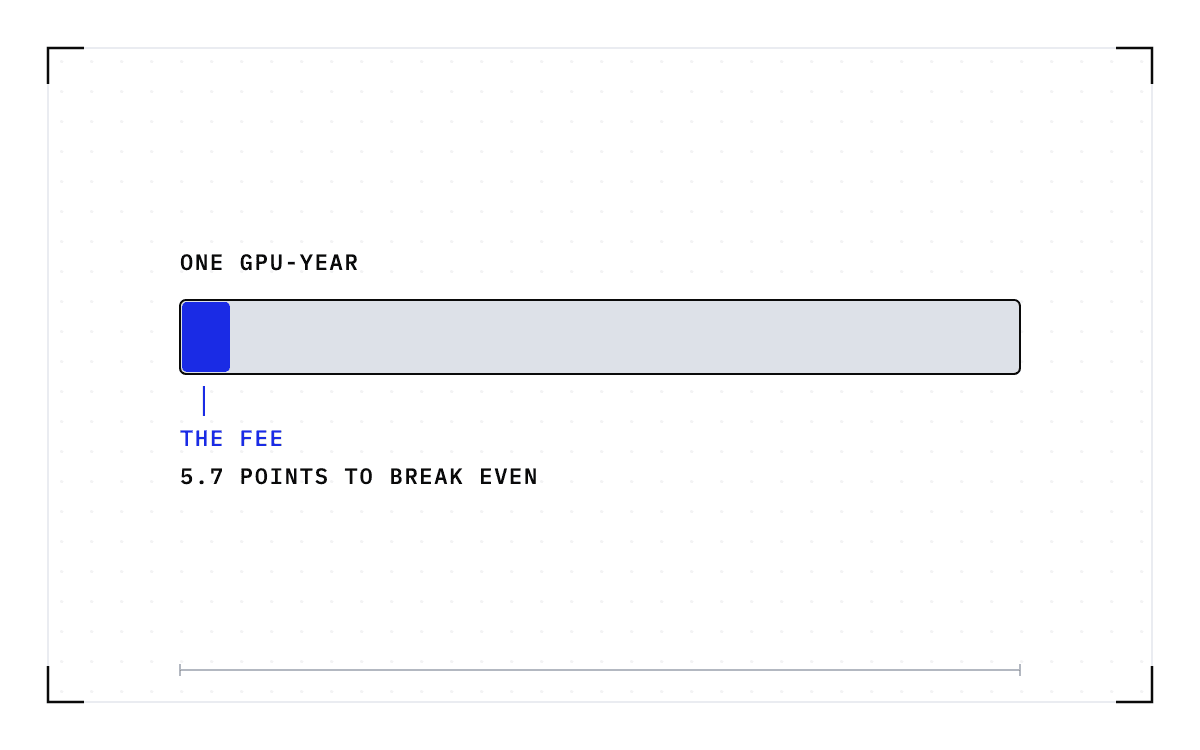
Which unit you report in follows your bill: cost per GPU-hour if you rent, cost per token if you serve, revenue per megawatt if you sell capacity under a power limit. Cost per token divides a fixed bill by the tokens delivered. Revenue per megawatt divides the revenue from those tokens by a fixed power budget. Delivered tokens sit in both, so the hours you priced above mean a higher cost per token for whoever buys the compute, and less revenue under the same megawatt for whoever sells it. Cedana is automated GPU checkpointing and migration infrastructure that increases the useful work your GPUs deliver. We save the state a running job holds and bring it back from its last checkpoint, so the hours before that checkpoint are paid for once instead of twice. The figure you have just calculated is the ceiling on what recovery can return, not a saving, and how much of it comes back to you depends on how many of those hours were recompute, cold start, or a held allocation, and on whether work was waiting for them.
Related:
- Which utilization number goes into your own-versus-rent calculation?
- How much utilization improvement do you need to break even on GPU checkpointing?
- How much of your GPU utilization was work you kept?
- Tasks per dollar: the economics of running your own coding models
- Cost per token and revenue per megawatt are the same number
- The fleet's real yield metric is tokens per gigabyte of VRAM
- Sovereignty has a bill: the transferred duties and the availability math
Common questions
How much is idle, queued, or unused GPU capacity costing us, and does a high utilization number even mean the GPUs are doing useful work?
Idle hours are the provisioned hours nothing ran on, and you price them at your own rate: the number of GPUs, times the hours in the window, times 1 minus your utilization, times your cost per GPU-hour. A high utilization number does not by itself mean the GPUs produced anything, because a GPU loading a model, or re-running work a failure destroyed, reads the same on that dashboard as one serving traffic and is billed at the same rate. Cold starts, failures, and immobility are all billed at the full rate and finish no work, and the waste never trips an alarm.
What's the right yardstick, cost per GPU-hour, per token, or per megawatt, to compare what different GPUs or providers deliver for the money?
Use the unit your bill is in: cost per GPU-hour if you rent, cost per token if you serve, revenue per megawatt if you sell capacity under a power limit. All three improve when the same fleet delivers more, so any of them works as long as you count delivered work and not busy time. Whichever you pick, the arithmetic runs on your own provisioned hours, your own utilization, and your own rate, because nvidia-smi gives you an instantaneous wattage and a cloud bill gives you a monthly total, and neither one tells you which experiment was the expensive one.
What does it cost, per token, once idle hours are counted in?
OpenCost reports that at 25% utilization, the actual self-hosting cost is $4.00 per million tokens rather than $1.00, because the idle hours are folded into the per-token price along with the hours that produced tokens.