TL;DR
- An SGLang serve command sets batching, cache memory, parallelism and precision together, so its flags are not independent settings you tune one at a time.
- A newer GPU can raise peak compute, peak bandwidth, or both, but a serve command raises neither. What it changes is where the deployment sits between those two ceilings and how much of the hardware it keeps busy.
- The cookbook ships the flags as named presets pinned to one engine version, so choosing a name fixes batching, cache, parallelism and precision at once. That choice holds until you stop the process and launch it with a different command.
- In this piece we walk through what an SGLang serve command commits your deployment to: the two ceilings it moves between, what a preset bundles, and six settings and what each one fixes. Then we cover what precision decides before anything else, and how long the commitment lasts.
A serve command moves the deployment between two ceilings, and raises neither
The SGLang cookbook publishes a ready-made serve command for every model it covers, and most teams serving open weights begin from one of those. Its flags set how much work is batched at once, how much memory the cache gets, how the model is split across GPUs, and at what precision the math runs. None of those four is independent of the others, so raising the amount of work in flight changes how much memory is left for the cache, and changing the precision changes how many GPUs the model needs at all.
Whatever those four settings say, two hardware limits bound what the deployment can deliver. Peak compute is how fast the GPU can do arithmetic, and peak bandwidth is the rate at which bytes reach it. NERSC's roofline reference adds a third input, the arithmetic intensity of the application, which is the floating-point operations it performs divided by the bytes it has to move to support them, or the math done per byte loaded. Arithmetic intensity is a property of the workload rather than of the hardware.
NERSC calls the crossover between the two peaks the machine balance point. If your workload's arithmetic intensity falls below it, the workload is usually bandwidth bound, meaning it is limited by how fast data moves through the memory system rather than by how fast the calculations run. Above machine balance, the compute is more likely to be the limit.
The obvious response to all of this is to buy better hardware, and a newer GPU can raise peak compute, peak bandwidth, or both. Whether your workload gets anything from the extra headroom depends on which ceiling it was under to begin with. A serve command raises neither ceiling, with one qualification: the precision flags change which peak applies, because a GPU's FP4 peak is higher than its BF16 peak. What the other flags change is where the deployment sits between the two, and how much of the hardware it keeps busy from there.
A preset bundles a whole set of values, pinned to one engine version
SGLang's cookbook groups flag values into presets, so what you choose is a whole set of values rather than one value at a time. Its presets are organized as named regimes, typically default (balanced), high-throughput-dp, and speculative-mtp (low-latency), and the values inside one of those names were chosen together by the people who wrote the recipe.
Those values do not hold across releases, and the cookbook says why: "Because commands are generated from data and pinned to an SGLang version, exact flag values change per model release and engine version." So every value in this post was read against version 0.5.10.
The recipes we read are for GLM-5.1, DeepSeek-V4, and Kimi-K2.6, and all three are frontier inference models, meaning the latest open-weight models trailing the frontier labs (DeepSeek, Kimi, Qwen, GLM). The Kimi-K2.6 deployment guide offers its examples with the caveat "which may not be the optimal configuration". A published recipe is therefore a starting point its own authors decline to call optimal, and the question worth asking about one is what it commits you to.
Two presets for one model sit at opposite ends of the same trade
GLM-5.1 carries both regimes, so reading its two recipes side by side is the clearest way to see what a preset name decides. The low-latency one, speculative-mtp, runs EAGLE speculative decoding. It drafts several tokens and checks them in one forward pass, so it spends extra arithmetic per step to shorten the gap between output tokens. NVIDIA's speculative decoding guide puts the reduction in average per-token latency where the GPU is underused at small batch sizes.
The high-throughput preset drops speculation and turns on data-parallel attention across 8 ranks instead. The cookbook describes that arrangement as data parallel for attention and tensor parallel for the feed-forward network (FFN). That arrangement raises throughput under high concurrency, and it gives up low-concurrency latency in exchange. The two presets cover the same model on the same hardware, but they put your deployment at opposite ends of the same trade.
Six settings control the main deployment choices
The values below are the ones the cookbook ships at version 0.5.10, each with the model and the preset it belongs to. The spellings are as the cookbook prints them: some rows are command-line flags and others are keys in its data files, and the first row groups three flags that ship together.
| Flag | Shipped value, with its model and preset | What it commits the deployment to |
|---|---|---|
--speculative-num-steps, --speculative-eagle-topk, --speculative-num-draft-tokens | 3 speculative steps, eagle-topk 1, and 4 draft tokens, in GLM-5.1's speculative-mtp preset at SGLang v0.5.10 | EAGLE speculative decoding, which uses extra computation per step to shorten the gap between output tokens |
enable_dp_attention | True, with dp 8, in GLM-5.1's high-throughput-dp preset at SGLang v0.5.10 | Data parallel for attention and tensor parallel for the feed-forward network, trading low-concurrency latency for high-concurrency throughput |
chunked-prefill-size | 4096, 32768, and 131072 across shipped recipes for DeepSeek-V4 and GLM-5.1 at SGLang v0.5.10 | How prefill work is batched, where lower values favor latency and higher values favor throughput |
mem-fraction-static | 0.8 in the GLM-5.1 and Kimi-K2.6 AMD presets, and 0.90 in a DeepSeek-V4 example, at SGLang v0.5.10 | The share of total GPU memory set aside for the model weights plus the key-value (KV) cache pool |
max-running-requests | No preset value at SGLang v0.5.10, and speculative decoding resets it to 48 if unset | The cap on concurrent requests in flight |
swa-full-tokens-ratio | 0.1 on the DeepSeek-V4 balanced recipe at SGLang v0.5.10 | The cache budget on that recipe |
One of those rows is an interaction rather than a setting, and it is max-running-requests, the flag that governs how many requests the engine handles at once. The cookbook ships no preset value for it at 0.5.10, and speculative decoding resets it to 48 when nothing else has set it, so choosing the low-latency preset also fixes a concurrency cap that nobody typed.
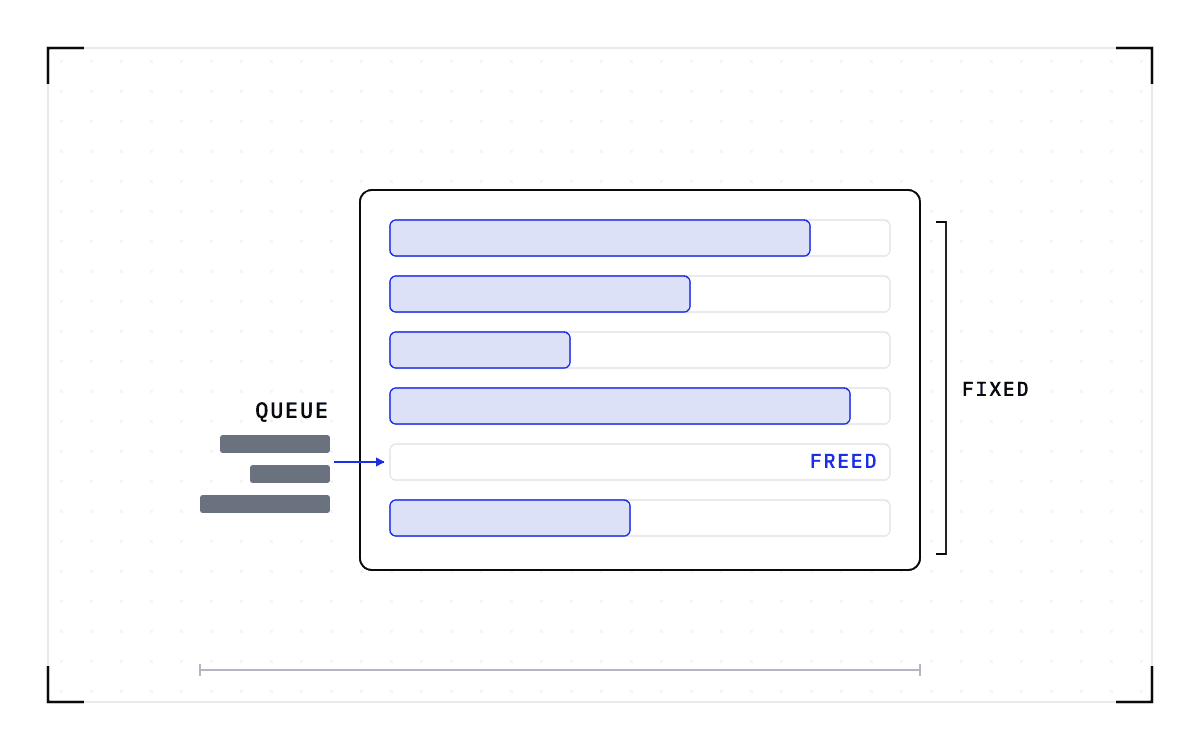
mem-fraction-static is the flag that decides how much of a node one model gets. SGLang defines it as the model weights plus the KV cache pool divided by the GPU's memory capacity, so it is a fraction of the whole card rather than of what is left once the weights are loaded. What sits outside it is the room for activations and CUDA graph buffers, and the shipped values give most of the card to one engine and leave the rest as that headroom.
One bar standing for the GPU's memory capacity, filled from the left to 0.8 for the model weights plus the KV cache pool, with the remainder left for activations and CUDA graph buffers.
The share of total GPU memory
The split falls at 0.8 of the whole of the GPU's memory capacity.
Each value belongs to the recipe it ships in, and swa-full-tokens-ratio is the clearest case, because it is set alongside the other choices on its recipe rather than on its own. On the DeepSeek-V4 balanced recipe it arrives with the FP4 mixture-of-experts (MoE) runner backend, a chunked prefill size of 32768, and autotune switched off. We read it as the split of the cache budget between the sliding-window and full-attention layers.
Precision decides how many GPUs the model needs before anything else
Precision is two separate decisions, and the cookbook keeps them apart. Its DeepSeek-V4 page describes the MoE runner backend as MoE execution with FP4 quantization, which is a decision about the weights. The same page lists mxfp8 among the options for the KV cache dtype, and that one is about the cache. A separate page records that DeepSeek-V3.2-NVFP4 uses ModelOpt FP4 quantization.
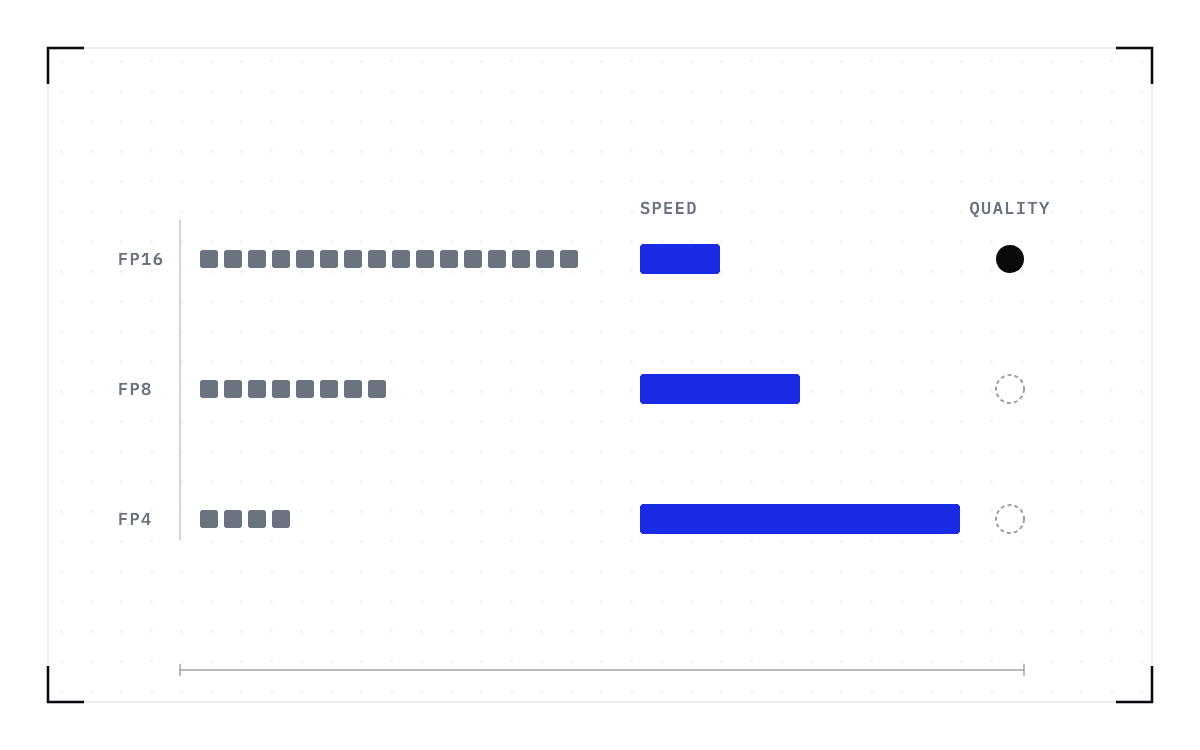
Both of those decisions are about how the model is stored, but precision also sets how many GPUs it takes to hold the model at all. The cookbook's GLM-5.1 tips state that BF16 needs twice the GPUs of FP8. The per-hardware tables match that, with a tensor-parallel size of 8 on H200 and B200 at FP8 against 16 at BF16.
Two rows of GPU blocks on one origin: eight blocks on the FP8 row and sixteen on the BF16 row, for GLM-5.1 on H200 and B200.
Tensor-parallel size at FP8 and BF16
The tensor-parallel size is 8 at FP8 and 16 at BF16, for GLM-5.1 on H200 and B200.
So if you are fitting a portfolio of models onto a fixed number of GPUs, precision and parallelism are what decide how many fit.
The recipe holds for as long as the process runs
The Kimi-K2.6 recipe commits a whole node to one model. Its model card gives 1T total parameters with 32B activated per token, a mixture-of-experts design, and the same native int4 quantization method as Kimi-K2-Thinking. The deployment guide's example runs the model with TP8 on H200 in a single node via SGLang, and that path is supported in SGLang v0.5.10 and later stable releases.
That commitment lasts for as long as the process runs. Changing the precision, the parallelism, or the cache budget means stopping the process and starting another one, because a running worker cannot be reconfigured in place. The fleet can start workers and it can kill them, but it cannot move them.
A worker that cannot move stays on the node it started on for as long as it runs, and moving it instead means carrying everything it holds to compatible hardware. A checkpoint records the GPU, driver, engine and model versions it was taken against. If any of them changes, the checkpoint is invalid and the workload cold-starts instead.
Carrying that state is what we work on at Cedana. Cedana is automated GPU checkpointing and migration infrastructure that increases the useful work your GPUs deliver. We save the full state of a running worker and bring it back on another node, so the worker keeps the flags it was launched with for the life of the process without staying where it started. The recipe you take out of the cookbook still commits your deployment to a set of flag values, and the node you first ran them on is no longer one of them.