

TL;DR
- Swapping one model for another on a single GPU is a cold start with extra steps. The incoming model still loads its weights, initializes its engine, and captures its compute graphs. In practice the swap also hangs, stalls behind the model it is replacing, or leaves memory stuck so the next model will not fit.
- vLLM's sleep mode, SGLang's memory saver, NVIDIA Run:ai's memory swap, llama-swap, Ollama and Triton all park the model somewhere on the machine that was already running it, or throw it away entirely. So the models a node can reach quickly are the models it is already holding.
- Writing the parked model out as a checkpoint, or GPU snapshot, holds the weights, the KV cache, the allocator state and the CUDA graphs at one moment. The model that makes room keeps its sessions and can be restored here or on another compatible node.
- On one node of 8 NVIDIA B200 GPUs we measured a native start at 564 to 2,051 seconds. A restore of the same fully initialized engine took 57 to 70 seconds.
- In this piece we walk through what goes wrong when one GPU has to serve more than one model, and what each of the serving stacks does with the model you park. The second half covers what a checkpoint does differently and what it costs, and what three restores cost against three native starts on one node.
What goes wrong when one GPU has to serve multiple models
A model swap is a cold start with extra steps: the resident model gives up its GPU memory, and then the incoming model loads its weights, initializes its engine, and captures its compute graphs. That takes the same time as starting it on an idle machine.
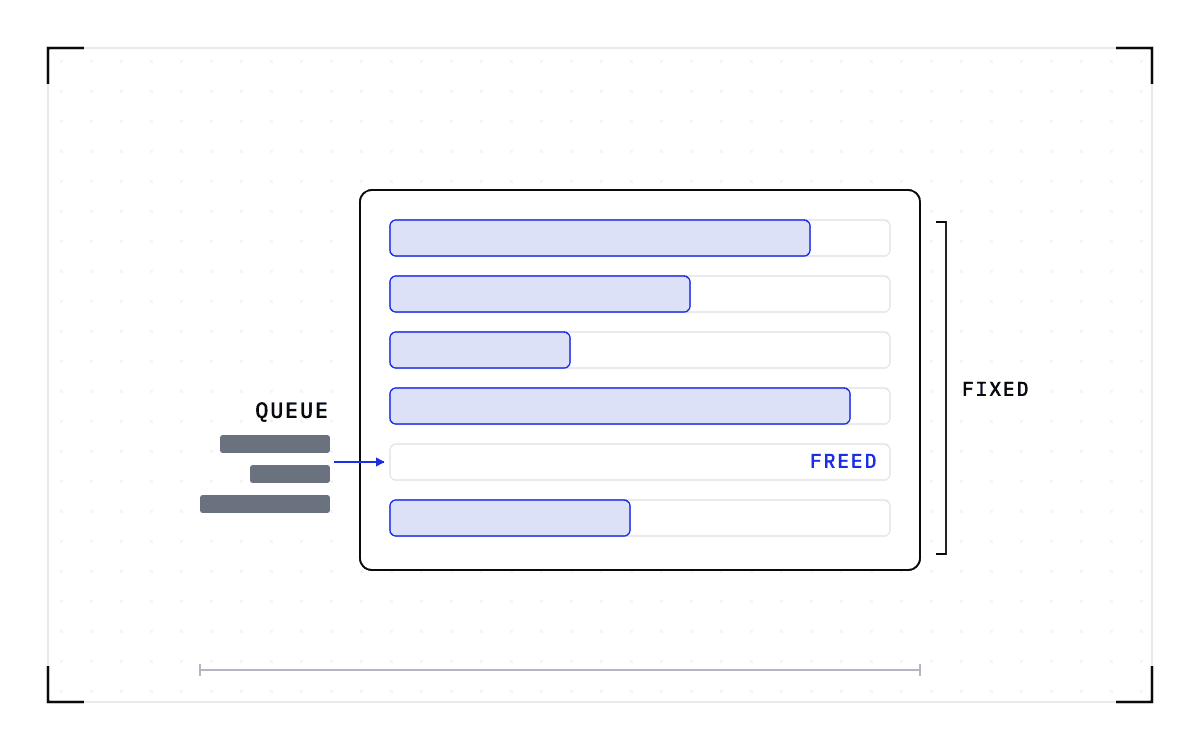
The plainest version of the request is a vLLM issue, where the asker wants to unload a vLLM model and load it again later, in the same script. vLLM's own forum thread on running multiple models answers that the server does not work that way. "vLLM does not support serving multiple models in a single server process or defining multiple models in the vllm server command." The workaround is one server per model, which puts you back at how many models fit in GPU memory at once.
Ollama will let two models share the memory, but when VRAM is nearly full and Ollama has decided to keep both resident, incoming requests to one model stall until the other pops out of memory. Under a 450-point thread on r/LocalLLaMA about llama.cpp's live model switching, one commenter asks for the thing a checkpoint would give. "Exllama had this for years.. But it still takes forever to load/unload. We need dynamic snapshotting so they can be loaded instantly".
Teams that build the swap themselves end up debugging memory that does not come back. One report of vLLM's sleep mode says that on version 0.14, sleep level 1 left 16 GB in use on each GPU after sleep was enabled, repeatedly, and freed only about 6 GB, and that reverting to version 0.13 fixed it. Another report describes what a plain unload and reload does to your availability: it leaves a gap where the model is not loaded, and if the load errors, no model is loaded at all.
Sleep mode keeps the weights in the machine's own RAM
vLLM's sleep mode is the answer most people find first. It "allows you to temporarily release most GPU memory used by a model, including model weights and KV cache, without stopping the server or unloading the Docker container." On vLLM's own blog the saving is large: "Waking a sleeping model is 18-20x faster than loading a fresh vLLM instance."
Level 1 keeps the weights and level 2 does not. Level 1 "will offload the model weights and discard the KV cache", and the documentation says where the weights go. "The model weights are backed up in CPU memory." Level 2 "will discard both the model weights and the KV cache", and it "is good for sleeping and waking up the engine to run a different model".
Turning sleep mode on means turning on vLLM's development endpoints, which matters if you are serving traffic. "To enable sleep mode in a vLLM server you need to initialize it with the flag VLLM_SERVER_DEV_MODE=1 and pass --enable-sleep-mode to the vLLM server", and the same page warns that "you enable development endpoints, and these endpoints should not be exposed to users."
SGLang has the same mechanism behind a pair of server flags. --enable-memory-saver allows "saving memory using release_memory_occupation and resume_memory_occupation", and --enable-weights-cpu-backup will "Save model weights to CPU memory". As with vLLM, memory is released and re-acquired inside a server that stays alive, and the weights sit in that machine's CPU RAM.
Run:ai swaps the parked model into the node's CPU memory
NVIDIA Run:ai sells the swap to CPU memory as a feature. GPU memory swap works by "expanding the GPU physical memory to the CPU memory", and its section on serving warm models describes the rotation. "the GPU can be loaded with multiple models, where the model in use is loaded into the GPU memory and the rest of the models are swapped-out to the CPU memory."
The gain Run:ai claims is measured against the cold start itself. "Loading large LLM models to a node and its GPUs can take several minutes during a 'cold start'. Using memory swap turns this process into a 'warm start' that takes only a fraction of a second to a few seconds."
Your node pays for that warm start, and NVIDIA lists what it takes.
- The CPU RAM has to be there. A worked example of 8 H100 GPUs running 4 LLM workloads at 40 GB per GPU comes to "1,280 GB (1.2 TB) of CPU RAM needed for Swap".
- Some GPU memory goes as well, because "the system reserves a 2GiB of GPU RAM memory by default".
- The workload "MUST use dynamic GPU fractions".
- The pod holding the parked model stays up: "Kubernetes wise, the pod is still alive and running using the CPU."
Eight GPU columns with four 40 GB blocks each, adding up to the 1,280 GB of CPU RAM NVIDIA's worked example needs for Run:ai memory swap.
1,280 GBof CPU RAM needed for swap
A worked example of 8 H100 GPUs running 4 LLM workloads at 40 GB per GPU: 1,280 GB. The system also reserves 2 GiB of GPU memory by default.
llama-swap and Triton unload the model and load the next one
llama-swap and Ollama do not keep the parked model at all. The model on the way out is dropped, and the model on the way in is read from disk again, so every swap is a full cold start.
Triton exposes the swap through an API, but the sequence underneath is still an unload and a reload. In explicit mode "all model load and unload actions must be initiated explicitly by using the model control protocol", and the order is fixed. "When attempting to reload an already loaded model, the existing model should be explicitly unloaded prior to the updated version being loaded."
The parked model never leaves its own machine
Every one of those answers leaves the parked model's state on the machine that was running it. Sleep mode and SGLang's memory saver hold it in host RAM inside a process that has to stay alive. Run:ai holds it in the node's CPU RAM with the pod still running. llama-swap, Ollama and Triton hold it nowhere at all.
Table comparing where vLLM sleep mode, SGLang memory saver, Run:ai memory swap, llama-swap, Ollama, Triton and a checkpoint put a parked model, whether sessions are kept, and whether another machine can pick it up.
Where the parked model goes
| Answer | Parked model goes to | Sessions kept | Restorable elsewhere |
|---|---|---|---|
| vLLM sleep modelevel 1 | Host RAM, process stays up | No | No |
| vLLM sleep modelevel 2 | Discarded | No | No |
| SGLang memory saver | Host RAM, server stays up | Not stated | No |
| NVIDIA Run:ai memory swap | Host RAM, pod stays up | Not stated | No |
| llama-swap, Ollama | Discarded, read from disk again | No | No |
| Triton explicit mode | Unloaded, then reloaded | No | No |
| CheckpointGPU snapshot | Written out as an artifact | Yes | Yes |
So the set of models a node can reach quickly is the set it is already holding somewhere, and a node that is drained, upgraded, or lost takes that set with it. None of these answers leaves behind something another machine could pick up.
What changes when the parked model is written to a checkpoint
A checkpoint, or GPU snapshot, takes the same idea one step further than sleep mode. Instead of holding the parked model inside a live process, it writes that model's state out as an artifact: the weights, the key-value (KV) cache carrying every request in flight, the allocator state, and the CUDA graphs, all at the same moment. That is what we build at Cedana, and we capture below the serving framework, at the operating system and CUDA driver level, so it is the same capture whichever of SGLang, vLLM, and TensorRT-LLM is running the model.
The model making room keeps its sessions because the KV cache leaves with it, so at its next restore generation continues from the very next token instead of reprocessing the conversation. The parked state also stops being tied to one machine, because a worker checkpointed on this node can be restored here or on another compatible node.
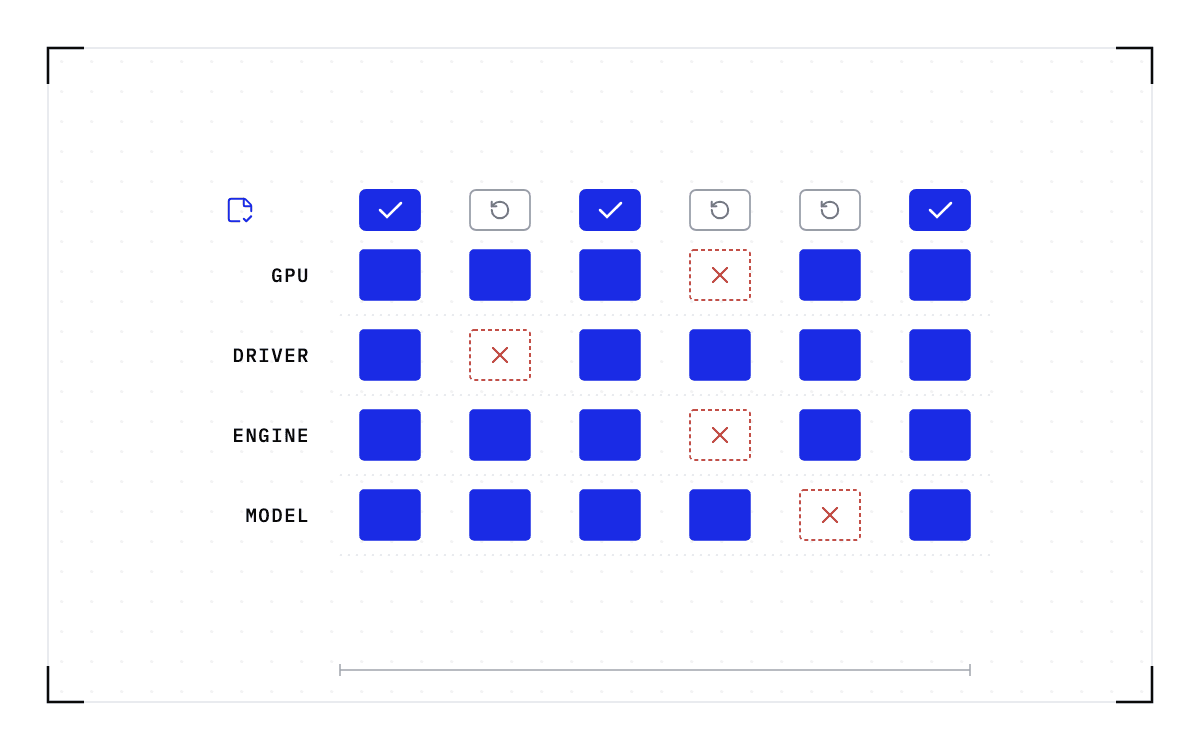
A checkpoint records the GPU, driver, engine and model versions it was taken against. If any of them changes, the checkpoint is invalid and the workload cold-starts instead. Upgrading a serving engine means checkpointing every model in the portfolio again before any can be restored.
The checkpoint has to exist before a model can be restored, so somebody pays one full cold start to make it. A checkpoint does not make the weights load from storage any faster, because the bytes still have to travel. And a restore takes real time of its own, so a request for a model the node is not holding waits for that restore before its first token, and whether that wait is short enough depends on your traffic.
What three restores cost on one node
We measured both ways of getting a model into GPU memory on one node of 8 NVIDIA B200 GPUs with 1.7 TB of system memory, on CUDA 12.9, with each of four models served by SGLang from its official recipe. The native cold start runs from engine launch to ready-to-serve, including weight loading and full engine initialization, and the restore brings that same fully initialized engine back from a checkpoint to the same point. The figures come from that 8-GPU node, and a swap on a single GPU is the same operation with a smaller checkpoint.
Across the four models, a native start took 564 to 2,051 seconds and a restore took 57 to 70 seconds. The checkpoints were read from tmpfs, a file system that lives in the node's own memory, so those restore times include no read from disk and none across a network. Restore time follows the size of the checkpoint, meaning how many bytes have to move, not the parameter count.
Take a session on one node that crosses three transitions, into MiniMax-M2.7, then Kimi-K2.6, then DeepSeek-V4-Pro. As restores, those three transitions come to 190 seconds, or 3.2 minutes. As native starts on the same node they come to 3,832 seconds, or 63.9 minutes. The work between them takes as long either way, so the restores are the whole difference in what we measured.
Stacked bar chart: three model transitions on one node take 3,832 seconds as native starts and 190 seconds as restores.
Three model transitions on one node
Two stacked bars: three native starts into MiniMax-M2.7, Kimi-K2.6 and DeepSeek-V4-Pro total 3,832 seconds; the same three transitions as restores total 190 seconds.
Each swap also checkpoints the model it displaces, and our published set does not time that write, so a full swap takes longer than the restore figures show.
Three minutes of restores is a cost a router can absorb when it decides which model serves the next request. An hour of native starts affects capacity planning, and an operator planning around that delay will swap less often, leaving hard work on whichever model is already loaded.
Running two models in VRAM at the same time is a different problem
Some engineers in those threads want two models resident in VRAM and serving at the same time rather than taking turns. One asker runs model 1 at 50 percent GPU utilization and cannot get model 2 to use the other 50 percent.
That is a question about partitioning one GPU's memory and scheduling between the tenants sharing it, and a checkpoint does not answer it. Checkpointing changes which model occupies the GPU and what the change costs, and it adds no logic for splitting a GPU between two models that are both running.
Every restore figure here was measured on one node
Swapping one model for another on the same node sits inside the tier we ship. The running model is checkpointed, the target model is restored, and both happen inside one machine, as did every run behind the figures above. A job saved on the 8 GPUs of one node and restored on the 8 GPUs of another is inside that tier too, because at no point was it running on two machines at once.
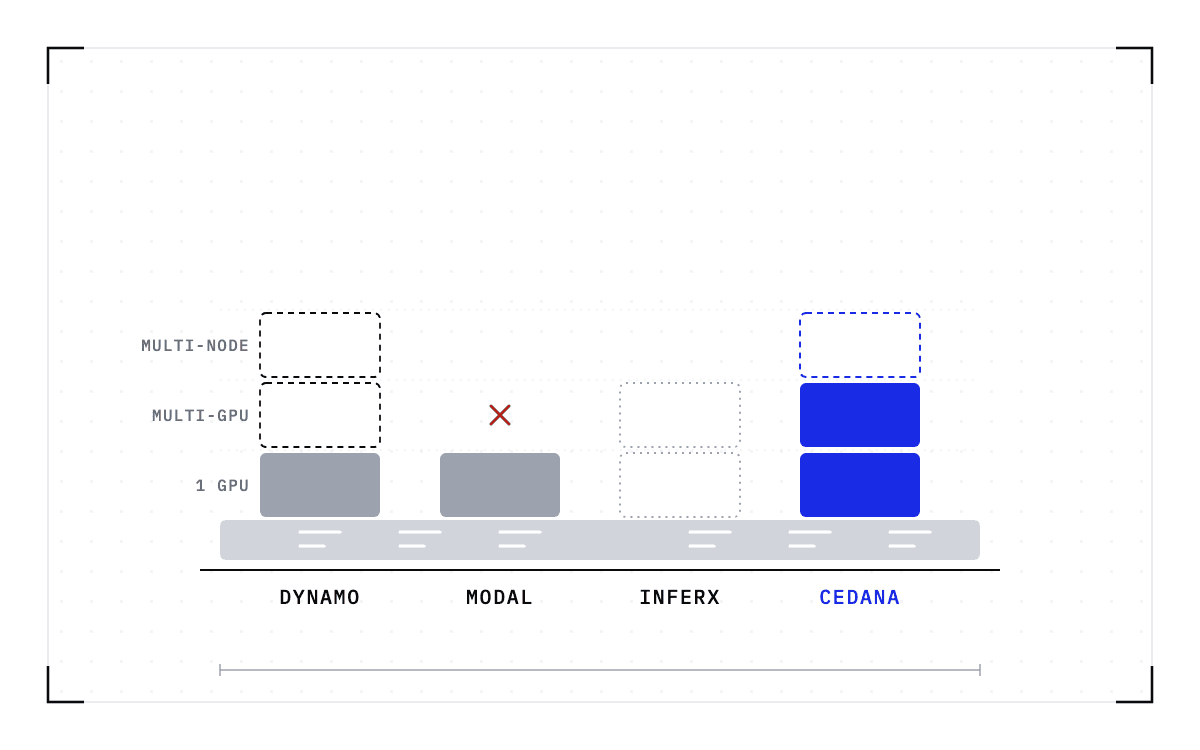
The single-GPU and multi-GPU-on-a-single-node tiers ship in production today. Multi-node, where a single workload spans hundreds or thousands of GPUs across many nodes, is in design partnership with leading enterprises and neoclouds. A model sharded across more than one machine is a multi-node workload.
Swapping models on one GPU without a cold start comes down to saving the model that leaves and restoring the one that arrives. Cedana is automated GPU checkpointing and migration infrastructure that increases the useful work your GPUs deliver. On Slurm and Kubernetes we do exactly that, with no changes to your application. The models your node can serve then stop being only the models it is already holding.
Related:
- Where the minutes go when an LLM worker cold starts
- Can LLM inference scale to zero without paying for warm replicas?
- What NVIDIA Dynamo Snapshot and Modal GPU memory snapshots restore today
- Your KV cache now rivals your weights
- Does disaggregated serving remove the need to move GPU workers?
- KV-cache offload versus a saved worker: what each survives
Common questions
I want to unload the model on my GPU and load a different one without a full teardown, but today that hangs, crashes, or leaves memory stuck. How do I make that swap work?
A model swap is a cold start with extra steps: the resident model gives up its GPU memory, then the incoming model loads its weights, initializes its engine, and captures its compute graphs, the same as starting it on an idle machine. The way out is to keep the state of the model you park instead of throwing it away. A checkpoint holds the weights, the KV cache, the allocator state, and the CUDA graphs at the same moment, so the model making room keeps its sessions and can be restored on this node or on another compatible one.
I want to run two models on the same GPU at the same time, sharing it rather than taking turns. Does checkpointing solve that?
No. That is a question about partitioning one GPU's memory and scheduling between the tenants sharing it, and a checkpoint does not answer it. Checkpointing changes which model occupies the GPU and what the change costs, and it adds no logic for splitting a GPU between two models that are both running.