TL;DR
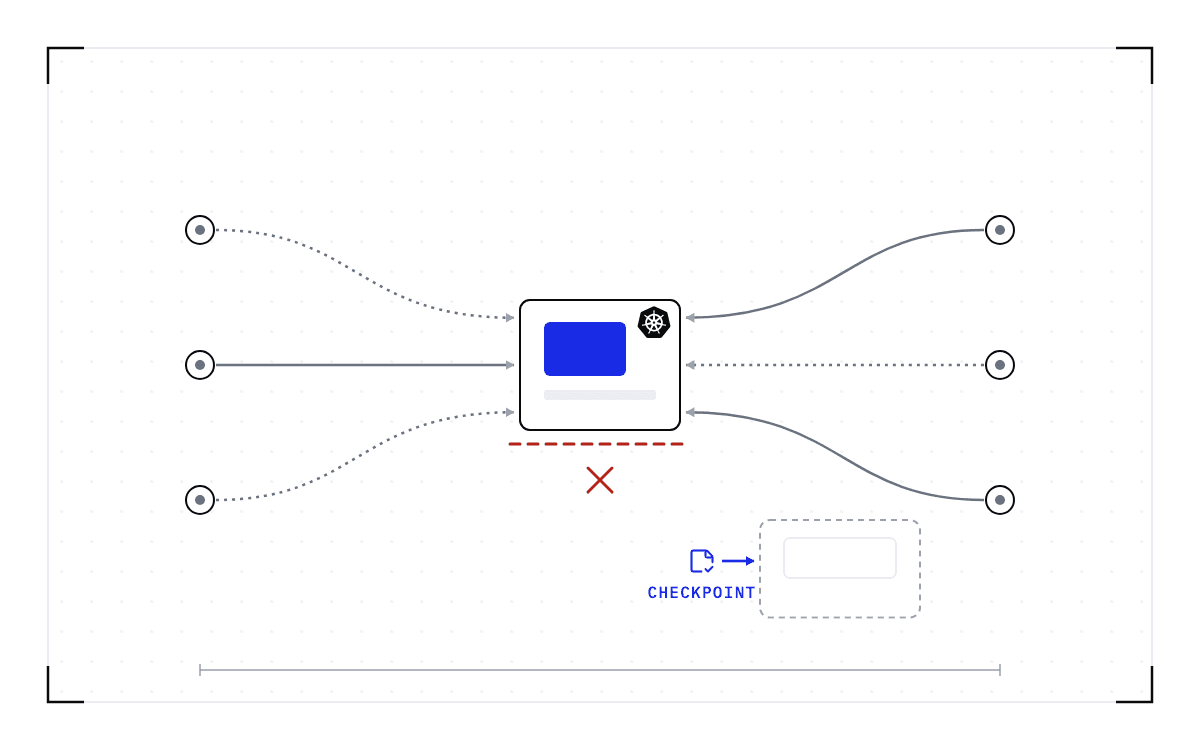
- You have to take a GPU node out of service, and the pods on it are hours into training or serving. Draining the node evicts them, and everything in their GPU memory goes with them. A training job loses its progress since its last save, and a serving worker loses its cache and the requests it was handling.
- The standard answers, two replicas behind a PodDisruptionBudget or rotating node pools, keep a service up by paying for a second copy. They do nothing for a single training job or a stateful serving worker, and the live migration tools people ask about do not cover GPUs yet.
- What works is saving the workload below the application before the drain, so the node empties on your schedule and the work comes back afterwards. Cedana does that on Kubernetes with a DaemonSet and no change to the workload.
- In this piece we walk through what kubectl drain does to a running pod, why a drain hangs on a PodDisruptionBudget, and how teams drain GPU nodes today. Then we cover why nothing moves a GPU pod yet, and how the checkpoint sequence handles a kernel patch, a driver upgrade, and a job that spans nodes.
What happens to a running pod when you drain the node?
When you run kubectl drain, Kubernetes stops scheduling new pods onto the node and evicts the ones already running. kubectl cordon does only the first half. Each pod gets a grace period to shut down, and kubectl drain waits for that before it returns.
That grace period is time to exit cleanly. It is not time to save anything. A serving worker's key-value cache and the requests it was handling live in GPU memory, and so does a training job's progress since its last save. Eviction does not write any of that down, and it does not carry it to the next node.
The replacement is not the old pod moved somewhere else, either. A pod is bound to one node for its life. After eviction, a controller creates a new pod on another node, and the new pod starts from nothing.
Can a training pod get more time to shut down?
You can set the grace period per pod, and the drain honors it. Two things get in the way. Your training operator may not let you set it: a Kubeflow trainer issue asks for exactly that, because the job type does not expose the standard terminationGracePeriodSeconds field and the per-job override has not been built. And even when you can set it, a longer grace period buys a cleaner exit, not a saved job. The process still ends, and its GPU memory still goes with it.
A checkpoint taken before the drain makes the grace period almost beside the point, because the work is already saved when the eviction arrives. Cedana takes that checkpoint from the node rather than from inside the job, so it does not depend on a field the operator will not let you set.
Will a checkpoint fix a drain that is stuck?
A checkpoint does not fix a stuck drain. The two most common ways a drain gets stuck are Kubernetes doing what you configured, and the third is a loss that nothing undoes afterwards. They are worth separating before you reach for a checkpoint.
Why does a drain hang on a PodDisruptionBudget?
It hangs because you told it to. A PodDisruptionBudget says how many pods of a set must stay available during a voluntary disruption, and a drain is a voluntary disruption. When the budget allows zero disruptions, the eviction is refused and the drain waits. That is the configuration working, not failing.
Pods stuck terminating, finalizers that never clear, and the pile of evicted pods left behind afterwards are Kubernetes mechanics too. They need Kubernetes troubleshooting. Cedana does not clear a stuck eviction, a finalizer or a budget.
The third case comes after the drain. If the node was drained and nothing saved the workload's state first, that work is gone. There is no checkpoint to restore, and nothing recovers it later.
A service with a single copy is where the PodDisruptionBudget bites hardest. One user on Discuss Kubernetes runs a deployment with one replica and a budget of one, and cannot drain the node at all. Another on the Kubernetes tracker says he is forced to run one more pod than he needs and to avoid single-instance services altogether, just to survive routine node rotations. The answers on record are the standard ones: run two replicas behind the budget, or cordon the node and roll out a replacement before draining. Both keep the service up by paying for a second copy.
Saving the single pod's state before the drain is a different trade. The PodDisruptionBudget still refuses the eviction until you relax it for the window. What changes is what relaxing it costs. With the pod's GPU memory and open connections saved, it costs a restore plus the work since the last checkpoint, rather than the work itself or a permanent second replica.
How do teams drain a GPU node today?
The standard answers are correct, and for most of what runs on Kubernetes they are enough.
- Run two or more replicas behind a PodDisruptionBudget. One gets evicted while the others carry the traffic, the drain completes, and the replacement comes up somewhere else.
- Rotate node pools. Bring up a second pool on the new image or instance type, shift the workloads onto it, and delete the old pool. This is the blue-green pattern applied to nodes, and it is what the zero-downtime upgrade guides describe.
- For a stateful pod or a single-replica workload, accept the downtime, or block the drain until the work finishes on its own.
- For a distributed training job, restart from the last application checkpoint.
The last two are where GPU work gets expensive. Draining one node of a training job does not cost you one worker. The evicted worker takes the whole job down with it, and issue reports in the Kubeflow Trainer, PyTorch and KubeRay projects describe the same failure from three directions. The standard answers also assume the workload can either be duplicated or write its own checkpoint. Serving engines and notebook sessions mostly have no resume path at all, which is why a maintenance window takes them to zero every time.
When Karpenter or the autoscaler drains the node for you
Not every drain is one you scheduled. Karpenter and the cluster autoscaler replace, expire and consolidate nodes on their own schedule, and each of those is an eviction like any other. Users on Karpenter's tracker report consolidation replacing nodes with running jobs on them, and consolidation going ahead against a stateful workload on node-local storage, with data loss, whenever the budget leaves any room for disruption.
Karpenter's own protection is a do-not-disrupt annotation, which its documentation suggests for a long batch job. It tells Karpenter to leave the node alone while that pod is on it, which is the same trade as blocking a drain: the node stays out of the autoscaler's hands for as long as the job runs. A job that can be checkpointed can be moved instead when the autoscaler wants the node, and the annotation stops being your only protection.
Can a running pod be moved instead of evicted?
There is no live migration for a GPU pod today. The Stack Overflow answer that comes up first on this question, with about 21,000 views behind it, gives the short version: "there's no 'live migration' of pods in Kubernetes." Four tools and efforts come close, and each stops short of a GPU workload.
| Tool | What it does | Where it stops |
|---|---|---|
| Cast AI Container Live Migration | Moves a running pod between nodes without stopping it. Built on CRIU (Checkpoint/Restore In Userspace, a Linux project that saves a running process and starts it again later). Memory is copied while the pod keeps running, the pod pauses briefly for the last of the state, and TCP connections survive the move. | Both nodes must be managed by Cast AI and share a CPU architecture and instance generation family, on Kubernetes 1.30 or later with containerd v2. StatefulSets, Deployments, bare pods, Jobs and CronJobs are supported; DaemonSets are not. Its own requirements page says: "GPU workloads: Not currently supported due to the complexity of checkpointing and restoring GPU memory and compute." For GPUs it offers MIG and time-slicing, which divide the GPUs on a node rather than move a workload off it. |
| zeropod | An open source containerd shim that checkpoints a container to disk after a period with no TCP connection, so a service can scale to zero and come back. Migration is experimental: offline migration moves the checkpoints of scaled-down containers when a node is drained, and live migration lazily migrates a running container's memory. | One container per pod. The listed use cases are low-traffic sites, development and staging, small tiers on Heroku-like platforms, and mostly static sites. GPUs are not mentioned. |
| Kubelet Checkpoint API | Beta since Kubernetes v1.30 and enabled by default. Checkpoints a single container, with all of its memory pages, to an archive on local disk. | Written for forensics: the reference suggests moving the archive to another computer for debugging. Restoring happens outside Kubernetes with separate tooling and depends on the container runtime implementing the call. |
| Kubernetes Checkpoint/Restore Working Group | Announced in January 2026 and led by Red Hat's Adrian Reber. Drafting pod-level checkpoint and restore with a reference implementation, in stages. | Many pod resources may not be covered in the first releases, and as of February 2026 no implementation timeline had been given. |
So the platform is moving toward pod checkpoint and restore, the vocabulary for it is being settled now, and nothing that ships today covers a GPU workload. Cedana's answer is a checkpoint and a restore, not a move with the pod still running.
What changes if the workload is checkpointed before the drain?
The work stops dying with the node. We save it below the application, at the operating system level, with the application taking no part. The checkpoint holds the whole running workload: its GPU memory, the process around it, its files, and its network connections. Because the capture happens below the serving engine, a worker running SGLang, vLLM or TensorRT-LLM is saved with no checkpoint code of its own, and a training pod is saved whether or not its script ever writes a checkpoint.
That is the part we work on at Cedana. Cedana is automated GPU checkpointing and migration infrastructure that increases the useful work your GPUs deliver. On Kubernetes, that means the node empties on the schedule you set, and the work that was on it comes back instead of being computed again.
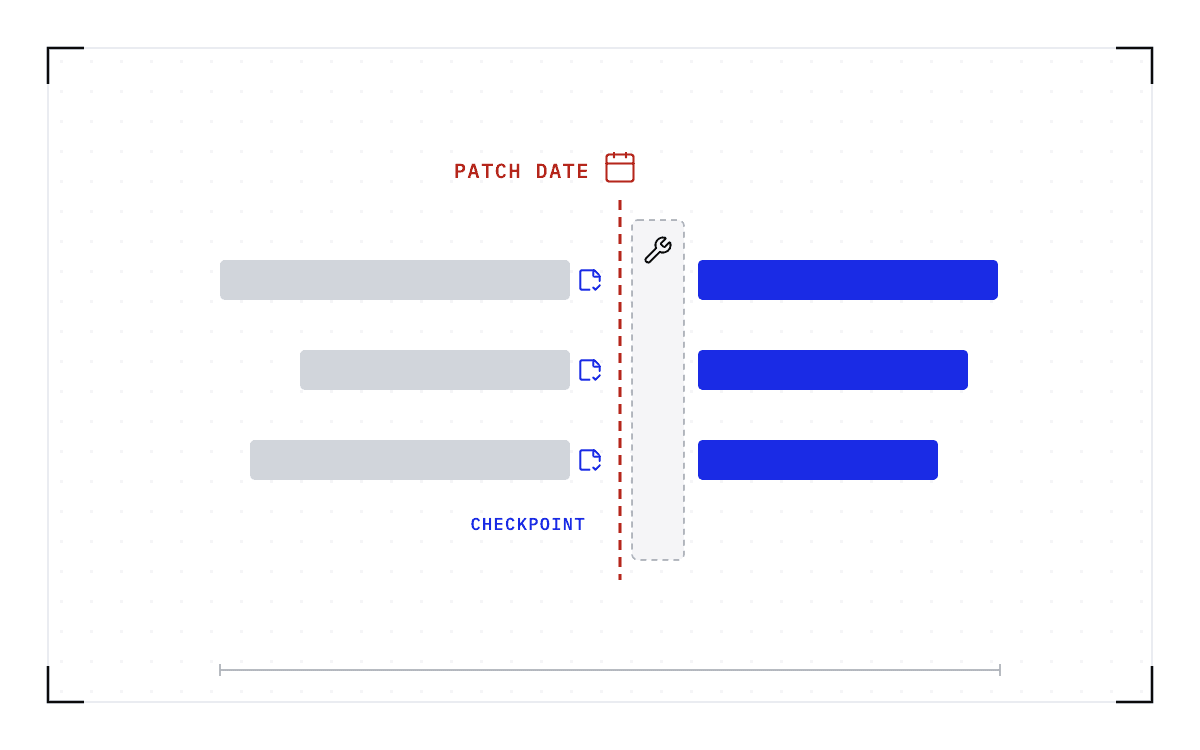
For the maintenance window, Cedana supplies the checkpoint and restore steps, and operations handles the hardware. The sequence is:
- Cedana checkpoints the workloads running on the node.
- Release the node to operations.
- Operations patches, upgrades, or replaces the hardware.
- Cedana resumes the workloads where they left off.
A planned window loses almost nothing, because step 1 takes the checkpoint as part of the drain and captures the state the workloads had when they stopped. An unplanned failure is different. What you lose is the work since the last checkpoint, and how much that is depends on the interval you set: our control plane takes checkpoints on a repeating schedule, a heartbeat, and you choose how often it beats. Recovery then costs the restore plus that interval.
On Kubernetes, Cedana installs as a DaemonSet from a Helm chart and checkpoints on preemption or on policy, with no change to the workload.
Operations gets an empty node at the appointed hour, and the work that was on it is running elsewhere or waiting to come back. Rolling maintenance is the same sequence repeated: move the workloads off one node group, patch that group, rotate to the next, and the cluster never goes down all at once.
The other thing that changes is when you book the window. Patches wait today because workloads cannot move. Once the workloads on a node can be checkpointed and resumed elsewhere, patch windows follow the security calendar rather than whichever job happens to be running.
You do not need spare hardware for a kernel patch, which matters on a fixed fleet with nothing free to take over the work. Checkpoint the pods, patch, and resume them on the same nodes, each from its last checkpoint. That holds for a serving worker, whose state is the key-value cache and the requests in flight, and for a training pod, whose state is its progress since the last save. An engine upgrade is different, because it changes a version the checkpoint records, so it follows the driver-upgrade sequence below.
How long the node stays out after patching is mostly the resume. Cedana's published benchmark on a node of 8x B200 GPUs records Kimi K2.6, a trillion-parameter model with a 670 GiB checkpoint, resumed in 63 seconds. A native start of the same model on the same node took 20.3 minutes, timed to the same point, the engine ready to serve.
Two bars on a 0 to 21 minute axis: a native start of Kimi K2.6 took 20.3 minutes and the resume took 63 seconds.
Resume against native start, Kimi K2.6
A native start took 20.3 minutes; the resume took 63 seconds.
What about a driver or CUDA upgrade?
Fleets run old drivers because upgrading means draining. A checkpoint does not carry the work across the version change. It changes where the work comes back.
A checkpoint records the GPU, driver, engine and model versions it was taken against. If any of them changes, the checkpoint is invalid and the workload cold-starts instead.
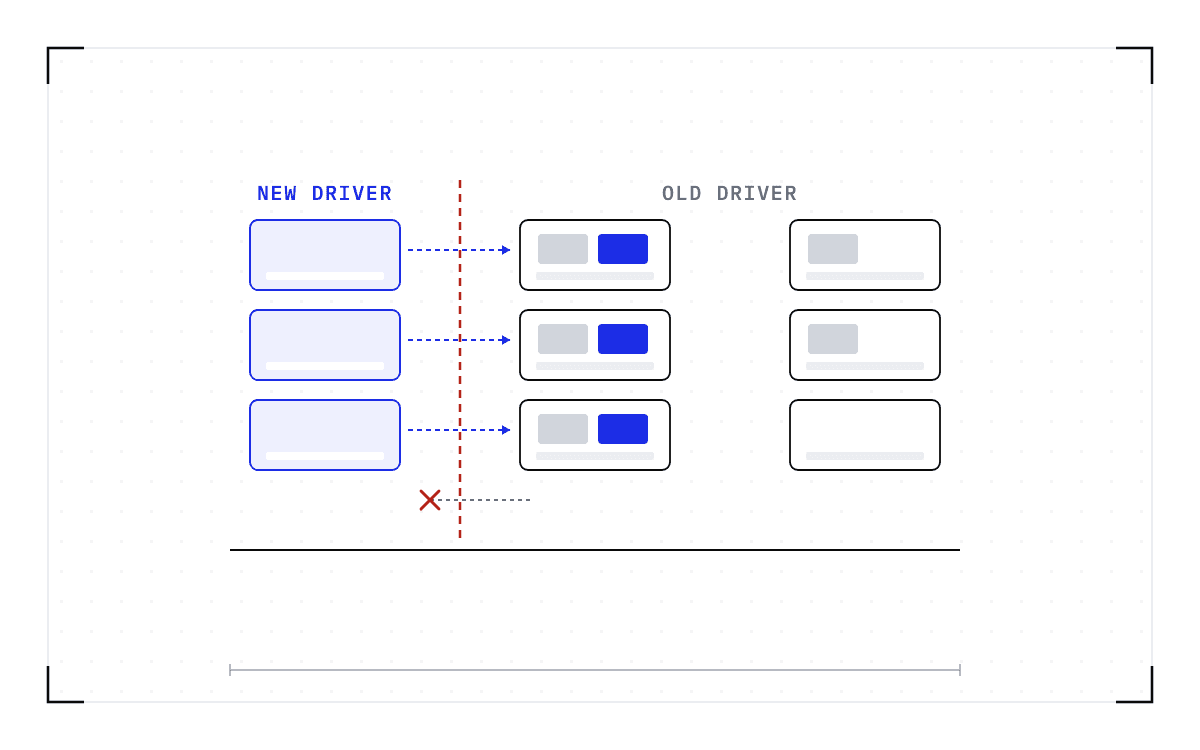
So a kernel patch and a driver upgrade start the same way, by clearing the node, and end differently. After a kernel patch the work can return to the same node. A checkpoint taken on the old driver cannot be restored on the new one, so that work has to land on nodes still running the old version. Checkpoint the workloads, resume them on compatible nodes that are not being upgraded, do the upgrade, and return the node to the pool. Compatible means the same GPU model, driver, engine and model versions.
The receiving nodes must still run the old driver, so you upgrade the fleet in groups, keeping enough compatible nodes free to hold the work while the rest are upgraded. The workloads still running when the last group's turn comes either finish first or cold-start on the new driver. That is the one place in the sweep where work gets computed twice.
What about a job that spans several nodes?
Draining one node of a multi-node job is the case the standard answers handle worst, and the issue trackers say why. A Kubeflow trainer issue describes what happens when one training pod is evicted during a drain. The remaining pods receive no signal and eventually crash on communication timeouts, and the whole job restarts from its last checkpoint, with the compute in between wasted. PyTorch elastic's scale-down does not handle an agent killed by the same signal, and a Ray worker group has no drain step, so the tasks and actors in flight are deleted with it.
The single-GPU and multi-GPU-on-a-single-node tiers ship in production today. Multi-node, where a single workload spans hundreds or thousands of GPUs across many nodes, is in design partnership with leading enterprises and neoclouds. If your jobs span nodes and this is the case you need solved, talk to Cedana about a design partnership.
What should you measure at the next window?
Write down two numbers, both in GPU-hours. First, the GPU-hours that sit idle in the run-up: for each cordoned node, the GPUs with nothing running on them from the cordon until the node is released, because a cordoned node can still be finishing its last pods. Second, the GPU-hours computed a second time afterwards: for each evicted pod, the time from its last saved state to the eviction, times the GPUs it held. Add them, and that total is what the cluster pays today for state that cannot move.
Neither number shows up as a fault. A cordoned node is working as designed, and a job that ran twice looks like a job that ran.
Related:
- Rebooting Slurm nodes for a kernel update without losing the running jobs
- Why an NVIDIA GPU Operator upgrade waits for your workloads
- Patch the GPU cluster on the security calendar, not the job calendar
- Driver, CUDA, and engine upgrades with workloads running, and the one limit
- When the node dies under a Jupyter session
- How do I run a proof of concept for GPU checkpointing?
Common questions
How do I get my workload through a maintenance drain without losing its progress?
Checkpoint it below the application before the drain starts, release the node to operations, and resume the workload once the hardware work is done. On Kubernetes, Cedana installs as a DaemonSet from a Helm chart and checkpoints on preemption or on policy, with no change to the workload. The restore has to land on a compatible node, meaning the same GPU model, driver, engine and model versions.
Why does my drain hang on a PodDisruptionBudget, and how do I get past it without deleting the budget?
Kubernetes is honoring the budget you set: while the allowed disruptions are zero, the eviction is refused. Run two or more replicas behind the budget and the drain has a pod it can evict while the others carry the traffic, so it completes without touching the budget. A single-replica service has to relax the budget for the window, and if the pod was checkpointed first, relaxing it costs a restore rather than the work.
Does draining one node take down my whole distributed training job?
In the cases reported on the Kubeflow Trainer, PyTorch and KubeRay trackers, yes. The evicted worker takes the job down with it, the remaining workers fail on communication timeouts, and the job restarts from its last application checkpoint. The single-GPU and multi-GPU-on-a-single-node tiers ship in production today. Multi-node, where a single workload spans hundreds or thousands of GPUs across many nodes, is in design partnership with leading enterprises and neoclouds.
Can a single-replica or stateful workload get through a drain without permanently running a second replica?
Normally it has two options, and both cost something: accept the downtime, or block the drain until the work finishes on its own. Checkpointing the workload below the application before the drain and resuming it afterwards gets it through the window without a permanent second replica, at the cost of a restore plus the work since the last checkpoint.