TL;DR
- A driver upgrade on the NVIDIA GPU Operator will not start while GPU pods are still working on the node. The old driver's kernel modules cannot unload while a process is holding them open.
- Push it through anyway and the driver pod is usually what breaks. It can stick in Init:CrashLoopBackOff, GPUs can come back unusable, and pods that have finished can hang in the terminating state.
- The remedy people reach for most often is a downgrade, which puts the old driver back and leaves the fleet exactly where it started.
- Checkpointing the workloads lets you empty a node without destroying the work on it, but the checkpoint cannot cross the upgrade. So the work resumes on nodes you deliberately leave on the old driver, and the fleet upgrades in groups.
- In this piece we walk through why an NVIDIA GPU Operator upgrade waits for the pods, what breaks when it does not, and why the fleet is on an old driver in the first place. Then we cover what a checkpoint changes about the order you upgrade in.
Why does the upgrade wait for the pods?
The old driver has to come out of the kernel before the new one goes in, and it cannot come out while something is still using it. NVIDIA's driver-upgrade sequence puts each node through three steps: "Disable all clients to the GPU driver. Unload the current GPU driver kernel modules. Start the updated GPU driver pod." The first two happen before the new driver appears, and both are about getting the old one out of the kernel.
Three ordered steps: disable all clients to the GPU driver, unload the kernel modules, then a rule across the card marking what happens before the new driver appears, and below it start the updated driver pod.
NVIDIA's driver-upgrade sequence
The rule falls after the second step: the first two happen before the new driver appears.
Any pod doing CUDA work on that node is one of the clients in the first step, and you cannot unload the kernel modules while a process is holding them open. So the pods have to stop first, and the upgrade waits until they do.
The operator's Upgrade Controller walks each node through that sequence, cordoning the node, evicting the pods, and restarting the driver pod once the node is clear. When the sequence goes wrong, the driver pod is what you find broken: one thread on NVIDIA's developer forum describes GPU pods that could not run after a driver upgrade from 535 to 575, with the nvidia-driver-daemonset pod crashed. The wait itself is not a bug in the controller, because it is what the driver's kernel modules require.
What goes wrong when the pods are still there?
The controller cannot move work it is not allowed to interrupt, and it cannot move work it does not know is there. Issues filed on NVIDIA's GPU Operator repository record three versions of that:
- A pod that is still using the GPU blocks both the eviction and the unload.
- DaemonSets, and pods that hold a GPU without an explicit GPU request in their spec, are GPU consumers the operator does not see.
- A node you have already cordoned by hand with
kubectl cordongets uncordoned again by the operator.
The stall you see from outside is a driver pod that gets stuck in the Init:CrashLoopBackOff state while the node still has active GPU workloads on it.
Even when the upgrade completes, driver pods crash, GPUs come back unusable, and the work already on the node will not clear off it: "once the pods are completed they try to release the GPUs but fail and the pods stay in terminating state indefinitely." So the remedy reported most often across these threads is to downgrade, which puts the old driver back and leaves the fleet where it was.
Why is the fleet on an old driver at all?
Fleets run old drivers because upgrading means draining, and draining costs you the work that is running. Enterprises with a security policy typically patch at least monthly, and on fleets serving models, inference engine and driver updates land every week or two. So the upgrade is a routine event with a standing queue behind it, not something that comes around once a year.
A fixed fleet has no spare capacity to take over the work while the nodes serving traffic are drained, so there is nowhere for the evicted pods to go. At every upgrade you face the same choice: kill the pods on the node, or leave the driver where it is.
What does a checkpoint change, and what does it not?
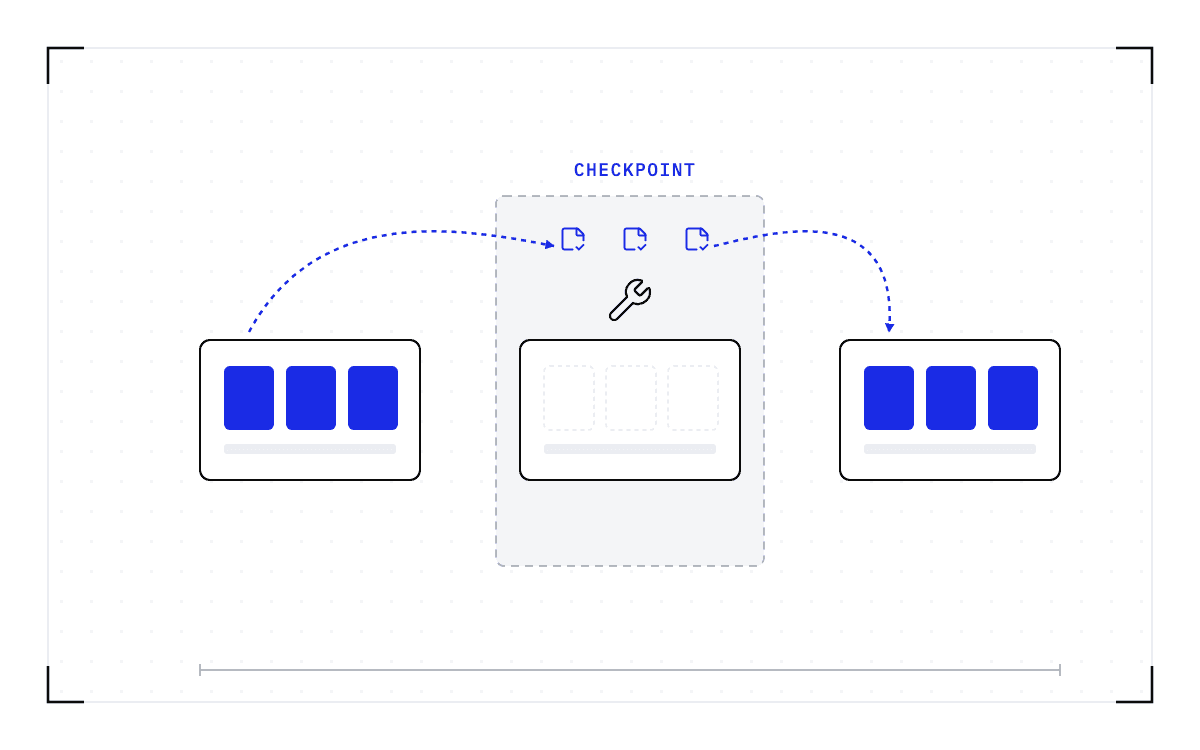
Saving a running workload below the application, with its GPU memory, lets you empty a node without destroying the work on it. The pods stop, the controller gets the clear node it was waiting for, and the computation those pods were doing is written down instead of thrown away. What the save does not do is carry that work across the upgrade.
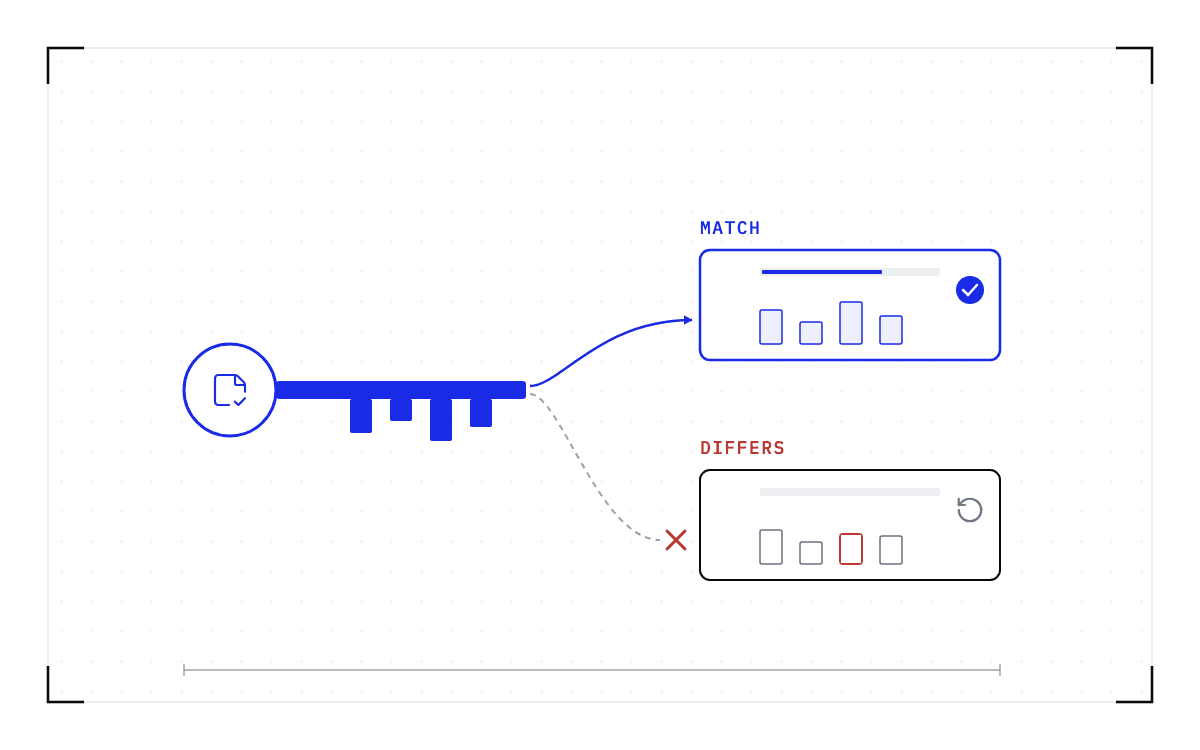
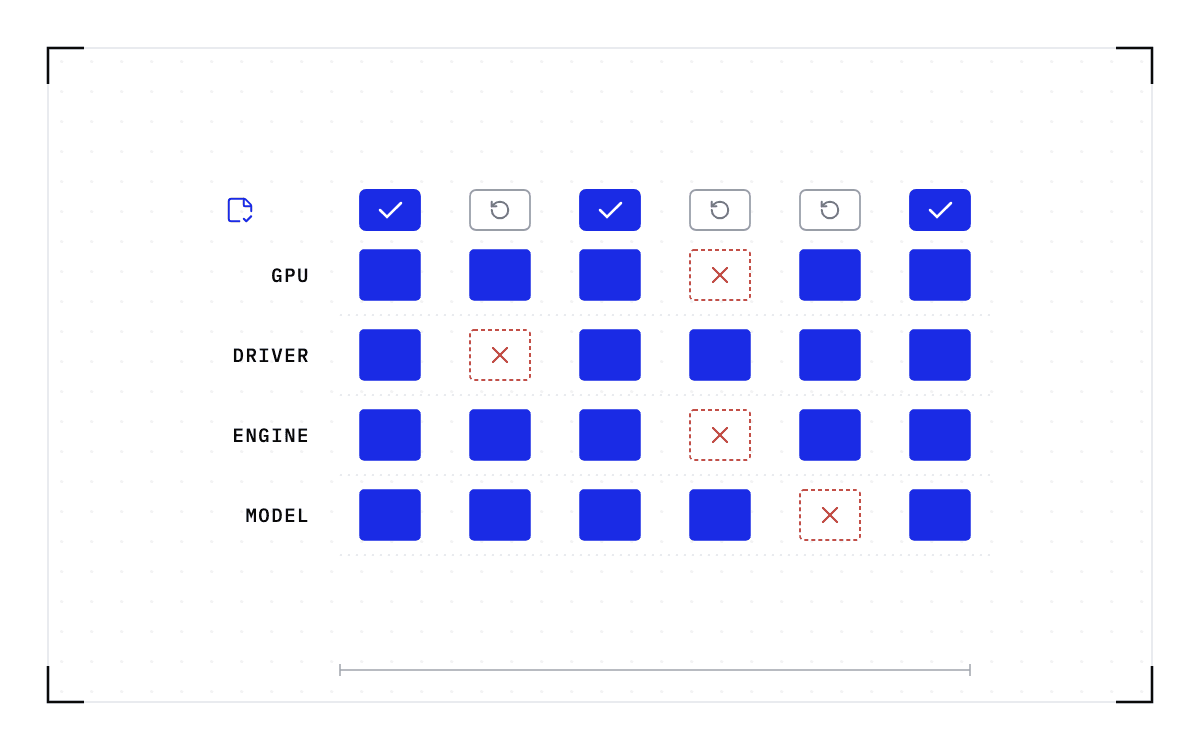
A checkpoint records the GPU, driver, engine and model versions it was taken against. If any of them changes, the checkpoint is invalid and the workload cold-starts instead.
So a driver or CUDA upgrade changes where the work comes back. The Upgrade Controller already clears the node before it touches the driver, and what the checkpoint adds is that the evicted work continues somewhere instead of ending. At Cedana we checkpoint the workloads on the node and resume them on nodes that are not being upgraded and that run the same GPU model, driver, engine and model versions. You do the upgrade and return the node to the pool.
That compatibility limit decides the order you upgrade in, and it bites hardest when the fleet has no spare capacity. The work you evacuate needs somewhere to land, so you upgrade in groups and leave enough nodes on the old driver to hold the work while the rest are done. Those nodes need room as well as the right versions, so on a fleet running full the first group can only be emptied by letting its jobs finish or by moving them into whatever headroom you have.
Two groups of nodes on a fleet running full: the first group is empty and on the new driver, and the work it evacuated sits beside the work already running on the nodes deliberately left behind on the old driver. The first group can only be emptied by letting its jobs finish or by moving them into whatever headroom you have.
Upgrading in groups
on a fleet running full
Counts are illustrative.
Every node of the group deliberately left behind on the old driver already carries work of its own, and the work evacuated from the first group is squeezed in beside it. The first group, now on the new driver, can only be emptied by letting its jobs finish or by moving them into whatever headroom you have.
The workloads that moved keep running on the old driver, on the nodes you deliberately left behind. By the time you upgrade the last group, those workloads have either finished or they cold-start on the new driver. Cedana is automated GPU checkpointing and migration infrastructure that increases the useful work your GPUs deliver. On a GPU Operator upgrade, that means the controller gets the empty node it was waiting for, so the kernel modules unload and the new driver pod starts on the version you were trying to install. The work that was on the node keeps running elsewhere while you do it, rather than being computed a second time.
Related:
- Draining a GPU node in Kubernetes without losing the work on it
- Rebooting Slurm nodes for a kernel update without losing the running jobs
- Patch the GPU cluster on the security calendar, not the job calendar
- Driver, CUDA, and engine upgrades with workloads running, and the one limit
- What cannot be checkpointed in a GPU workload?
Common questions
Why does an NVIDIA GPU Operator driver upgrade stall when GPU workloads are still running?
The driver's kernel modules cannot unload while a process is holding them open, so any pod doing CUDA work on the node blocks the upgrade. The operator's Upgrade Controller cordons the node, evicts the pods, and restarts the driver pod once the node is clear, and if a workload is still using the GPU when it tries, the driver pod can get stuck in the Init:CrashLoopBackOff state.
Why do my GPU pods fail after a GPU Operator driver upgrade, and how do people fix it?
When a driver upgrade runs into active GPU workloads, the driver pod can crash, the GPUs can come back unusable, and pods that already finished can fail to release the GPU and stay in a terminating state indefinitely. The remedy reported most often across these threads is to downgrade, which puts the old driver back and leaves the fleet where it was.